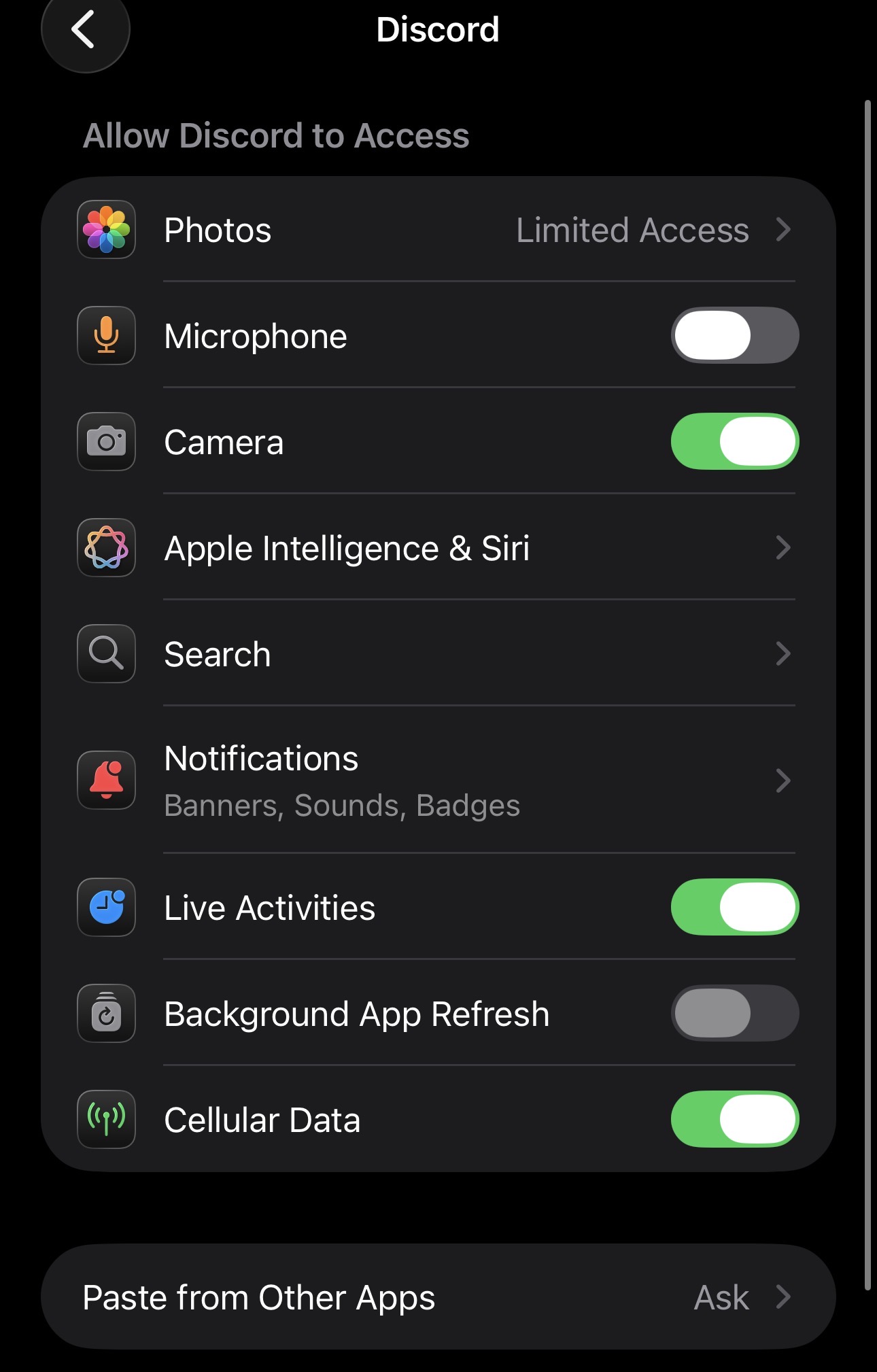
I am switch from an iPhone. One thing I noticed is the permission control for apps is lacking. The iPhone allows me to turn off permission for each and every components. Even for gallery, we can chose to ‘limit’ selected photos in which the app has accessed to. This feature would make sailfishos complete for me. Overall I’m in love with the operating system and it’s unique gesture control. It is a beautifully well thought out system, unlike anything I’ve seen so far.
I am more critical of these components:
Location permission
Contacts permission (I remember my awful life back in android whereby I clicked YES to instagram to access my contacts and it ruined my life.)
Files and folder
Photos (Put a limit to what apps can access to. Of your chosen photos)
currently it also only shows you what the app requests, you can only cancel or accept.
but to put it into relation:
this feature: ‘i can give this or that right to an app’ is imho just a fig leaf, a pretender
it pretends that you as user can control what of your data android or apple ecosystem is sharing with whom ever.
Well, there are some ways to have more control on permissions.
But as Jolla and community devs have other priorities and no thousands devs to solve everything at the same time, it is not very polished and plug and play yet.
But apps permissions can definitely be tweaked.
First, get root (devel-su) access, terminal or terminal via the PC.
Then, you’ll be able to edit files and change to your taste.
The links to the documentation given above are good to read, as well as some threads like this one or this one or some other search results.
Don’t hesitate to ask if you are blocked after having searched/read everywhere possible.
I have a long term request/idea to make screen rotation into a permission. That way one could grant that feature to the few apps that actually need it (photo gallery, camera, and movie player). A mobile browser or an app used for buying parking tickets NEVER ever needs to rotate the screen. If it does it is always by mistake and a great annoyance (for me at least).
I know this is the wrong place to post this. I’m just hoping to spread my idea wide and far. On android I was using “Auto auto-rotate” from fdroid to acheive peace of mind. On Sailfish maybe this could one day be built into the system by default.
It is possible as you described, but I think the main point was to have a centralized, transparent and easy to use place in settings for that purpose.
Discord example on iOS:
On top of that I’d argue that permissions should be asked (accept or no) when the app tries to use them for the first time and not before you open the app.
Both of these are industry standards for years and very nice to have.
Regarding permissions though, there were some apps (some default ones as well) that ask for way too many permissions immediately.
If I was a new user and I tried to open a default app to get greeted with a popup that asks me to consent in camera, microphone, files etc permission without even knowing what is happening I would have been scared.
Especially since the new phone campaign capitalized even more on privacy.
All the old apps will do that, maybe the prompt should be changed to indicate: this app has not defined granular permissions so we grant them these by default for compatibility, or something, ppl freak out about this way too much
I think this will be a good start.
The problem is that majority of the new users will come from Android/ios. So the moment you see “accept x permissions” what you expect is that the app will start using these immediately.
Just like @attah said: linux desktop is just the same.
Lets take an exemple: install a linux distro, say Fedora. Open now firefox.
This firefox browser has access (without even asking you) to your files and camera and so on…
Unless you’d install a specific sandboxed app (such as a flatpak), the permissions are just here by default, without even telling you.
Sailjail was implemented by Jolla in a way to be able to tell you what is accessed, as an attempt to start canalizing sandboxing, first with a warning.
More may come along the way, with coming work on Sailjail.
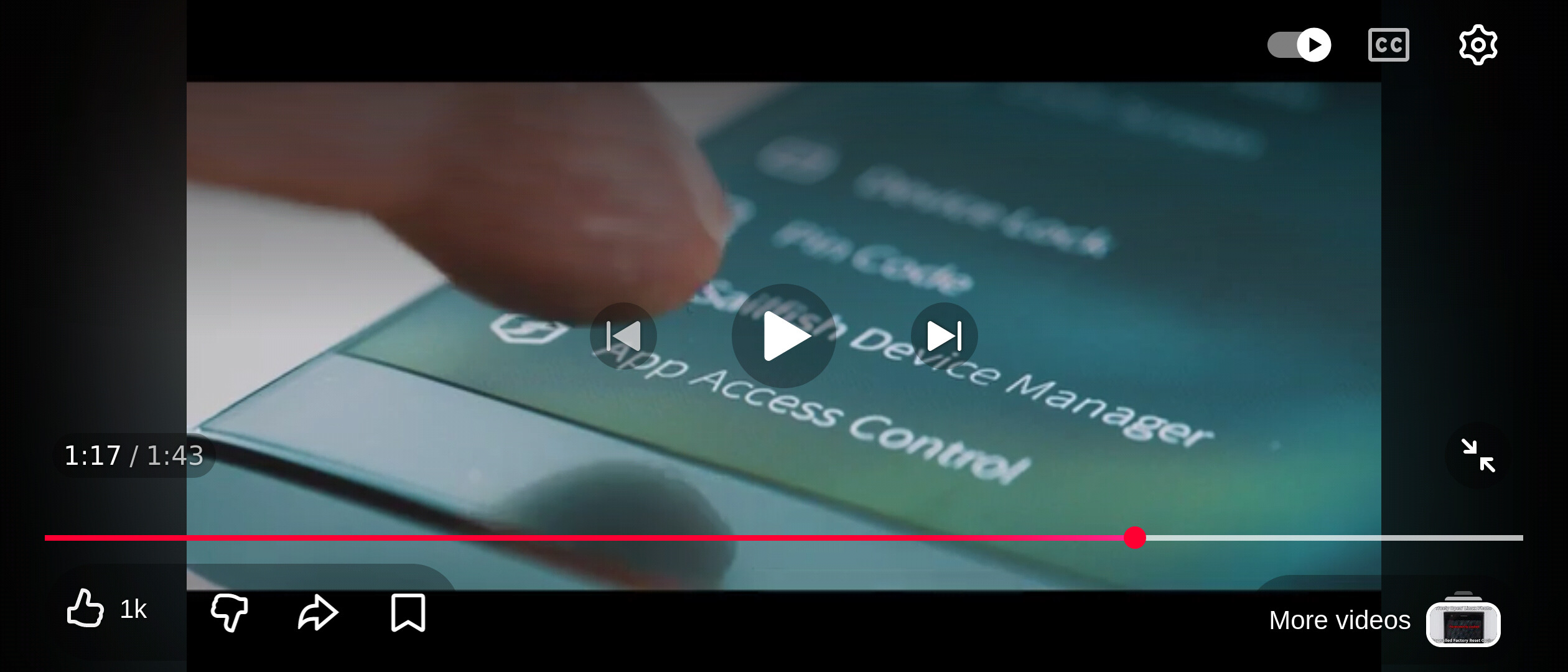
Hahaha I’m just bringing now something from the paaaast, but i remember the Sailfish App Access Control to be a dream from Jolla team already on the way (on the roadmaps lets say) with the introduction of Sailfish 3, see this video (or my screenshot just bellow) : https://m.youtube.com/watch?v=6CujSvOu0z0&pp=ygUKc2FpbGZpc2ggMw%253D%253D