Ok, let’s nip this in the bud and clarify some things here.
First of all: karip’s/my File Browser (source code) does NOT give you root access to your phone. You CANNOT “brick” your phone with it (maybe if you try very hard).
File Browser has standard user permissions, which are further restricted by Sailjail. Neither the unjailed version nor the jailed version can, for example, read the .local/share/system/privileged/ folder. If you need root access and if you know what you are doing, you can install Root Mode for File Browser from OpenRepos which is a separate app protected by your phone lock code. With this you CAN brick your phone. This isn’t going into the Jolla store anyway.
Here’s the difference between the unjailed version and the version with Sailjail:
| OpenRepos (no jail) | Harbour (Sailjail) |
|---|---|
| unjailed home: | jailed home: |
| unjailed Android storage: | jailed Android storage: |
| unjailed root folder: | jailed root folder: |
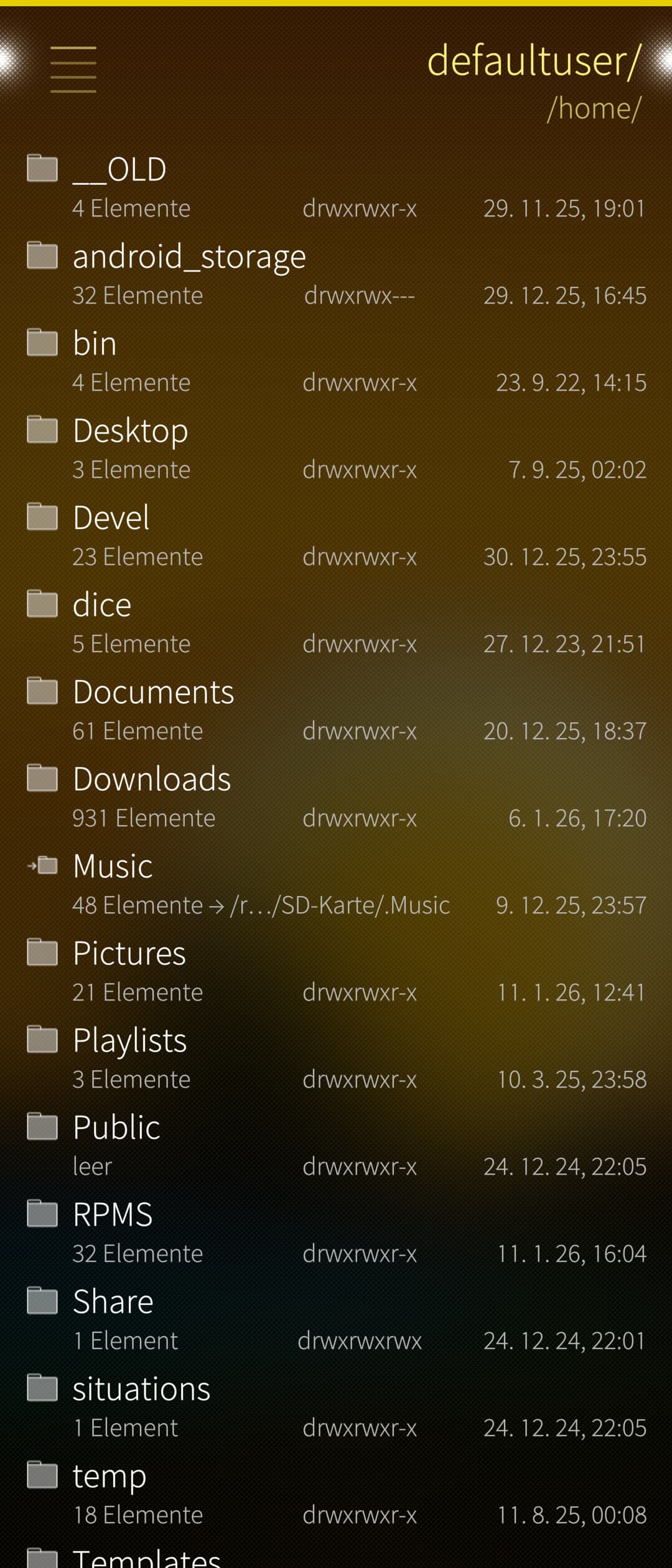
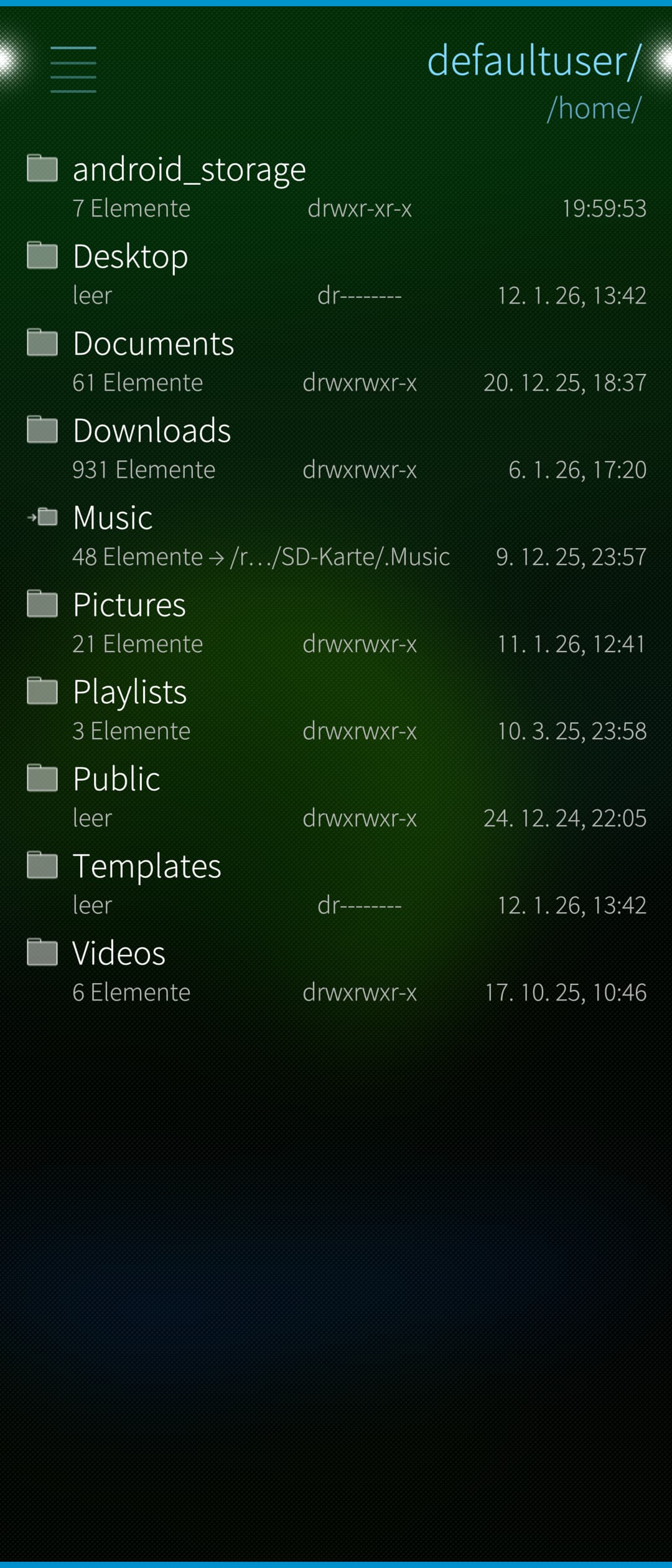
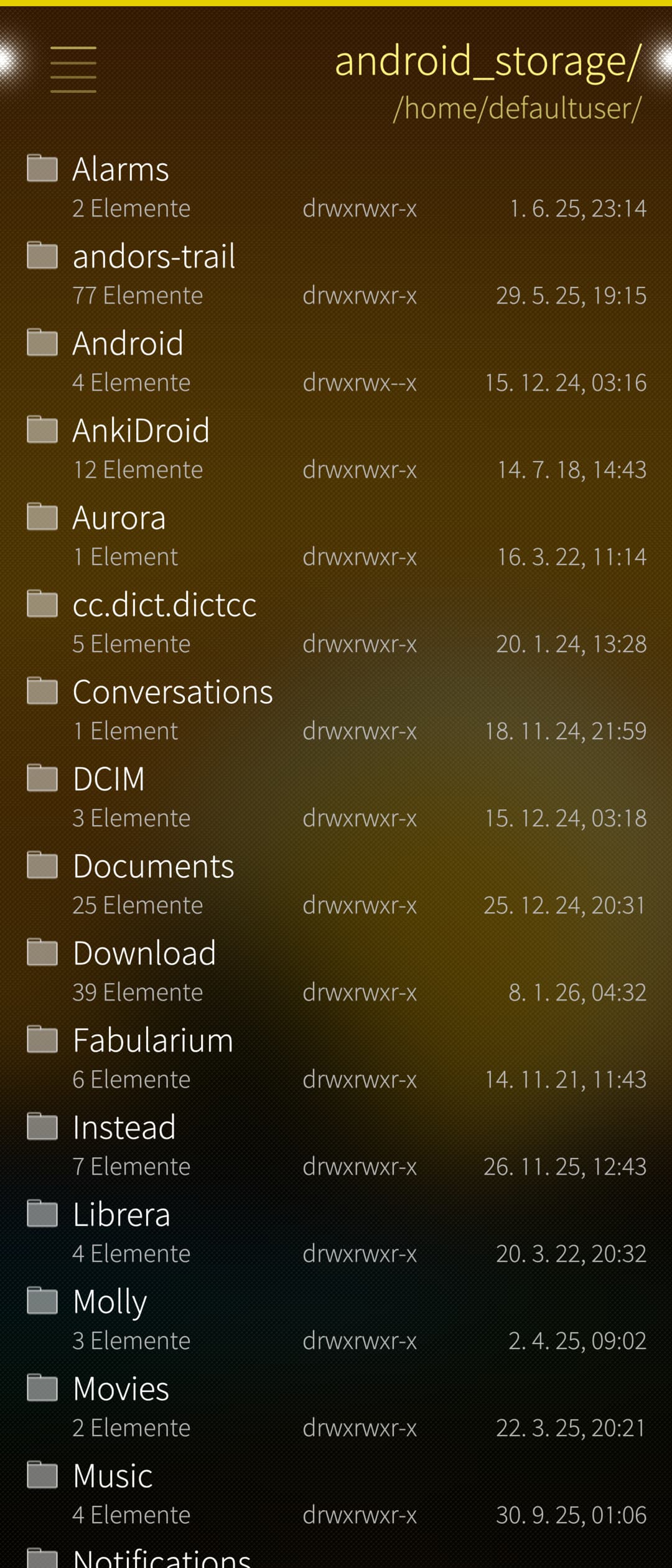
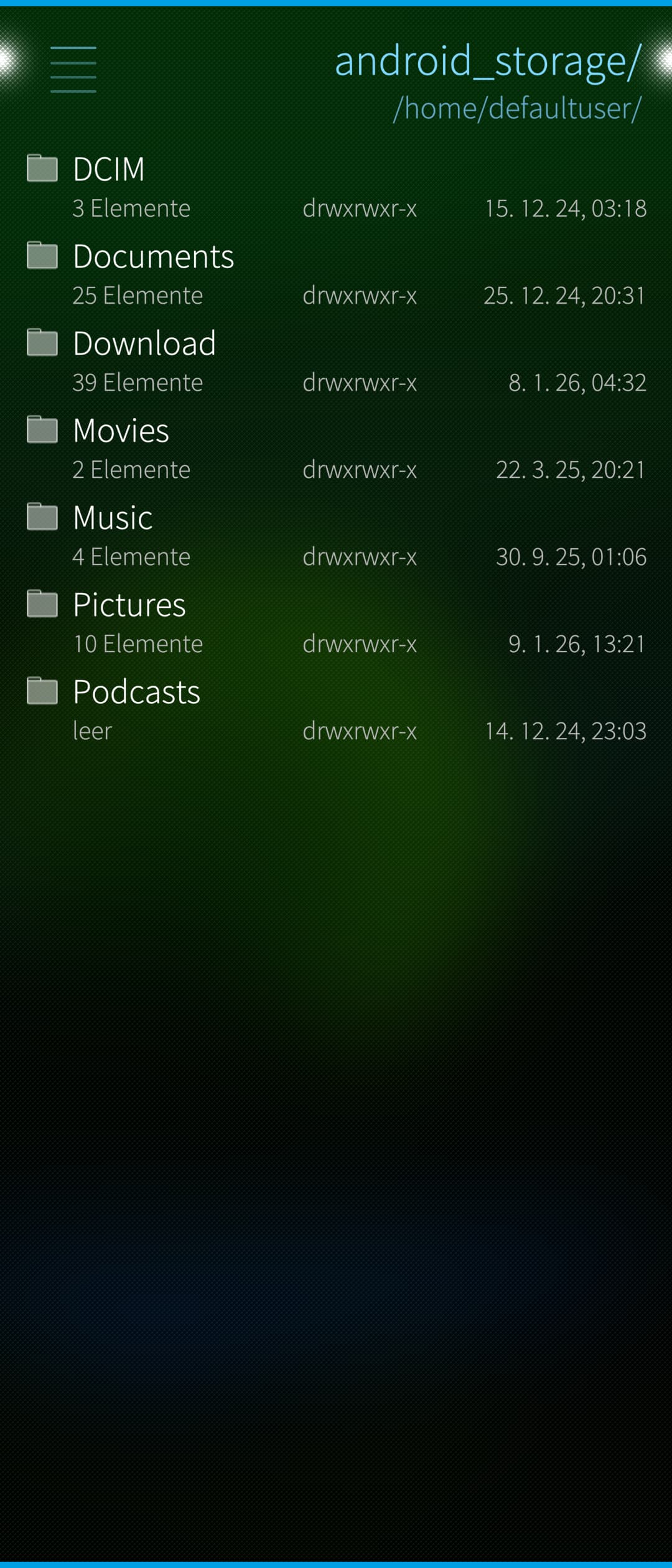
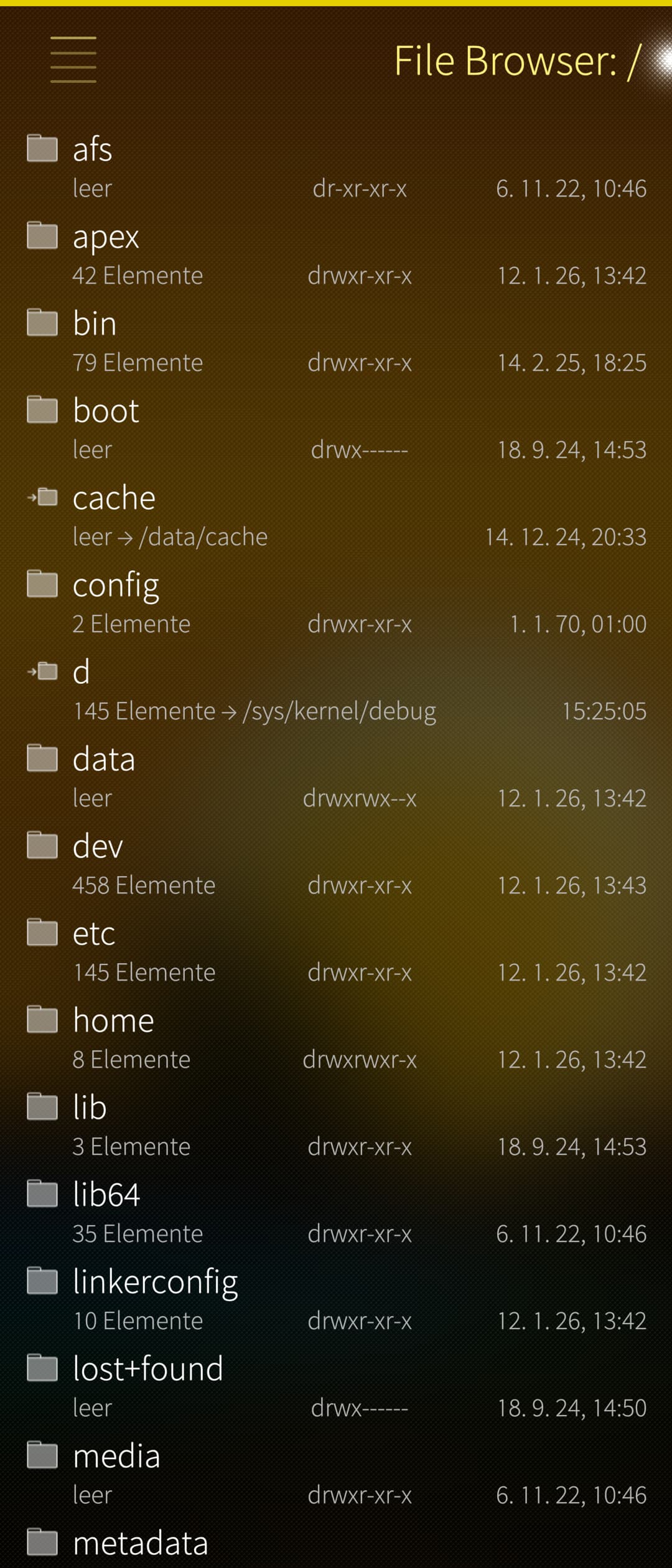
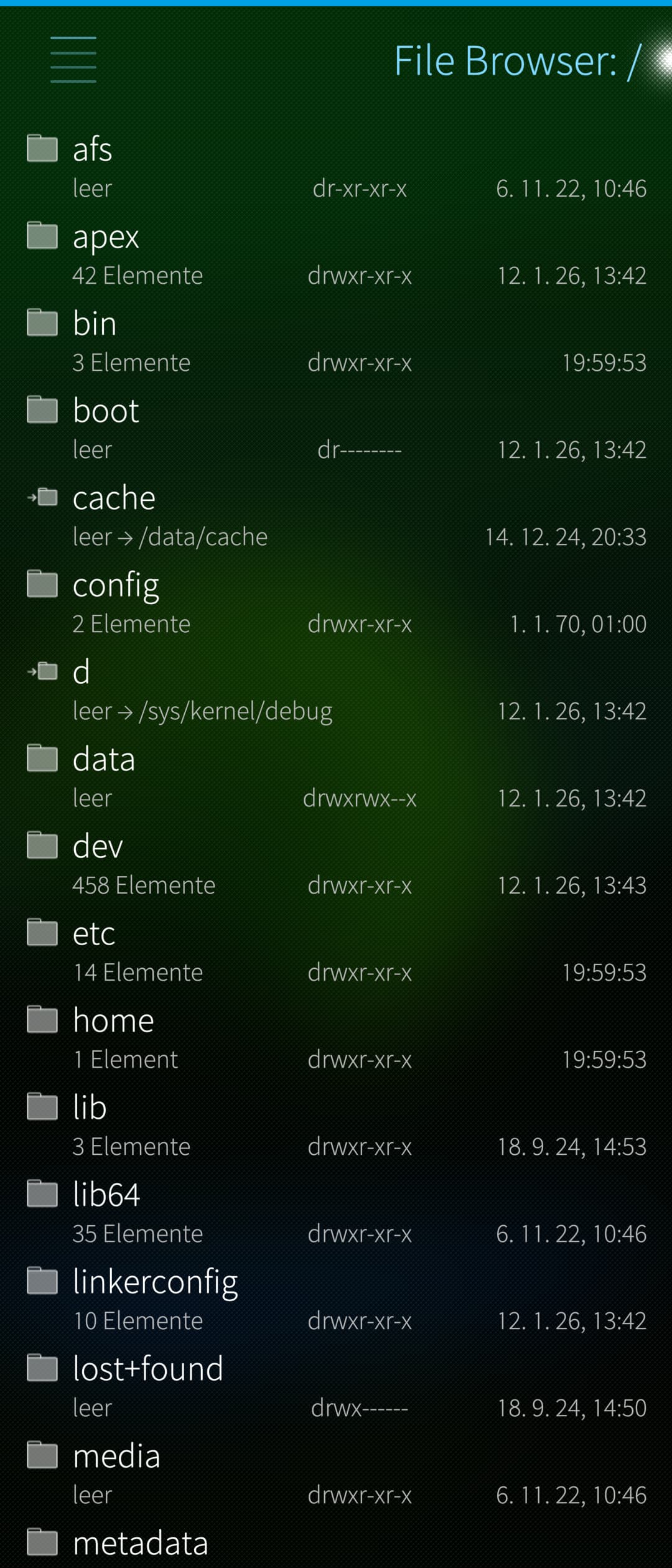
Notice the difference in the element counts: also in “/” the jailed version isn’t allowed to read most files.
My question in the upcoming community meeting aims at giving File Browser broader access to your files, closer to the unjailed version. See the difference in the screenshots above. The app will still run with Linux user permissions, in other words you won’t be able to edit or delete files in /etc, for example.
Thank you! This is the question. As I currently have very little time and very little knowledge of how firejail/Sailjail is configured, I don’t know what is feasible and I’d be happy to hear from someone who knows more about it.
My preferred model would be having a Sailjail profile that I can also ship in the OpenRepos version, so that I don’t need to build two different versions at all. This profile could (and should) be as restricted as possible without breaking core functionality: e.g. no microphone, no network access, but show all user-readable files (including dotfiles, non-XDG locations, etc.) and allow audio output, etc.
How could this best be implemented?
If it turns out that proper jailing would too difficult or would make little to no difference, then maybe it would make sense to allow File Browser without Sailjail in Habour, but e.g. with closer vetting by Jolla.
Exactly this.
This however is wrong.
As you can see in the screenshots, Sailjail hides almost everything except the XDG folders. As nephros said, it might be much better to have a specific Sailjail config (a file, probably installed to /etc/sailjail/config) for File Browser instead of adding a bespoke permission (added to /usr/share/applications/harbour-file-browser.desktop).
No. Read attah’s post: Make File Browser official - #12 by attah
Yes, the minimal file manager hidden in the settings app isn’t jailed. However, it simply doesn’t show dotfiles, for example (that has nothing to do with Sailjail or anything discussed here, though).
This may be an argument to allow File Browser unjailed in the store.