Anyone in the UK tried using the OS maps app? I can’t get the location function working. Location works fine in the other mapping apps: Pure/Meap. Using the new jolla phone with 5.2.0.20.
Not sure hat you mean.
What is the OS maps app?
I was confused at first, too. But OS Maps has to be OpenStreetMaps … Abbreviations are definitely not always helpful.
In the context of the UK, OS probably means Ordnance Survey.
@IanDowson, can you confirm or refute this?
Ah, never heard of that. Seems more probable than my interpretation.
Sounds to me like they’re refering to the Operating System’s default map app. But since there isn’t one …
Anyhow, @IanDowson , how long have you tried to wait it out? It can take pretty long. I never timed it, but I’d wait up to 10min.
Also what do you see in Settings => Location?
Yep, Ordnace Survey. Paid for app showing footpaths etc, UK specific, used for orienteering, general outdoors, hiking etc. I use it a lot for work. tbh finding the location in general quite sketchy. Like the phone isnt talking to the apps.
I was guessing something like that. You have already checked that the phone gets location on the Sailfish side of things, which rules out trouble with the GPS receiver etc.
There have been reports about GPS not working in Android App Support, e.g. this one, but also a comment about it working in the [Release notes] Finlayson 5.2.0.18 - Jolla Phone first - #6 by ahjolinna thread. There was a discussion about getting the local transport app of Tampere working, maybe this comment helps? (Context in the replied-to posts above that one.)
I’m afraid I don’t have much more to offer at the moment.
Your case seems different than the “GPS works only once” thread. If nothing in the links above helps you, I think you need to file a bug report. You can do that on the phone with the Bugger! app from Chum, which will automatically include important information and format the report according to a template.
You can also create a new topic on the web. There’s a drop-down for Category in the composer. Pick Bug report to get the template.
Did you try GPSOnfo in the background?
Yeah, can see sats & location works in other apps. The OS app just keeps asking to allow location, even though I have….Ill file a bug report. Thanks all!
I know exactly what you’re talking about! Long time OS Maps user - The app works fine on my Xperia 10 iii, but on the new Jolla, there’s no location…
I’ve just tried it - created a new account just to give it a go, and it found my location straightaway (and that is inside the building). I do not have a paid subscription, which could be a point of difference.
I don’t know if either of you have done this but in microG Settings under Location I have everything enabled apart from Enable location history, and when pressing the hamburger/3 dot button in the top right I chose BeaconDB under Select online location service
Just an update for you - the same version of OS Maps app (5.7.0.1468) works fine on my Xperia 10iii (Pispala 5.1.0.11 + a navigation scipt to fix location in another app) but fails on my Jolla (Findlayson 5.2.0.22) and also my wife’s (5.2.0.20)- so it looks like a problem caused by the OS update… Like you all other apps work fine (though OSMand did require time to get a good GSM fix first)… Appreciate any help on this…
As a test, assuming you have a subscription could you try creating a new account, and logging in with that?
My fix was immediate, but I had used HereWeGo earlier on in the day, so that was my last known location in AppSupport
I just tried replicating your settings in MicroG, and re-installing the app with a new account, and it’s still not working… 
Another symptom - if use the ‘locate me’ function it shows ‘gps signal acquired’ at the top of the compass rose, but does not display any positional data…
Ok, so locate me took a few seconds, but does now show my compass heading and Grid/Easting/Northing and Elevation
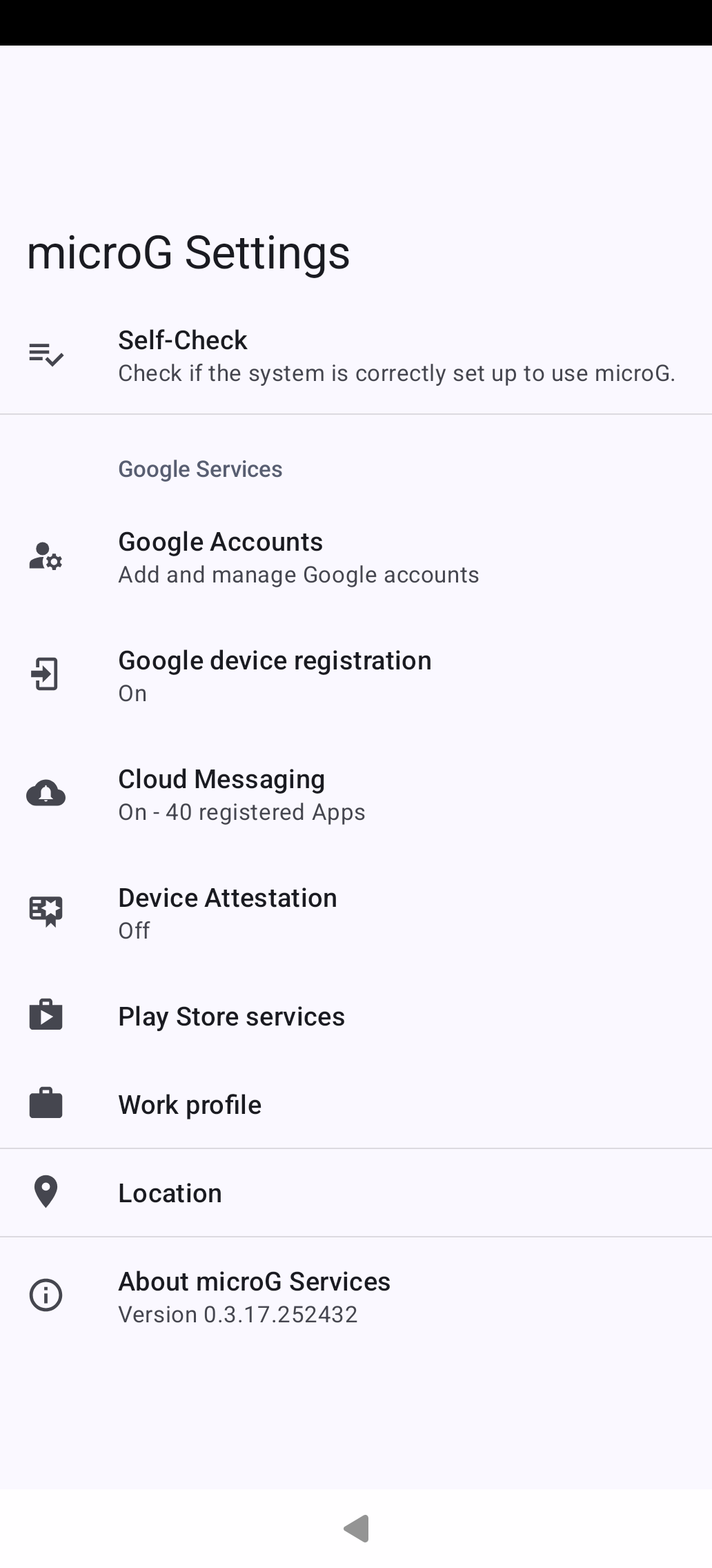
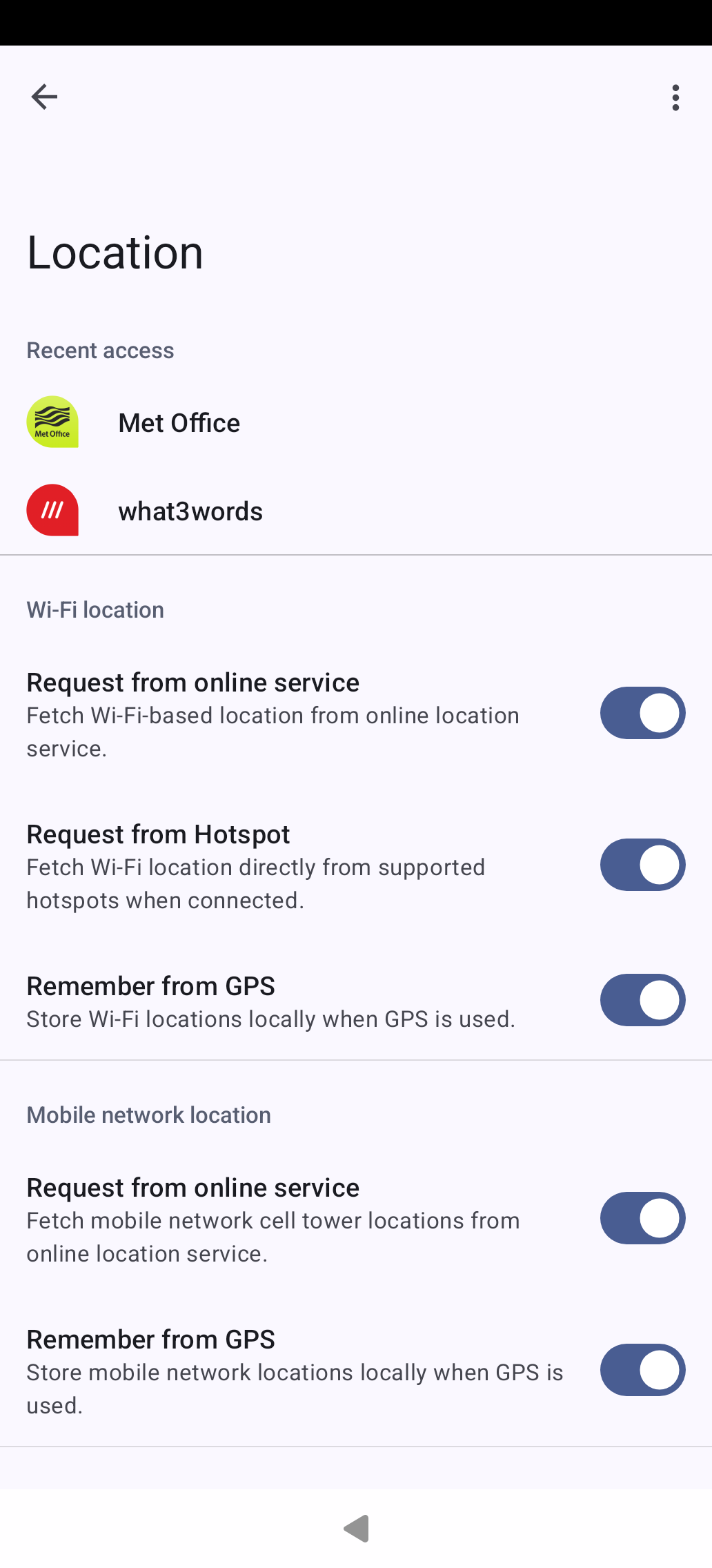
So could it be that the Location Permission was denied (obviously not deliberately) at some point? Can you check and possibly enable in Settings App > Apps > OS Maps> Open Android Settings
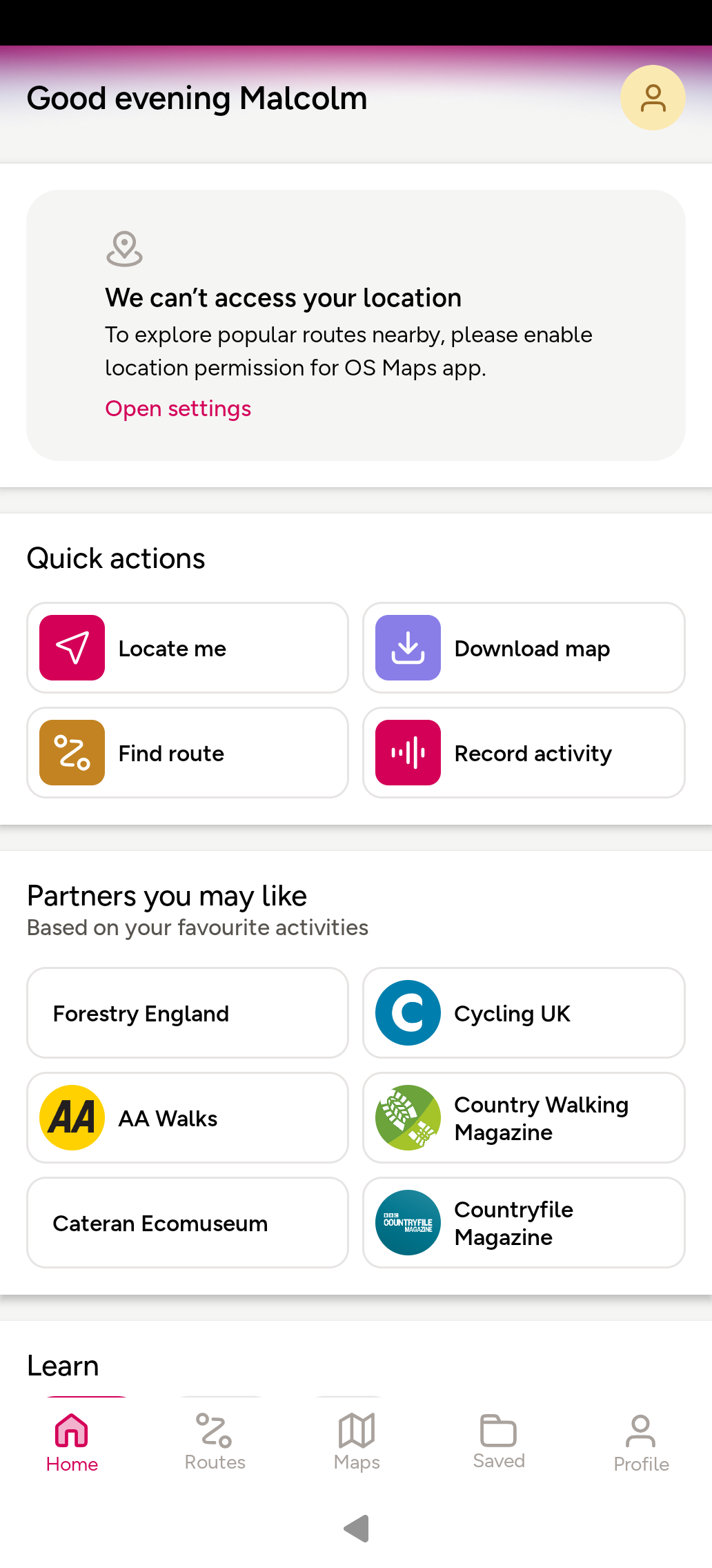
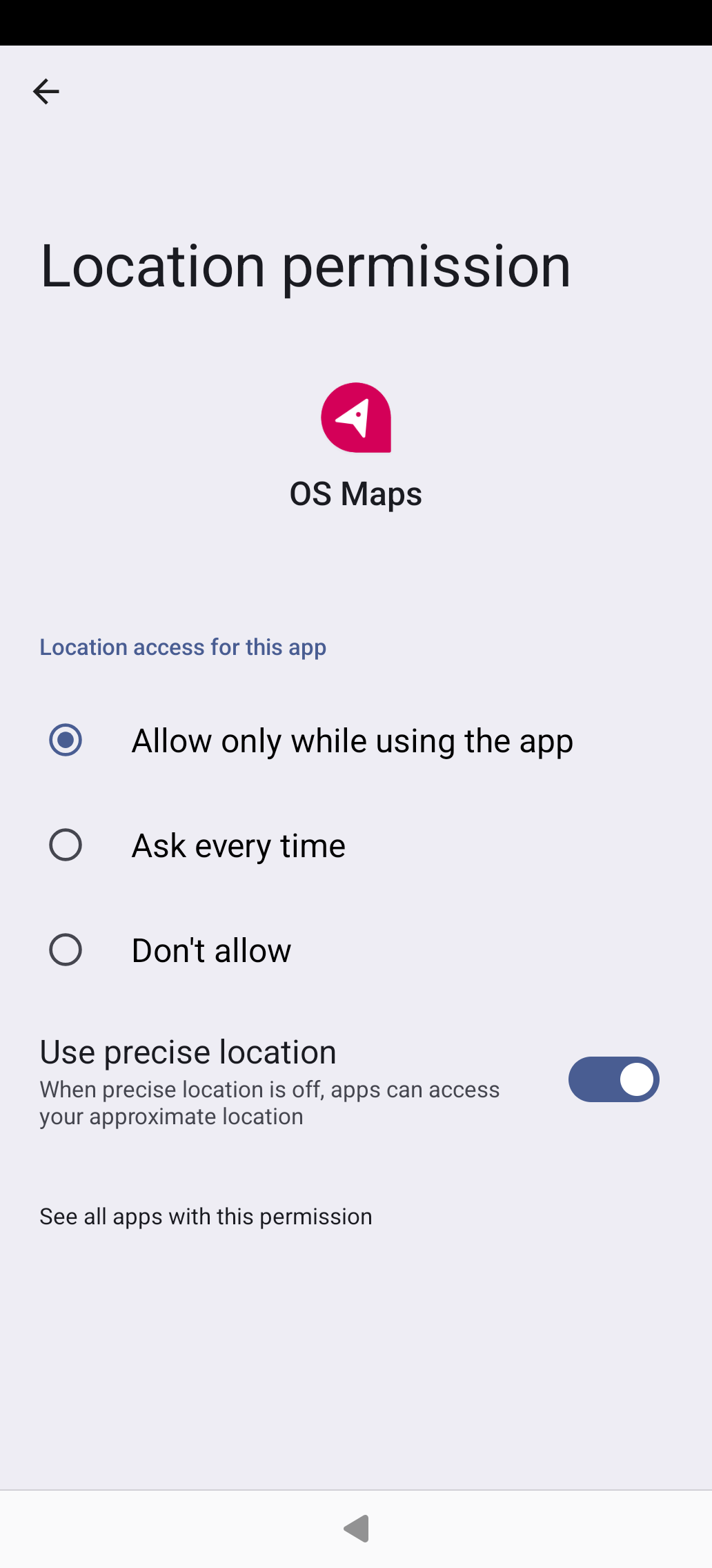
Left for 15 mins… Still no fix…