I got the anticipated new Jolla phone yesterday and tried to take it for a spin so to speak. However I was unable to get it to install any apps at all from the jolla store. No native apps or even android support to try android apps. I don’t have a sim card I could put in the phone right now so the problem maybe related to wifi? Wifi connects ok and browser is able to access websites but store is unable to install anything. Any ideas what I could try?
Did you add Jolla account in the Settings?
Yes in the welcome wizard I did successfully add my old jolla account there. However even the welcome wizard fails to install all the apps selected there.
Is the status of Jolla account marked as Active in the Settings?
Could you enable developer mode, and get the output of command ssu lr on the commandline?
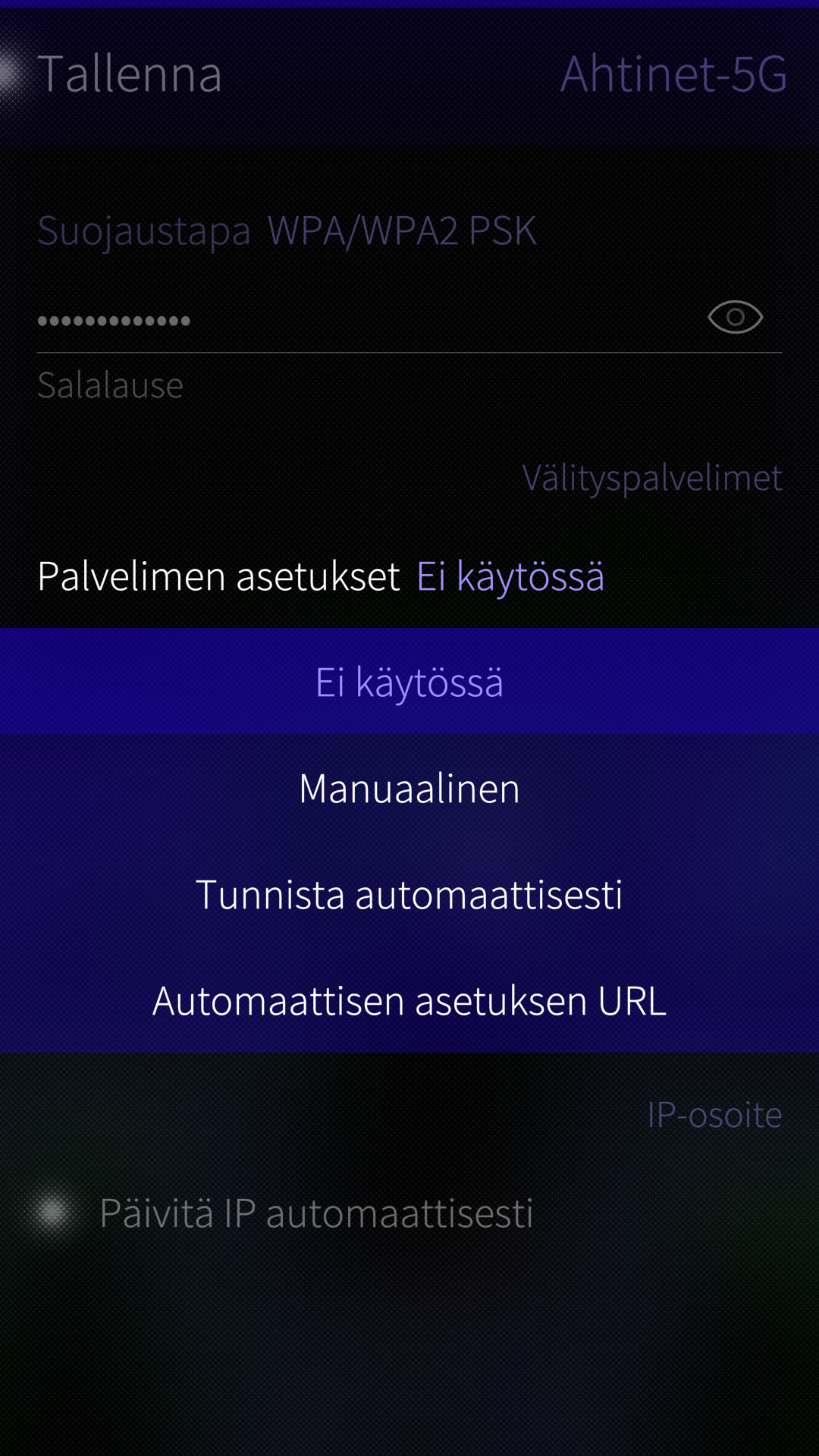
I will check all these once I get home later tonight.
Warning: Permanently added '192.168.1.240' (ED25519) to the list of known hosts.
defaultuser@192.168.1.240's password:
,---
| Sailfish OS 5.2.0.17 (Finlayson)
'---
[defaultuser@JollaPhone2026 ~]$ ssu lr
WARNING: ssu.ini does not seem to be writable. Setting values might not work.
Enabled repositories (global):
 - adaptation-common ... https://releases.jolla.com/releases/5.2.0.17/jolla-hw/adaptation-common/aarch64/
 - adaptation0       ... https://store-repository.jolla.com/releases/5.2.0.17/jolla-hw/adaptation-jolla-jp2601/aarch64/
 - aliendalvik       ... https://store-repository.jolla.com/features/5.2.0.17/appsupport/aarch64/
 - apps              ... https://releases.jolla.com/jolla-apps/5.2.0.17/aarch64/
 - customer-jolla    ... https://releases.jolla.com/features/5.2.0.17/customers/jolla/aarch64/
 - hotfixes          ... https://releases.jolla.com/releases/5.2.0.17/hotfixes/aarch64/
 - jolla             ... https://releases.jolla.com/releases/5.2.0.17/jolla/aarch64/
 - sailfish-eas      ... https://store-repository.jolla.com/features/5.2.0.17/sailfish-eas/aarch64/
 - xt9               ... https://store-repository.jolla.com/features/5.2.0.17/xt9/aarch64/

Enabled repositories (user):
 - store ... https://store-repository.jolla.com/jp2601/aarch64/?version=5.2.0.17
[defaultuser@JollaPhone2026 ~]$
I don’t know if this is ok or not? Jolla Account was active and wifi proxy disabled.
| Sailfish OS 5.2.0.17 (Finlayson)
'---
[defaultuser@JollaPhone2026 ~]$ devel-su ssu update
Password:
Device is not registered, can't update credentials
[defaultuser@JollaPhone2026 ~]$
Is my old Jolla account somehow not ok for this? I’d like not to create a new account for historical reasons.
Have you tried removing the Jolla account from the Settings -> Accounts and adding it again?
The repositories look right, and the ssu update saying device is not registered is normal (ssu registration is not something normal end users need).
This might be some weird server side issue, I’ll do some investigation.
Could you try installing for example the Notes application from commandline with
devel-su
pkcon refresh
pkcon install jolla-notes
and see what it says?
Password:
[root@JollaPhone2026 defaultuser]# pkcon refresh
Refreshing cache
Starting
Refreshing software list
Finished
Fatal error: Download (curl) error for 'https://store-repository.jolla.com/releases/5.2.0.17/jolla-hw/adaptation-jolla-jp2601/aarch64/repodata/repomd.xml?credentials=store':
Error code: Curl error 35
Error message: TLS connect error: error:0A000438:SSL routines::tlsv1 alert internal error

[root@JollaPhone2026 defaultuser]# pkcon install jolla-notes
Resolving                                                                [                                    ] (0%)  Package not found: jolla-notes
Package not found: jolla-notes
Command failed: This tool could not find any available package.
[root@JollaPhone2026 defaultuser]#
Date and time are ok for the phone so I wonder what’s the certificate issue about.
account removal and readdition did not change anything.
Yeah, the problem is that SSL error, but the cause of that is a mystery…
Did you check the WLAN proxy settings? Or if you could test it on mobile data or some other network, that would be good for ruling out weird network environment issues.
I do recall there has been some weird proxy/SSL problems in the past…
I did check that the wifi has proxy disabled but I guess I have to go digging for the sim then.
Maybe try another non WPA 3 WiFi.
putting in a sim card did fix it.
So the problem is something in the wifi environment. Can you share any details on that?
Unfortunately I don’t now have any further tips on how to debug this.
I guess you need a sim to read imei in some cases…
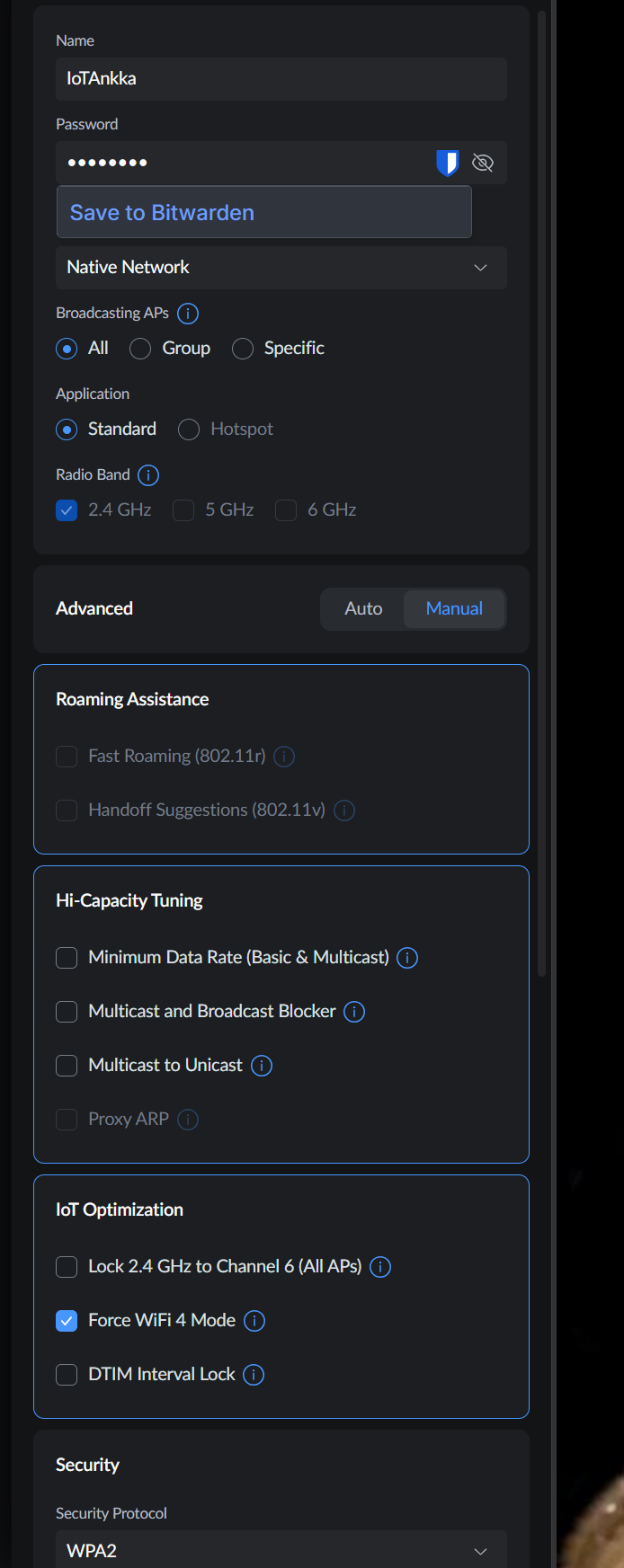
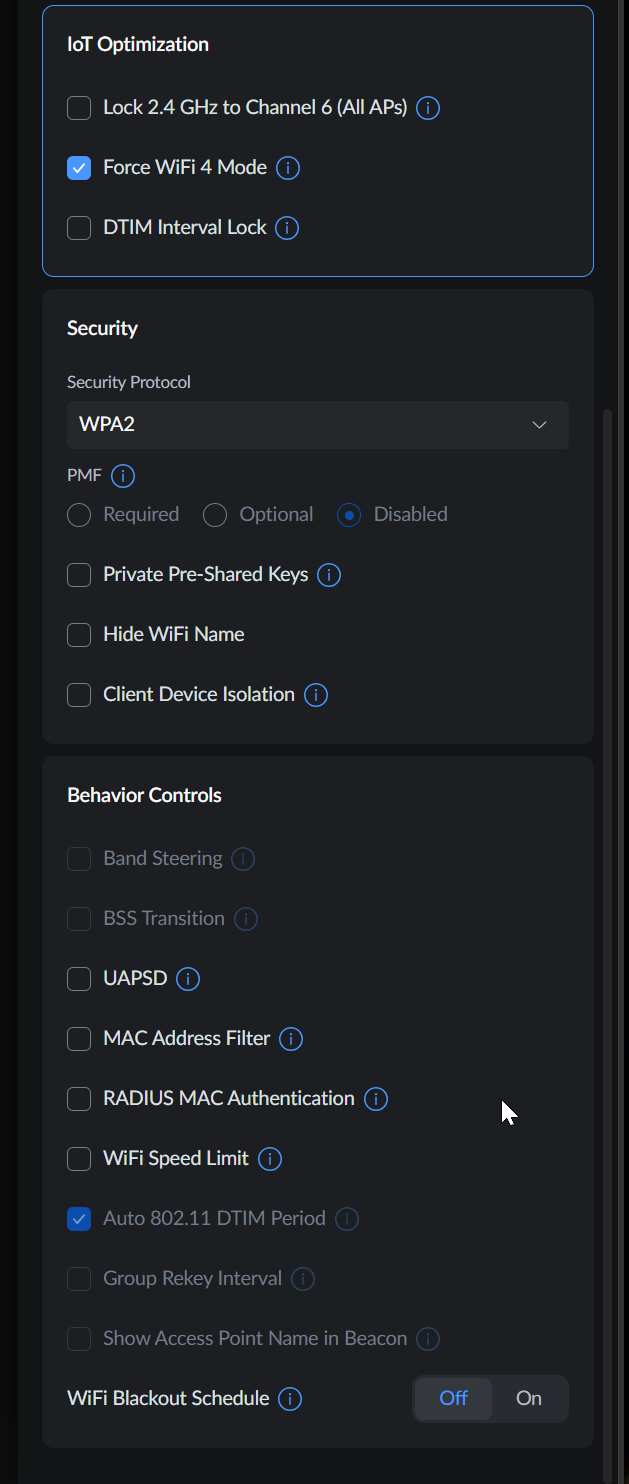
Here are the settings for my “conservative” SSID for devices with less than optimal wifi support. It did not work for the store either. And what’s not nice either the wiifi will not work for the store even if there is a sim in the phone. Funny detail is that the jolla browser still works flawlessly. Router/Firewall used is a Opnsense instance but there is no proxying or such stuff going on there so I don’t know what the problem is. Wifi hardware is two unifi U6 hotspots.