REPRODUCIBILITY: Yes
OS VERSION: 5.2.0.18
HARDWARE: Jolla Phone 2026
UI LANGUAGE: French
REGRESSION: N/A
DESCRIPTION:
The first time after having inserted the ‘red-by-sfr’ sim card in my phone, the parameters for mobile data and mms were wrong: it used (French) Orange parameters (under the name ‘via Orange’).
PRECONDITIONS:
Have a ‘red-by-sfr’ sim card
STEPS TO REPRODUCE:
-
Start the phone with a ‘red-by-sfr’ sim card
EXPECTED RESULT:
the data and mms settings should use ‘sfr’ parameters
ACTUAL RESULT:
Orange parameters are used
MODIFICATIONS:
ADDITIONAL INFORMATION:
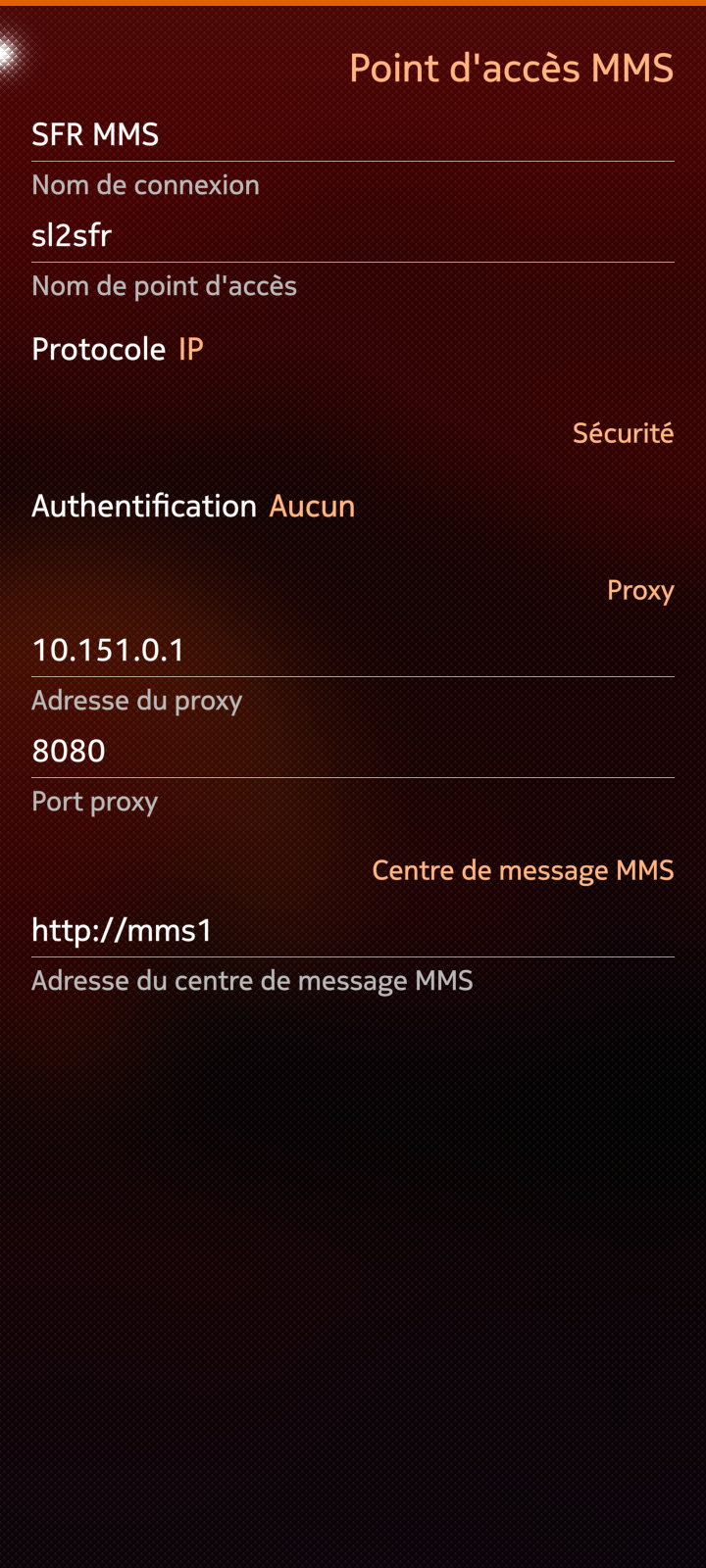
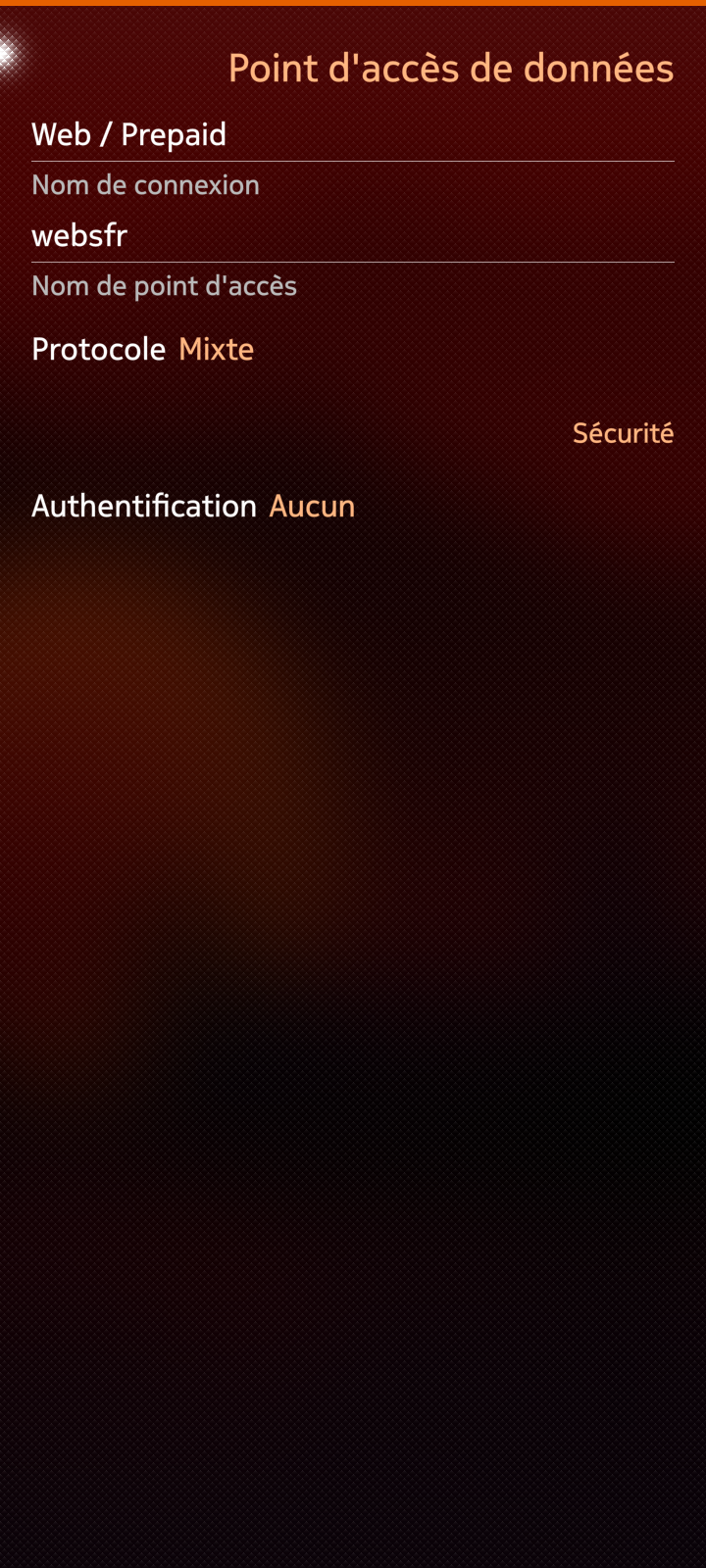
I have manually modified the settings to use SFR parameters and it works. If I reset the parameters with the pulldown menu, it goes back to Orange parameters.
1 Like
The parameters that work, are they these ones : Paramétrer l'APN d'un mobile - Assistance SFR ?
Pour les paramètres APN Internet et MMS
Nom : SFR webphone
APN : sl2sfr
MSC : http://mms1
Proxy MMS : 10.151.0.1
Port MMS : 8080
MCC : 208
MNC : 10
Type d’APN : default, hipri, mms
1 Like
Yes indeed.
Actually, strangely, with Orange parameters, it works in a degraded way: only 4G, slow MMS transfer and bad voicecall.
I can confirm that on JP2, and red by sfr, I also have this issue. I never really noticed (except for the name via Orange) as it basically works, including sometimes some 5G connection, and also Volte well registered.
Using the same SFR as second SIM and being abroad, I can confirm the same issue since the last update. 
Meanwhile, Orange alongside Free and Bouygye telecom bought SFR. However I don’t think anything is happening before next year…
I suggested to update the database because I know it exists and that’s where the settings are stored. But I’m not more knowledgeable about it than that.
Looking at the database, the settings are for a carrier called “via Orange”, using MCC=208 and MNC=01. Looking at the database, it appears that the “via SFR” APN also exists (with seemingly the right settings). But it is in a <gsm> section with two network ids (MCC=208 MNC=01 and MCC=208 MNC=10). Then, when the apns-conf.xml is generated only the first network id is used and the “via SFR” APN ends up with a wrong MNC=01, instead of MNC=10. This puzzle me a bit how the APN settings are selected if you are on a network called “via SFR” with MNC=10, since the file only contains “via SFR” MNC=01. Maybe it’s only matching the carrier, since there is only one entry for “via SFR”…
Maybe some (other) noob questions : what is the operator name written of the bottom of the lock screen ? What is the one listed in the setting application under “mobile network page” under “selection of the network” ? And when you uncheck “automatic selection” what is the network list (with MNC numbers) ?
I’m wondering if the solution would simply to add a provider entry to the database like:
	<provider>
		<name>Red-by-SFR</name>
		<gsm>
			<network-id mcc="208" mnc="10"/>
			<voicemail>123</voicemail>
			<apn value="sl2sfr">
				<plan type="postpaid"/>
				<usage type="internet"/>
				<name>via SFR</name>
			</apn>
			<apn value="sl2sfr">
				<usage type="mms"/>
				<name>via SFR</name>
				<mmsc>http://mms1</mmsc>
				<mmsproxy>10.151.0.1:8080</mmsproxy>
			</apn>
		</gsm>
	</provider>
And delete the “via SFR” entry from Prixtel ? But I’m really lacking knowledge on the matter here : /
1 Like
If it helps, this is what I have on the C2 with the same sim