I’m not sure if you should use a factory reset. It might still be possible to repair your JP26 Sailfish OS, but you should start a separate forum thread for that.
I’m still stuck in a bootloop, even after a factory reset.
This seems to be a problem specific to my JP26.
When starting JP26, when the Jolla logo appears, hold the volume up button.
Afterward, three menu items should appear in the middle of the screen:
[Recovery Mode] <<==
[Fastboot Mode]
[Normal Mode]
Use the volume up button to navigate.
Select [Recovery Mode] <<==
Now press and hold the volume down button.
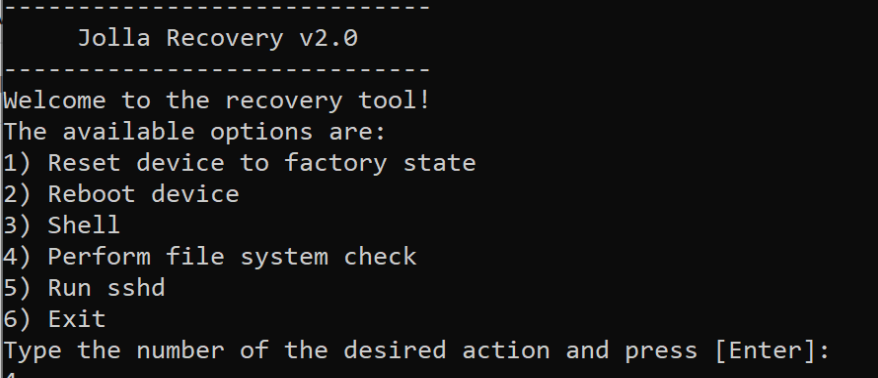
The recovery mode should now start.
Connect the USB cable to your PC/laptop and connect via Telnet to the IP address 10.42.66.66. This should put you in recovery mode, where you can start the SSHD service. After that, you can connect to the IP address 10.42.66.66 via SSH.
On Linux, this works without much effort.
On Arch Linux, I had to add the IP address 10.42.66.67 to the USB network interface for the Telnet connection to work.
I got the instructions from the official documentation.