Received my Jolla Phone yesterday. First impression is quite good; build quality, setup, tutorial, gestures, Android compatibility…everything works well right out of the box so far. This could be a daily driver phone
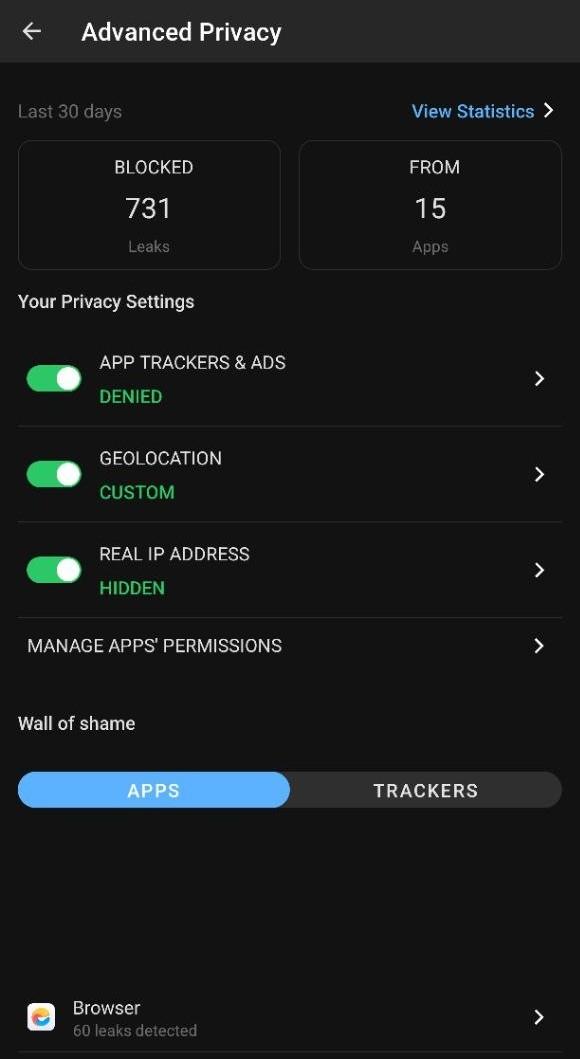
Coming from Murena / Fairphone / /e/OS / LineageOS universe, first thing i miss is the “Advanced Privacy” widget, which is baked into /e/OS… makes it really easy to get info & control over trackers and other features (see pic)…
Is something similar available for SailfishOS as native linux-based app?
I would love to see these features on SFOS; it’s advertised as privacy focused phone after all…
The ad-blocking app is called Defender and can be found in Chum store. Choose a tracking filter list of your choice and off you go. It works great for me.
Coming from e/os, too, this was the feature I was missing most in the beginning and I was really happy to find it.
Edit: One more thing: Jolla sells the phone with the claim, that it does not spy on you. This is correct. But this does not mean, that SFOS prevents others (website tracking cookies) snooping. Also in e/os you have to activate the tracking filter.
Sailfish OS is an oldschool OS which is fundamentally uninterested in your data. This is not to be confused with these newfangled privacy-as-a-product Android clones. By all means, be restrictive with your data - but countermeasures will always be a loosing battle - just dump the crap you don’t trust.
regarding defender app, i reinstalled from chum & restarted my phone. Tapped the app symbol and after granting permissions, it shows a loading screen/tile for a few seconds and then vanishes. Not sure if this is expected or how i can check if the app loaded properly.
Probably hit by Launcher activates wrong application (weird it’s not activating another noarch qml app in the reports) (edit: clean install, did activate forum viewer for me, yeah with closed viewer works fine (or did it need to be run once from term first, not sure))
[quote="throwaway69, post:16, topic:31981,
edit: clean install, did activate forum viewer for me, yeah with closed viewer works fine (or did it need to be run once from term first, not sure))
[/quote]
Not sure I understand, but Defender needs no user hacks to be started…
Sorry for the ignorance, could you please explain what this command should do?
This way we can start learning more about the terminal and how sfos works

 Trying to get away from Google while using a Google device for privacy.
