I’m writing an app that I’d like to submit to Chum once it’s ready to be published but I can’t seem to find any information on how to do that.
Here you go: GitHub - sailfishos-chum/main: SailfishOS:Chum Documentation, Issue tracker and repository configuration RPM
1 Like
Specifically (and quite logically) the “Developer’s Guide”:
1 Like
Ah, didn’t know that was up to date, given the links to the service are dead. So if I understand it correctly, I have to ask someone for credentials on IRC?
You might as well contact @lbt here at FSO for an SFOS-OBS account.
Please file bug reports or PRs for the dead links you encountered!
1 Like
There are currently problems with the host build.sailfishos.org.
If you replace that with build.merproject.org the links should work.
And how do you get an app like iftop (git is screwed and asks for login information, download archive with browser from Paul Warren / iftop · GitLab and then clicking dl->zip/tar.gz), but to build it you need libpcap, that needs flex, but to build flex 2.5.31+ you need flex installed, 2.5.31 is supposedly latest flex that can build without flex on the system, with 2.5.31 installed you can build 2.6.4, libpcap needs 2.5.33+ so you need previous 2 steps to begin building iftop and then you need fix for gcc10:
iftop-1.0-gcc10.patch « iftop « iftop « recipes-support « meta-networking - meta-openembedded - Collection of OpenEmbedded layers that works
So… In short you can post binary on openrepos, or… Will that build path even work on chum???
The app is great addition to nload/nethogs, realtime IP/hostnames of active connections, top for network:
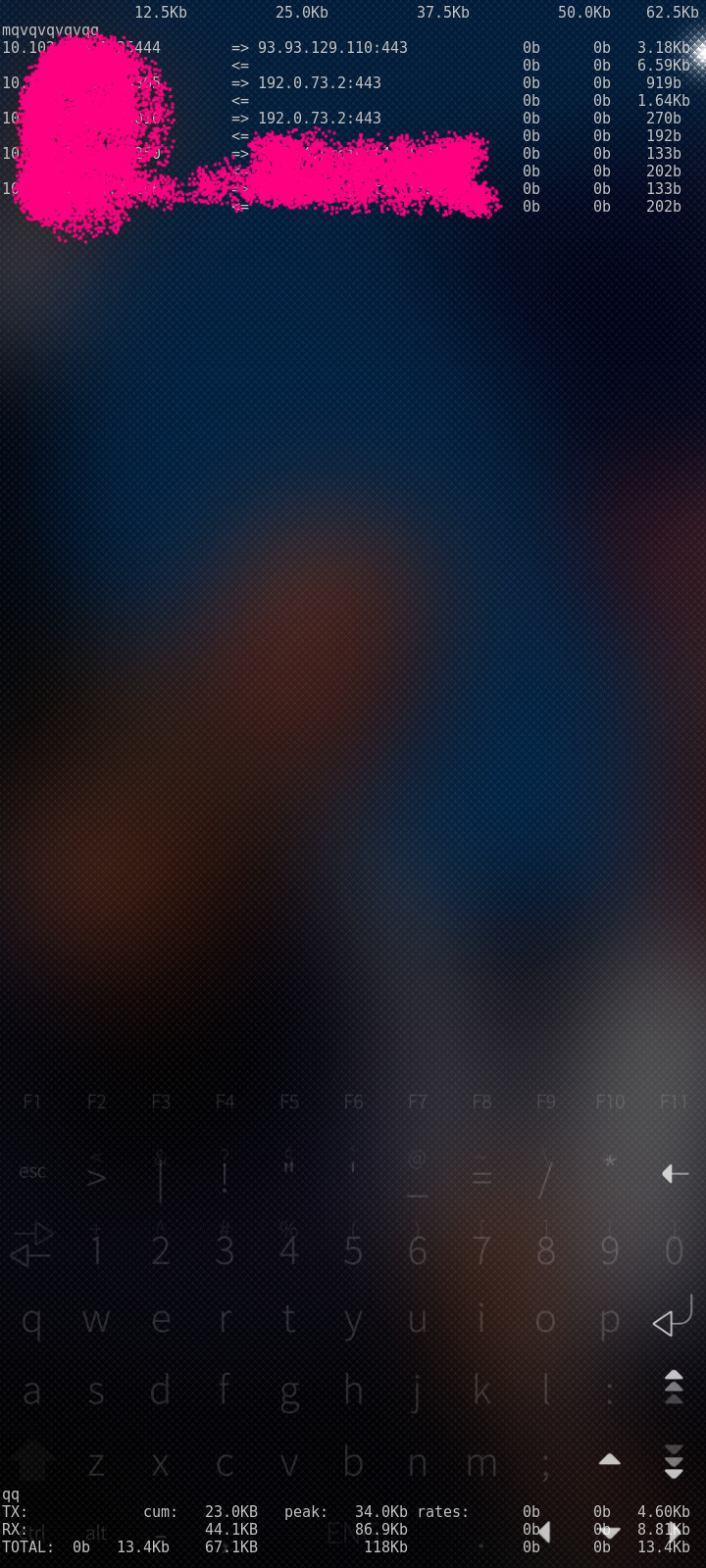
but holy eff it was a pain to get built on-device, chum seems like an impossibility
But why did you build a libcap? It is already in jolla repository.
1 Like
With your research it took me a minute or two to get it running.
git clone ...
curl -LO url-for/gcc10.patch
patch -p1 < gcc10.patch
pkcon install autoconf automake gcc libpcap-devel ncurses-devel
./bootstrap
./configure
make
devel-su iftop
In principle you are right though, sometimes applications need dependencies that are not available, and then you need to build them along with the main one.
OBS projects make that possible though. And with some advanced tricks in OBS, it’s even possible to have a ‘ladder’ of versions like you describe with flex.
But the important thing is to look up which dependencies are already available before going down the rabbit hole of dependency hell.
And with some software, that dependency hell can be too deep to make it feasible.
2 Likes
Interesting, was -devel package never built for .61, or some pkcon weirdness, as shows up normally in search now
To answer the original question, to get it into Chum, you will have to create a .spec file that can build it.
Then you upload a tarball of the sources and this spec file to your OBS repo. alternatively, you create a packaging repo e.g. on github, and use the tar_git way of getting sources on OBS.
Once the package is ready, submit it to the chum:testing OBS repo.

I have a more detailed guide on what to do here:
Add documentation about OBS Packaging and building by nephros · Pull Request #423 · sailfishos/docs.sailfishos.org · GitHub but it’s not finished and hence not yet published.
2 Likes
Yeah, I also noticed that pkcon often gets confused about what packages are available.
zypper search is much more reliable.
2 Likes
Here’s a .spec that should work:
Name:       iftop
Summary:    Network monitoring tool
Version:    1.0
Release:    4pre
Group:      Applications
License:    GPLv2
URL:        https://code.blinkace.com/pdw/iftop
Source0:    %{name}-%{version}.tar.bz2
Patch0:     iftop-1.0-gcc10.patch
BuildRequires:  gcc
BuildRequires:  autoconf
BuildRequires:  automake
BuildRequires:  pkgconfig(libpcap)
BuildRequires:  pkgconfig(ncursesw)

%description
%{summary}.

%prep
%autosetup -p1 -n %{name}-%{version}

%build
./bootstrap
%configure
%make_build

%install
%make_install

%files
%{_sbindir}/%{name}
%{_mandir}/*/*
1 Like
You missed
%patch0 -p1
in
%prep section that doesn’t work
and must be applied manually but
what is the difference between format above and
BuildRequires:  libpcap-devel
BuildRequires:  ncurses-devel
%autosetup does patching so no you don’t need that.
And the difference is pkgconfig(foo) is more portable/generic than the -devel package names. The latter may be named differently on different distributions.
E.g. pkgconfig(ncursesw) will always look for a package which includes that pkg-config file. Packages may be named ncurses-devel, or libncurses-devel or ncurses5-devel etc.
1 Like
Unfortunately not, in the last sfdk setup it does not. It simple omit %prep section and patches have to be applied manually.
Even with sfdk build --prepare ?
With sfdk build --prepare there is something wrong with paths. It runs patch but cannot find file to patch.
Edit: I’ve just tested the last option. Yes, it works, but only when runs from source directory. This is very unintuitive in shadow build mode (and doesn’t make any sense).