I am building a game. I would like to be able to save and load the game. I am writing everything I need to save (variables, instructions to draw screen, script + line) to a database. However, I would very much like to add a screenshot. I don’t know how to put that into a database, and also, because of the large size, I prefer it to be a file, and save only the file location to the database.
But I also do not know how to save a file.
I use gameRoot.grabToImage(function(result)) to collect a screenshot. Then result.saveToFile(filename).
What is the file location? The name is “save_” + slot + “.jpg”. I guess I will need to reference a path. What location can I write to without breaking out of the sandbox?
Below is a code snippet for reference. You can find the screenshot code in the commitSave() function.
This code is human written, with modifications done by a human after AI review, except for 1 thing: the grabToImage->saveToFile routine was suggested by AI and mostly unmodified.
/////////////////////////
// --- Save game logic

function stageSaveGame() {
    Components.SaveManager.stagePendingSave(
                Engine.currentScene,
                Engine.cmdIndex,
                Engine.variables,
                buildScreenBlob(),
                "placeholder") //TODO: return chapter label, to be implemented
}

function commitSave(slot) {
    if ((slot === null )) return false
    if ((slot < 0 )) return false
    gameRoot.grabToImage(function(result) {
        var filename = "save_" + slot + ".jpg"   ///Is this correct? How are files saved? Do I need to reference full path?
        result.saveToFile(filename)
        Components.SaveManager.commitSave(filename)
        _saving = false
    }, Qt.size(thumbWidth, thumbHeight))
}

// Quick save menu item:
function doQuickSave() {
    stageSaveGame()
    Components.SaveManager.finalizePending(0, "Quicksave")
    commitSave(0)
}

// Save menu item:
function doManualSave() {
    stageSaveGame()
    pageStack.push(Qt.resolvedUrl("Save.qml"))
}

function computeThumbSize() {
    // For thumbscreen in saving and loading
    thumbWidth  = Math.round(Screen.width * Components.Constants.thumbScreenFraction)
    thumbHeight = Math.round(thumbWidth * gameRoot.height / gameRoot.width)
}

function buildScreenBlob() {
    var sprites = []
    for (var i = 0; i < spriteModel.count; i++) {
        var s = spriteModel.get(i)
        sprites.push({
            spriteId:     s.spriteId,
            spriteSource: s.spriteSource,
            position:     s.position
        })
    }
    // TODO: SOUND
    return {
        background: currentBg,
        sprites:    sprites
    }
}

function buildScreenFromScreenBlob(screenBlob) {
    currentBg = screenBlob.background
    for (var i = 0; i < screenBlob.sprites.length; i++) {
        var s = screenBlob.sprites[i]
        showSprite(s.spriteId, s.spriteSource, s.position)
    }
    //TODO: sound
}

onStatusChanged: {
    if (status === PageStatus.Active && !_saving && Components.SaveManager.pendingSlot() >= 0) {
        _saving = true
        commitSave(Components.SaveManager.pendingSlot())
    }
    if (status === PageStatus.Active && Components.SaveManager.justLoaded()) {
        processNext()
    }
}

// --- End save game logic
/////////////////////////
EDIT:
To be more clear. The goal of the screenshot is as a visual aid for differentiating save games. I don’t need to access the screenshots from anywhere but the app itself.
How sure? “I’d imagine” does sound like little more than a guess to me, but it might be a matter of casual speech.
I’d guess that one too, but what about the current working directory? Will the app give missing file errors if I switch to a terminal and cd into another directory?
What about qrc:// style links? I found this: Qt.resolvedUrl(): Best Practices and Alternatives but I am not experienced enough to fully understand.
Do you know of any way to write to a location inside the sandbox? If this is the only way, I will do so, but I’d prefer keeping the sandbox as closed as possible.
I probably wasn’t too clear on my goals.
The screenshot is for visually differentiating save games only. So I don’t need to reach the file from anywhere, but from the app itself.
But it is from Qt.labs.platform
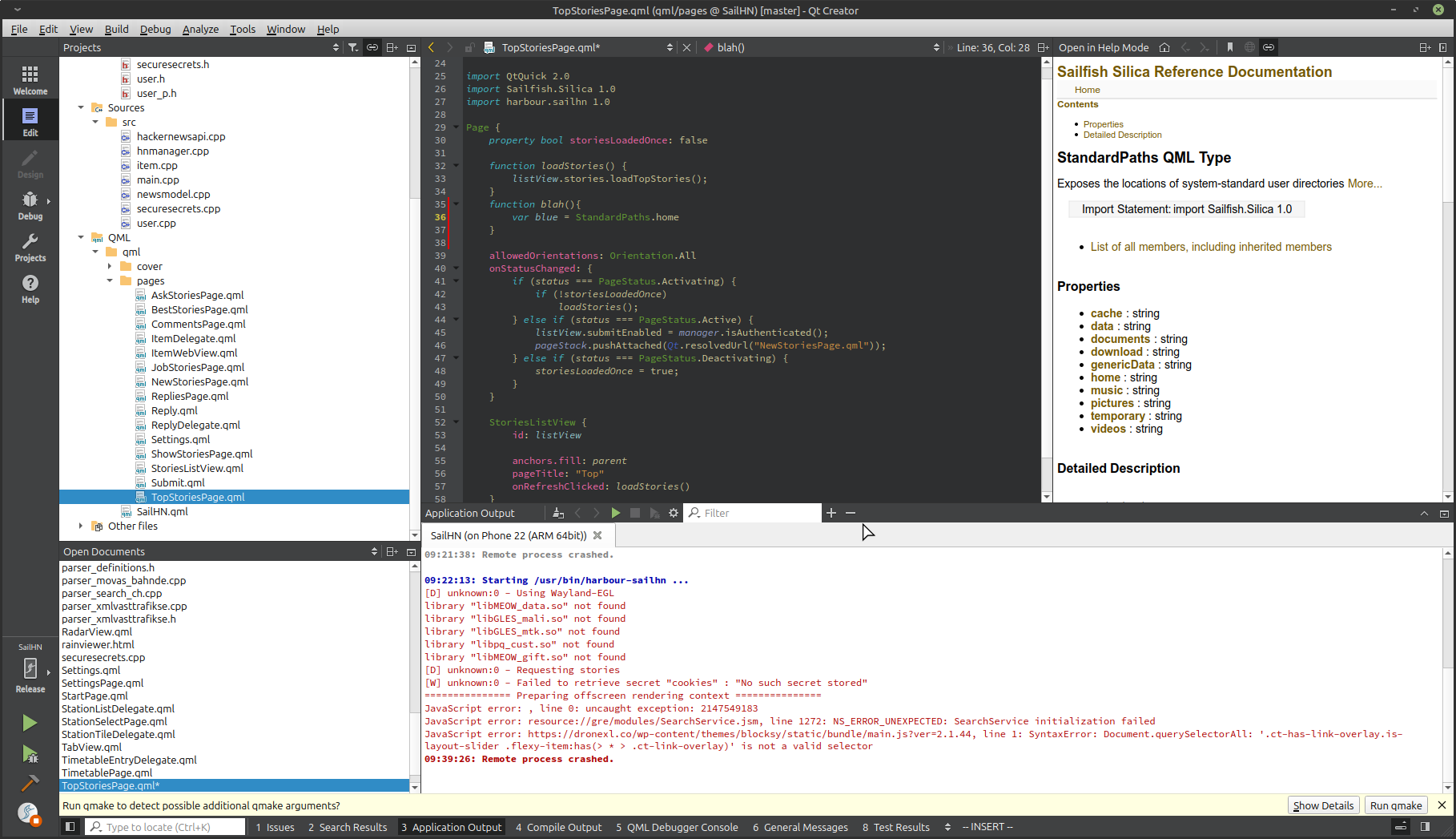
I don’t see it in the API checklist for harbour compliance. Is it allowed to use? Or is there another API that provides StandardPaths?
How could I have known I could use this? I clearly need some pointers in finding the correct documentation. Is it in Sailfish.Silica? I can only find qml object documentation for that.
You have my thanks, Mark. You not only helped me with this blocker, but most likely streamlined my workflow a bit as well.
I will try to finish this code snippet this evening, and will post my likely success.
Great success. I found a tiny image in the correct folder, without permissions and breaking the sandbox.
It took me the whole evening and part of the night though.
My first test did give me a white screen with no errors. Had to search for almost 3 hours to find circular imports of singletons were the problem. Well, next time I’ll catch it more quickly!
I did not test loading yet, but I can’t believe that it wouldn’t work if I further implemented it (apart from fixing some mistakes first of course).