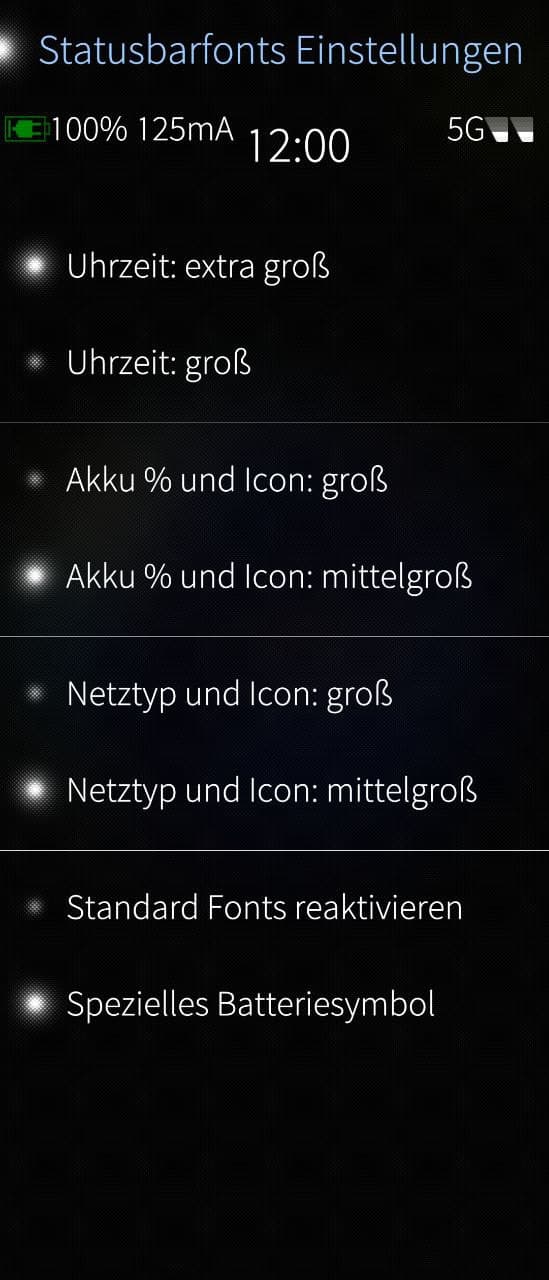
Hello, I work on some patches and for one I need a function to see the Statusbar in a setting page. It patch changed, all Statusbar fonts ans alos the iconsize. I tryed so manny Ideas e.g. load the StatusBar.qml in this page or make the page smaler, but the UI not reakt on this. Could anybody help mi with some QML lines please?
My settingspage start so:
— /dev/null
b/usr/share/jolla-settings/pages/sailfishos-patch-statusbarfonts2/CustomSettings.qml
@@ -0,0 0,214 @@
import QtQuick 2.0
import Sailfish.Silica 1.0
import org.nemomobile.configuration 1.0// Version 2.0.32
Page {
id: pageproperty int i: 1
property int heightswitches: 120SilicaFlickable { anchors.fill: parent contentHeight: column.height Column { id: column width: page.width spacing: Theme.paddingLarge PageHeader { title: "Status bar fonts" } TextSwitch {....
I think I need some lines under “id: page”.
I tested import “../StatusBar.qml” and Loader { StatusBar{} } or height: windows.height / 2 or display.heigt / 2 or screen.heigt / 2 or x: 100; y 100 but nothing runs.
I think a feature to see the statusbar every tim also in apps is a good Idea not only for my case. Thanks in andvance.
 . This was mutch work and I learned mutch more.
 for my settings page. Thanks a lot.