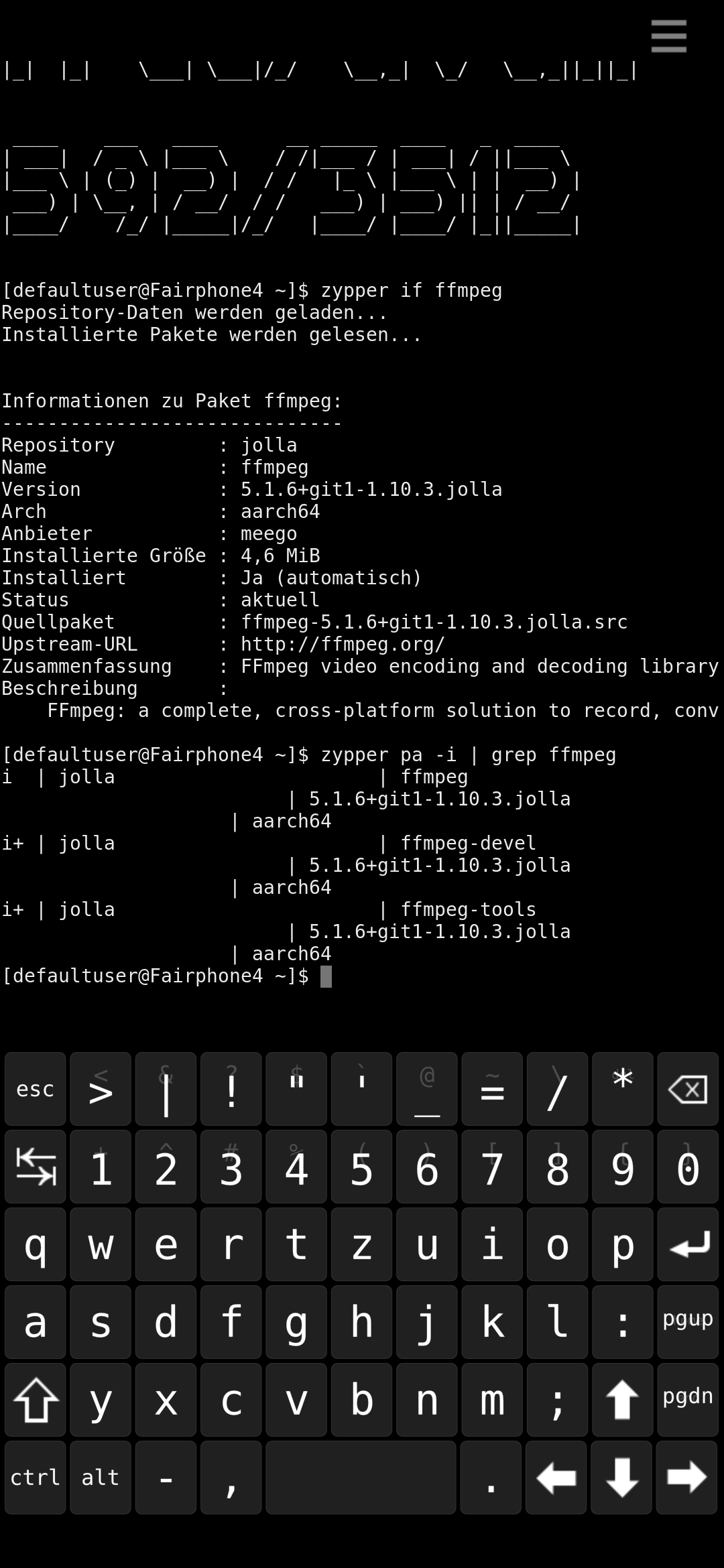
I do not think you have to uninstall anything. I think we’re just in front one of those odd cases where the package has the same name of another one (or a different version), so when it appears on Storeman it looks like it is installed, while the actually installed version is another one.
Be aware, the other one package might even be from other sources, so you do not find it in Storeman. I ignore it, but maybe now ffmpeg comes with Sailfish by default.
Moreover, I checked on OpenRepos, and the package that you find there is, as I understand, only for 32 bit architectures therefore it cannot be the same.
But when I check the version in the terminal I get 5.1.6, like the last version of the OpenRepos version I seem to have installed.
I have the Jolla Store, Chum and OpenRepos as software sources. OpenRepos is the only one showing results for “ffmpeg” at all. Therefore I assume, OpenRepos must be the source of the installed package…
If ffmpeg comes with SFOS it should be newer, shouldn’t it? Also there’s another package in OpenRepos, which has been updated lately, which I can’t install (just refresh cache, which also doesn’t help).
So if I want a more current version of ffmpeg, how do I do that?
[pefaultuser@JollaC2]$ devel-su pkcon remove ffmpeg 5.1.6+git1-1.10.3.jolla.aarch64
Password:
Auflösen                  [             ] (0%)  Pak
et nicht gefunden: 5.1.6+git1-1.10.3.jolla.aarch64
Änderungen werden getest…
Fertig
Schwerwiegender Fehler: Diese Anfrage bringt Ihr System zum Absturz!
[defaultuser@JollaC2]$
Thanks, then I understand that @marbalf was right and the source is the default jolla version (which is pretty old and raised my confusion) and not the OpenRepos version (explaines, why it can’t uninstall it). I’ll mark that as solution.
Thank you for clarifying my confusion and HAPPY NEW YEAR!!!