If I tell you I didn’t do it because I don’t know how, but you don’t believe me, I give up…
You can contribute translations (somehow you manage with all these french sections), bug reports, outreach… Nah guise I’m not technical, I can just complain, gimme gimme gimme
Mais je ne me plains pas, je demande juste de l’aide !!! Alors excusez du dérangement…
1 Like
Use chum-gui to install elisa, works just like angelfish, no problem except absurd icon/menu item sizes

Complaining about ‘poorly managed by Jolla OS’ will get ignored or will get you suggestions to learn how to contribute and not be the negative nancy and contribute something back to community instead, deal with it
And if i show you this; i guess you won’t believe it either?

You might not realize - but you very much did.
Why do you think, PlasmaMobile-Apps should work OOTB on SailfishOS? I use SFOS for over ten years now but there was never the promise PlasmaMobile-Apps are supported. Perhaps you go on with postmarketOS or some other distribution…
I’ve been promoting SFOS again for the past month by giving demos at public meetings and on forums across the Fediverse. But given some of the reactions to this post, along with a few friends—some of whom have technical skills unlike me—we’ll try to manage on our own, much to my regret, just as we’ve been doing so far, without asking for anything else on this forum since that seems to be a problem for you.
Fr
Refaire de la promotion pour SFOS, c’est ce que je refais depuis un mois en faisant des demos en réunions publiques ou via des forum sur la fediverse. Mais vu certaines réactions sur ce post, avec quelques copains dont certains ont eux quelques compétences techniques contrairement à moi, on essaiera de se débrouiller, à mon grand regret, dans notre coin comme on le fait jusqu’alors, sans plus rien demander sur ce forum puisque cela semble être un problème pour vous.
Thank you so much for not believing in my good faith… It’s so frustrating…
For your information, my phone is a C2 that I had to return to customer service because it kept restarting in a loop after its first update. If you tell me where to find it, I can give you the list of repositories on my phone. But, for the last time, I repeat that I did not add any repositories…
Fr
Merci très sincèrement de ne pas croire en ma bonne foi… C’est désespérant…
Pour info mon téléphone est un C2 que j’ai du retourné au SAV car il redémarrait en boucle après sa première mise à jour. Si vous m’indiquez où ça se trouve, je peux vous donner la liste des dépôts sur mon téléphone. Mais, pour la dernière fois, je vous répète que je n’ai pas rajouté de dépôts…
You got your reply, to requote:
As to outdated and poorly managed by Jolla OS: this is community effort, you are free to contribute to make them less outdated and less poorly managed
As to expand official repo: it’s unofficial community repo
As to add unofficial repos: you already got chum, try openrepos
There, you got all your questions answered, now you can REEE about community efforts that they are not up to your snuff, but community will also tell you you’re barking the wrong tree
Edit: and no, for sure elisa is not part of official repos, you had to have added chum at some point
Edit2: oh and the bootloop, you also added some fedora repos right? It’s all linux after all kek
Thanks  I’ve just tried it, but the version shown in Chum is the same as the one I had when I ran the pkcon command in Terminal :
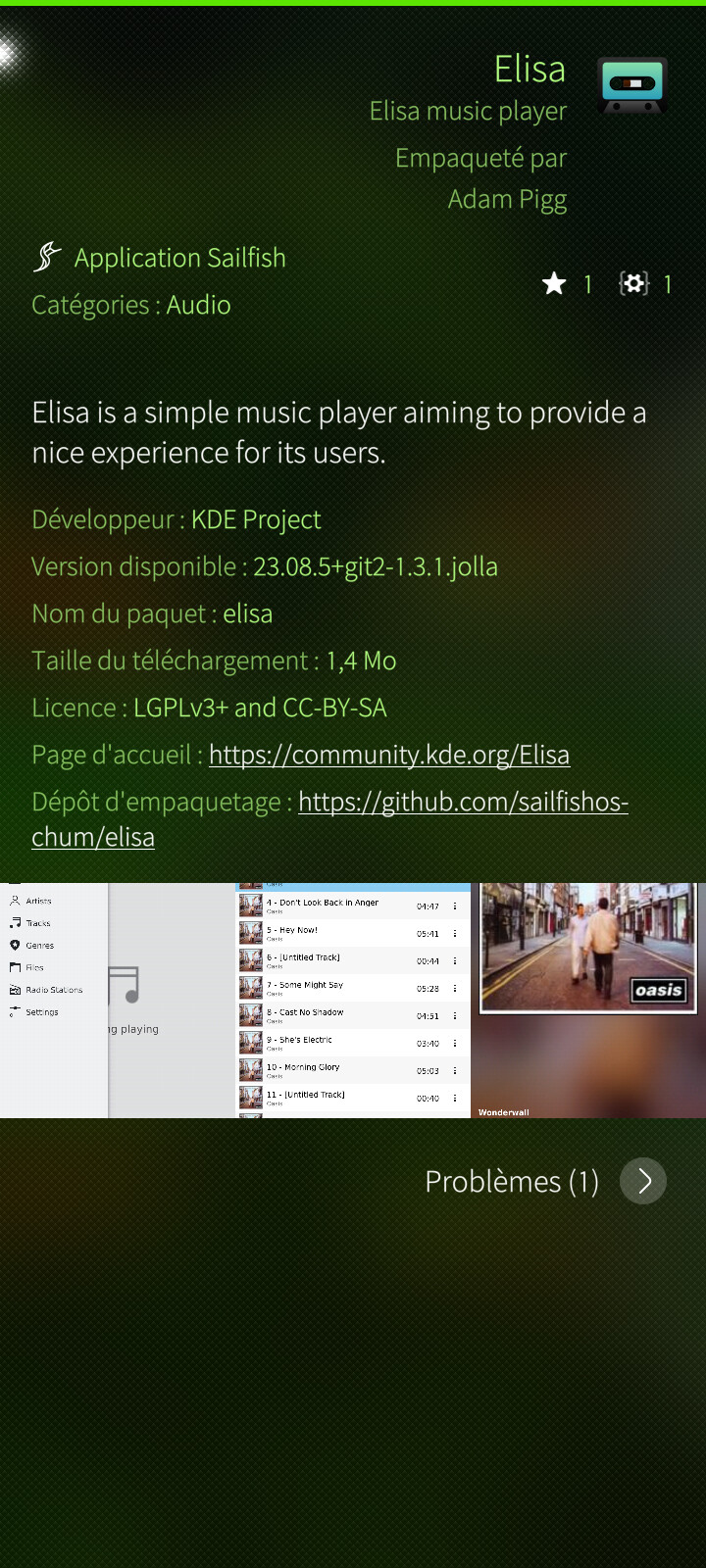
@attah : Would pkcon also be available in app stores like Chum and others?
And, what’s the problem? It works, if you need latest and greatest version wait till your hear about Qt version on sfos
That doesn’t help me understand… Just so you know, I’m not running Fedora on my computer—it’s Solus.
Yeah whatever dude, don’t add solus repos on your phone too
@danield: An attempt at a “non-elitist” explanation: there isn’t one type of Linux. Technically, Linux is just the so-called kernel, the software that handles things between your hardware and the rest of your operating system (OS). Or, a “Linux OS” = the Linux kernel + other necessary software. So, a “Linux OS” is put together by a bunch of people for some purpose they are interested in and distribute it to the rest of the world, and these are usually called “distributions”. For desktops/laptops you have distributions like Debian, Ubuntu, Suse and many many more. To be fair when comparing “Linux” and “Windows”, say, you rather have to compare “Suse” with “Windows”, or “Ubuntu” with “Windows”. Sailfish is yet another distribution, but for particular phones rather than for desktops/laptops. Normally, you cannot (without some technical dev-skill fiddling) install things across “distributions” since they usually have different combinations of hardware and software libraries.
Now, Qt (a GUI library) is a particular software project with their own development philosophy, so quirks related to Qt isn’t directly a Linux-issue as such. And then sailfish have their own Qt tricks.
(By the way, Android is also Linux-based, so…)
4 Likes
I will try to clarify a few misconceptions.
First, Chum is a community repository maintained by volunteers. Chum GUI is a graphical client application used to manage software packages from this repository.
Since you already have Chum GUI installed, this means that the Chum repository has been added to your package manager’s configuration.
You can list all repositories configured on your system by running this command:
ssu lr
Custom repositories appear under the “Enabled repositories (user)” section. You should see something similar to:
Enabled repositories (user):
...
 - sailfishos-chum            ... https://repo.sailfishos.org/obs/sailfishos:/chum/5.0_aarch64/
...
For more details on managing repositories, you can refer to the Sailfish OS Cheat Sheet.
Other community repositories are available on OpenRepos and can be managed using the Storeman application.
Packages from these repositories can be installed either through graphical applications such as the Jolla Store, Chum GUI, or Storeman, or via command-line tools like pkcon or zypper.
So, when you ran pkcon install elisa, the package was most likely installed from the Chum repository.
Finally, keep in mind that these KDE applications are built and packaged for Sailfish OS by volunteers. You are benefiting from their work at no cost. When newcomers describe these applications as “outdated and poorly managed” without acknowledging that effort or contributing themselves, it may be perceived as offensive by those who understand the work involved.
13 Likes
You have a wrong impression. Sure, some people are not very helpful/friendly around here, but the forum is still the right place to ask questions/find answers. Not everyone is like that…
1 Like
edit: oops, I missed pages full of posts. I’m probably repeating what others already said.
Elisa is in Chum. That has nothing to do with SailfishOS (what you call Jolla OS) per se.
You should’ve known that these apps can be slightly less reliable when you enabled Chum.
There’s a long story here about different Qt versions. Why SFOS uses Qt5 and why some people try to enable Qt6. The latter works but is far from perfect (applies to Elisa).
SFOS is not a normal Linux desktop distro, you cannot expect to “just install Linux apps”, even if they’re “mobile”.
Flatpak apps can be directly installed on SFOS but the collection of apps is not really big
Really? I thought I heard that this is not possible currently?
2 Likes
There’s a long thread on TMO about Flatpak on SFOS but apparently since 2021 it won’t compile anymore 