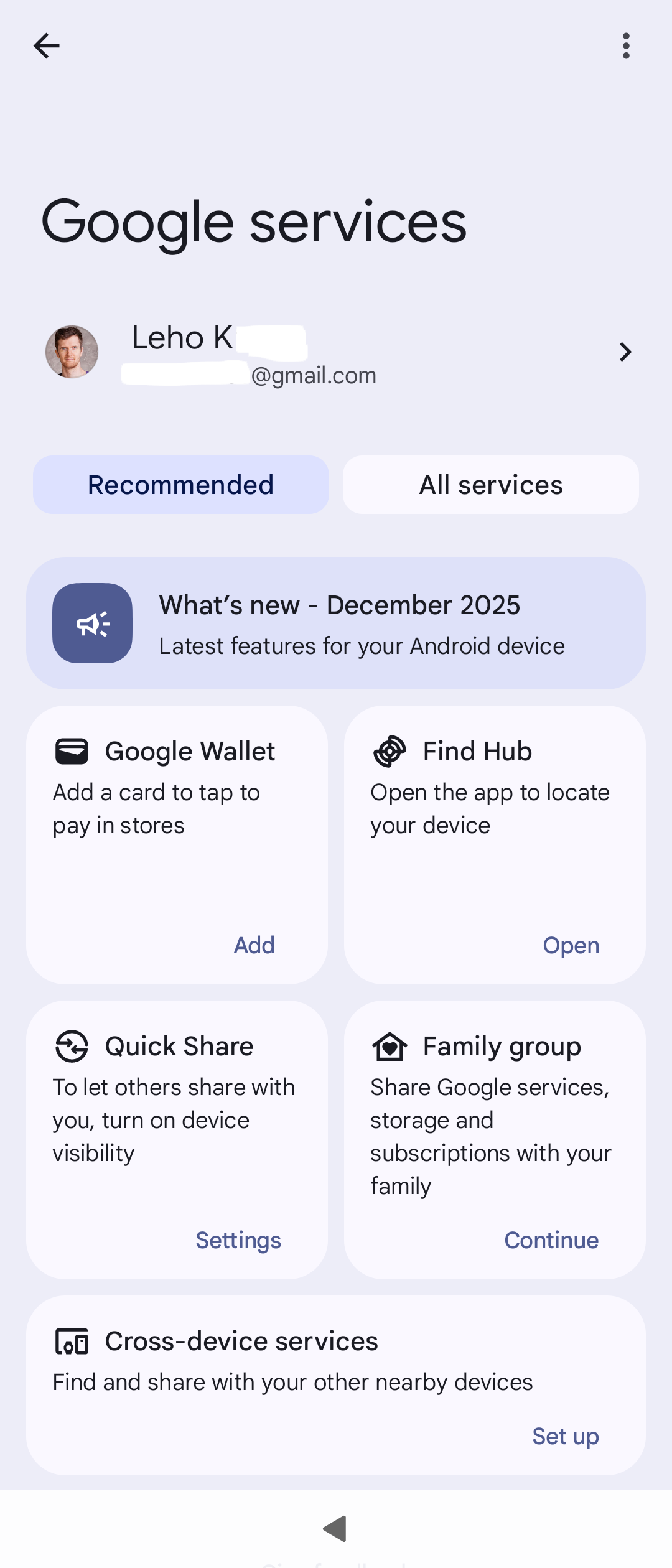
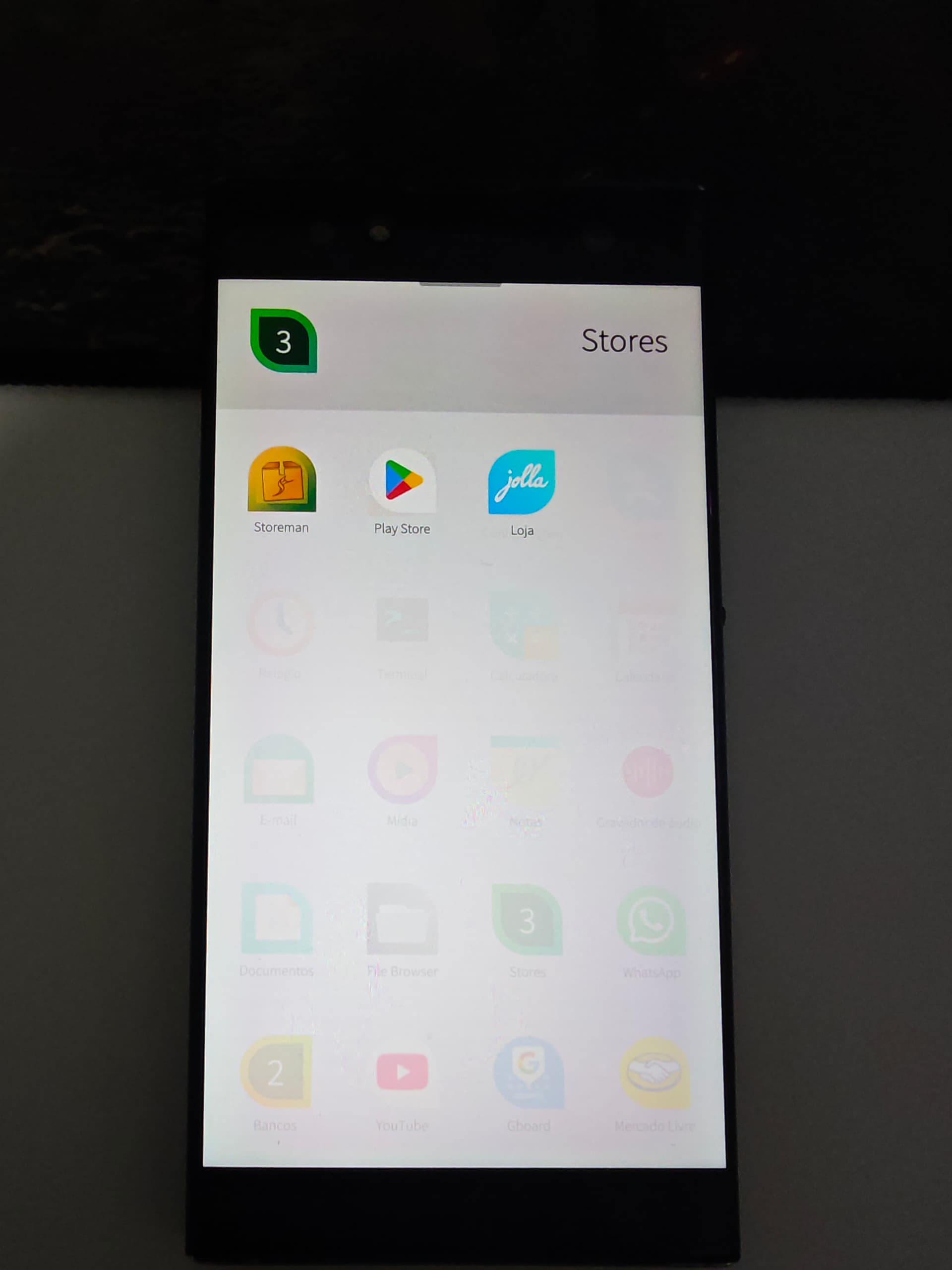
Google Play Services on Xperia 10 III Sailfish 4.4.0.64 (now 5.0.0.76)

[Release notes] Tampella 5.0.0.73 - Early Access surprisingly brought Android 13 update for X10III in a minor release.

Relnotes warn about needing to uninstall gapps for update. Let us know here how that went for y’all!

EDIT Since opengapps never made it past A11, we’re going to have to force-upgrade probably to MindTheGapps or NikGapps, as described above. Working on upgrading my gist.

:spiral_notepad: check what OpenGApps injected :down_arrow:

$ diff -urN <(unsquashfs -l -dest '' system.img.orig.20250417T225429 | sort) <(unsquashfs -l -dest '' system.img.opengapps | sort)
--- /dev/fd/63	2026-02-07 15:50:11.683124926 +0200
+++ /dev/fd/62	2026-02-07 15:50:11.683124926 +0200
@@ -22,6 +22,7 @@
 odm/lib
 odm/lib64
 oem
+orig_img_path.txt
 proc
 product
 run
@@ -1084,6 +1085,9 @@
 system/etc/compatconfig/libcore-platform-compat-config.xml
 system/etc/compatconfig/services-platform-compat-config.xml
 system/etc/compatconfig/settings-platform-compat-config.xml
+system/etc/default-permissions
+system/etc/default-permissions/default-permissions.xml
+system/etc/default-permissions/opengapps-permissions-q.xml
 system/etc/default_volume_tables.xml
 system/etc/dirty-image-objects
 system/etc/event-log-tags
@@ -1197,12 +1201,18 @@
 system/etc/permissions/com.android.settings.xml
 system/etc/permissions/com.android.storagemanager.xml
 system/etc/permissions/com.android.systemui.xml
+system/etc/permissions/com.google.android.maps.xml
+system/etc/permissions/com.google.android.media.effects.xml
 system/etc/permissions/javax.obex.xml
 system/etc/permissions/org.apache.http.legacy.xml
 system/etc/permissions/platform.xml
+system/etc/permissions/privapp-permissions-google.xml
 system/etc/permissions/privapp-permissions-platform.xml
+system/etc/permissions/split-permissions-google.xml
 system/etc/ppp
 system/etc/ppp/ip-up-vpn
+system/etc/preferred-apps
+system/etc/preferred-apps/google.xml
 system/etc/preloaded-classes
 system/etc/protolog.conf.json.gz
 system/etc/public.libraries.txt
@@ -1375,6 +1385,10 @@
 system/etc/selinux/plat_service_contexts
 system/etc/sysconfig
 system/etc/sysconfig/framework-sysconfig.xml
+system/etc/sysconfig/google_build.xml
+system/etc/sysconfig/google_exclusives_enable.xml
+system/etc/sysconfig/google-hiddenapi-package-whitelist.xml
+system/etc/sysconfig/google.xml
 system/etc/sysconfig/hiddenapi-package-whitelist.xml
 system/etc/sysconfig/preinstalled-packages-platform.xml
 system/etc/task_profiles.json
@@ -1716,6 +1730,8 @@
 system/framework/com.android.location.provider.jar
 system/framework/com.android.mediadrm.signer.jar
 system/framework/com.android.media.remotedisplay.jar
+system/framework/com.google.android.maps.jar
+system/framework/com.google.android.media.effects.jar
 system/framework/content.jar
 system/framework/dpm.jar
 system/framework/ethernet-service.jar
@@ -2854,6 +2870,8 @@
 system/priv-app/AlienRemoteKeyboard/oat/arm64
 system/priv-app/AlienRemoteKeyboard/oat/arm64/AlienRemoteKeyboard.odex
 system/priv-app/AlienRemoteKeyboard/oat/arm64/AlienRemoteKeyboard.vdex
+system/priv-app/AndroidMigratePrebuilt
+system/priv-app/AndroidMigratePrebuilt/AndroidMigratePrebuilt.apk
 system/priv-app/BackupRestoreConfirmation
 system/priv-app/BackupRestoreConfirmation/BackupRestoreConfirmation.apk
 system/priv-app/BackupRestoreConfirmation/oat
@@ -2872,6 +2890,8 @@
 system/priv-app/CalendarProvider/oat/arm64
 system/priv-app/CalendarProvider/oat/arm64/CalendarProvider.odex
 system/priv-app/CalendarProvider/oat/arm64/CalendarProvider.vdex
+system/priv-app/ConfigUpdater
+system/priv-app/ConfigUpdater/ConfigUpdater.apk
 system/priv-app/ContactsProvider
 system/priv-app/ContactsProvider/ContactsProvider.apk
 system/priv-app/ContactsProvider/oat
@@ -2916,6 +2936,12 @@
 system/priv-app/FusedLocation/oat/arm64
 system/priv-app/FusedLocation/oat/arm64/FusedLocation.odex
 system/priv-app/FusedLocation/oat/arm64/FusedLocation.vdex
+system/priv-app/GoogleOneTimeInitializer
+system/priv-app/GoogleOneTimeInitializer/GoogleOneTimeInitializer.apk
+system/priv-app/GoogleRestore
+system/priv-app/GoogleRestore/GoogleRestore.apk
+system/priv-app/GoogleServicesFramework
+system/priv-app/GoogleServicesFramework/GoogleServicesFramework.apk
 system/priv-app/InProcessNetworkStack
 system/priv-app/InProcessNetworkStack/InProcessNetworkStack.apk
 system/priv-app/InProcessNetworkStack/oat
@@ -2952,12 +2978,16 @@
 system/priv-app/PackageInstaller/oat/arm64/PackageInstaller.odex
 system/priv-app/PackageInstaller/oat/arm64/PackageInstaller.vdex
 system/priv-app/PackageInstaller/PackageInstaller.apk
+system/priv-app/Phonesky
+system/priv-app/Phonesky/Phonesky.apk
 system/priv-app/PlatformNetworkPermissionConfig
 system/priv-app/PlatformNetworkPermissionConfig/oat
 system/priv-app/PlatformNetworkPermissionConfig/oat/arm64
 system/priv-app/PlatformNetworkPermissionConfig/oat/arm64/PlatformNetworkPermissionConfig.odex
 system/priv-app/PlatformNetworkPermissionConfig/oat/arm64/PlatformNetworkPermissionConfig.vdex
 system/priv-app/PlatformNetworkPermissionConfig/PlatformNetworkPermissionConfig.apk
+system/priv-app/PrebuiltGmsCore
+system/priv-app/PrebuiltGmsCore/PrebuiltGmsCore.apk
 system/priv-app/ProxyHandler
 system/priv-app/ProxyHandler/oat
 system/priv-app/ProxyHandler/oat/arm64

EDIT Updated script to MTG Sony 10 III - Dual SIM (arm64) | Sailfish OS 5.0.0.73 | Android 13 | MindTheGapps installation script · GitHub using Opus 4.6 and reviewing all changes. MTG archive structure is significantly simpler.

Changes made:

  1. Replaced OpenGApps with MindTheGapps — Removed lzip-compressed tarball extraction, Fedora RPM installer, browser download polling loop. Replaced with simple unzip ‘system/*’ since MindTheGapps uses a flat
    system/ tree.
  2. Pinned filename pattern to MindTheGapps-13.0.0-arm64-*.zip for Android
    13.
  3. Fixed all shellcheck violations — Added #!/bin/bash shebang, removed dead $1 parameter from _find_mindthegapps(), added directives for indirect function refs and sourced files.
  4. Added OS version safety check — Sources /etc/os-release and verifies VERSION_ID=5.0.0.73 before proceeding.
  5. Cleanup — Removed VelvetTitan (tangorpro-specific), addon.d scripts (irrelevant for Sailfish OS), and obsolete dependencies (lzip).

Result: Script reduced from ~204 to ~148 lines.

:warning: WARNING: I haven’t tested it on the phone yet!

4 Likes

Efficient and clean!

I’m not a developer, and yet I think I understood a good part of the code, especially its structure!
Thanks for this lesson! :slight_smile:

Has anyone using Google Play Services installation to Sailfish X · GitHub done the 5.0.0.73 update? I think cleaning up and reinstalling using MindTheGapps for Android 13 should do it. Are /product and /system_ext still unused with the new AppSupport image?

Wow, interesting mount-based approach vs rebuilding AAS system.img. I am not aware of anyone here having announced using it, though :thinking:

Well I have been using it. Works perfect and so far no need to alter system.img after every AppSupport update. This time it’s different.

Status update:

  • disabled AAS start on boot
  • \+ masked service for extra safety
  • restored original A11 /opt/appsupport/system.img (although probably not necessary)
  • updated to 5.0.0.73, this supplied new A13 /opt/appsupport/system.img
  • able to test the script execution now, this is what it proposes to add :down_arrow:
--- /dev/fd/63	2026-02-07 23:06:27.287142628 +0200
+++ /dev/fd/62	2026-02-07 23:06:27.290475937 +0200
@@ -24,6 +24,7 @@
 /odm/lib
 /odm/lib64
 /oem
+/orig_img_path.txt
 /postinstall
 /proc
 /product
@@ -3475,6 +3476,58 @@
 /system/priv-app/TeleService/oat/arm64/TeleService.vdex
 /system/priv-app/TeleService/TeleService.apk
 /system/product
+/system/product/app
+/system/product/app/GoogleCalendarSyncAdapter
+/system/product/app/GoogleCalendarSyncAdapter/GoogleCalendarSyncAdapter.apk
+/system/product/app/GoogleContactsSyncAdapter
+/system/product/app/GoogleContactsSyncAdapter/GoogleContactsSyncAdapter.apk
+/system/product/app/MarkupGoogle
+/system/product/app/MarkupGoogle/MarkupGoogle.apk
+/system/product/app/PrebuiltExchange3Google
+/system/product/app/PrebuiltExchange3Google/PrebuiltExchange3Google.apk
+/system/product/app/SpeechServicesByGoogle
+/system/product/app/SpeechServicesByGoogle/SpeechServicesByGoogle.apk
+/system/product/app/talkback
+/system/product/app/talkback/talkback.apk
+/system/product/etc
+/system/product/etc/default-permissions
+/system/product/etc/default-permissions/default-permissions-google.xml
+/system/product/etc/default-permissions/default-permissions-mtg.xml
+/system/product/etc/init
+/system/product/etc/init/gapps.rc
+/system/product/etc/permissions
+/system/product/etc/permissions/com.google.android.dialer.support.xml
+/system/product/etc/permissions/privapp-permissions-google-product.xml
+/system/product/etc/security
+/system/product/etc/security/fsverity
+/system/product/etc/security/fsverity/gms_fsverity_cert.der
+/system/product/etc/sysconfig
+/system/product/etc/sysconfig/d2d_cable_migration_feature.xml
+/system/product/etc/sysconfig/google_build.xml
+/system/product/etc/sysconfig/google-hiddenapi-package-allowlist.xml
+/system/product/etc/sysconfig/google.xml
+/system/product/framework
+/system/product/framework/com.google.android.dialer.support.jar
+/system/product/lib
+/system/product/lib64
+/system/product/lib64/libjni_latinimegoogle.so
+/system/product/lib/libjni_latinimegoogle.so
+/system/product/overlay
+/system/product/overlay/GmsOverlay.apk
+/system/product/overlay/GmsSettingsProviderOverlay.apk
+/system/product/priv-app
+/system/product/priv-app/AndroidAutoStub
+/system/product/priv-app/AndroidAutoStub/AndroidAutoStub.apk
+/system/product/priv-app/GmsCore
+/system/product/priv-app/GmsCore/GmsCore.apk
+/system/product/priv-app/GooglePartnerSetup
+/system/product/priv-app/GooglePartnerSetup/GooglePartnerSetup.apk
+/system/product/priv-app/GoogleRestore
+/system/product/priv-app/GoogleRestore/GoogleRestore.apk
+/system/product/priv-app/Phonesky
+/system/product/priv-app/Phonesky/Phonesky.apk
+/system/product/priv-app/Velvet
+/system/product/priv-app/Velvet/Velvet.apk
 /system/system
 /system/system_dlkm
 /system/system_dlkm/etc
@@ -3487,6 +3540,8 @@
 /system/system_ext/etc/build.prop
 /system/system_ext/etc/group
 /system/system_ext/etc/passwd
+/system/system_ext/etc/permissions
+/system/system_ext/etc/permissions/privapp-permissions-google-system-ext.xml
 /system/system_ext/etc/vintf
 /system/system_ext/etc/vintf/manifest.xml
 /system/system_ext/lib64
@@ -3496,6 +3551,13 @@
 /system/system_ext/lib64/android.hardware.radio.config@1.1.so
 /system/system_ext/lib64/android.hardware.radio.config@1.2.so
 /system/system_ext/lib64/android.hardware.radio.config@1.3.so
+/system/system_ext/priv-app
+/system/system_ext/priv-app/GoogleFeedback
+/system/system_ext/priv-app/GoogleFeedback/GoogleFeedback.apk
+/system/system_ext/priv-app/GoogleServicesFramework
+/system/system_ext/priv-app/GoogleServicesFramework/GoogleServicesFramework.apk
+/system/system_ext/priv-app/SetupWizard
+/system/system_ext/priv-app/SetupWizard/SetupWizard.apk
 /system/usr
 /system/usr/hyphen-data
 /system/usr/hyphen-data/hyph-af.hyb

It’s late, I will test launching AAS 13 on the phone tomorrow.

If it goes south, I also made a full /dev/sda79 backup into my laptop as shown at Android 13 and SailfishOS on Xperia 10 III - #137 by lbt

:green_circle: I’m live on A13 :tada:

Thanks Opus 4.6, it solved all challenges mostly on first try. Giving it stock system.img to explore helps things along, too.

I think my installgapps.sh fork should be fairly foolproof now for A13, but there’s no warranty and no guaranteed support, or response time of any kind.

Yes, it seemed to be a problem of some kind. In an initial makeover, Google system services would crash with permission error, and AAS would fail to start.

This commit fixed it.

commit 92f57ffdf691b73ad07e0ffecaded277cb0dca0a                                                                                                                                                                                            
Author:     Leho Kraav <>                                                                                                                                                                                                    
AuthorDate: Sun Feb 8 16:35:28 2026 +0200                                                                                                                                                                                                  
Commit:     Leho Kraav <>                                                                                                                                                                                                    
CommitDate: Sun Feb 8 16:35:28 2026 +0200                                                                                                                                                                                                  

    fix: try overcome priv-app permission issues

    Stock image has /system/product → /product (absolute symlink), with
    /product being an empty real directory. The original rsync would either
    follow the absolute symlink (writing to the host's /product) or replace
    it with a real dir — either way, Android scans /product/ at runtime and
    finds nothing. The fix rsyncs product files directly to
    $SQUASHFS_ROOT/product/ before the main rsync, so GmsCore's priv-app and
    its permissions allowlist end up where Android actually looks.
---                                                                                                                                                                                                                                        
 installgapps.sh | 6 ++++++                                                                                                                                                                                                                
 1 file changed, 6 insertions(+)

diff --git a/installgapps.sh b/installgapps.sh                                                                                                                                                                                             
index 2efab49..1332b71 100644                                                                                                                                                                                                              
--- a/installgapps.sh                                                                                                                                                                                                                      
+++ b/installgapps.sh                                                                                                                                                                                                                      
@@ -103,6 +103,12 @@ install_mindthegapps() {                                                                                                                                                                                              
    # Remove addon.d scripts (not needed outside Android recovery)
    rm -rf "$TMPWORKDIR/mindthegapps/system/addon.d"

+   # In the SFOS image /system/product is a symlink to /product (an absolute                                                                                                                                                              
+   # path). rsync would follow/replace that symlink, placing files where                                                                                                                                                                  
+   # Android never scans. Install product files directly to /product/.                                                                                                                                                                    
+   rsync -a "$TMPWORKDIR"/mindthegapps/system/product/ "$SQUASHFS_ROOT/product/"                                                                                                                                                          
+   rm -rf "$TMPWORKDIR/mindthegapps/system/product"                                                                                                                                                                                       
+                                                                                                                                                                                                                                          
    rsync -a "$TMPWORKDIR"/mindthegapps/system/ "$SQUASHFS_ROOT/system/"
    rm -r "$TMPWORKDIR/mindthegapps/"
 }

On some other weekend, I’ll see about whether Google Play Services installation to Sailfish X · GitHub and live mounts is the saner approach, and will possibly convert my script fork over towards such, also.

For current version, I’m also thinking it should really strictly check for stock image (md5sum) value before doing anything.. I don’t think anyone would benefit from running it on an already patched image. Your thoughts?

1 Like

Thank you very much for updated script!

I’ve updated too early and stuck without Google Play for two days, waiting until you finish analysis and publish updated version =)

It worked like a charm, than you again!

1 Like

Here’s where we might be headed with bind mount strategy :down_arrow:

● Key differences from the raphendyr A11 version:

  1. Stock system_ext must be merged — A13 has 6 HAL .so libs, VINTF manifest, and build.prop there. The script mounts system.img read-only, copies stock system_ext first, then overlays MindTheGapps on top. The A11 guide could just copy MindTheGapps directly.
  2. Uses the zip directly — no manual “extract via archive app” step.
  3. Strips more bloat — removes Velvet (244 MB), SpeechServices (60 MB), talkback (28 MB), MarkupGoogle, AndroidAutoStub. Keeps only GmsCore + GSF + Phonesky + GooglePartnerSetup + GoogleRestore + GoogleFeedback.
  4. Same mount strategy — bind-mounts to product and system/system_ext in the LXC config, matching where Android actually scans. No system.img modification needed.

If you want to test a completely untested script before I do, you can go check my fresh raphendyr forked into script form Google Play Services installation to Sailfish X · GitHub

2 Likes
[root@Xperia10III gist-installgapps-mount.sh]# ./installgapps-mount.sh 
Searching for MindTheGapps-13.0.0-arm64-*.zip in /home/defaultuser/Downloads
Using /home/defaultuser/Downloads/MindTheGapps-13.0.0-arm64-20231025_200931.zip
Extracting MindTheGapps
Merging stock system_ext with GApps overlay

Done. Start AppSupport — first boot will be slow (dex compilation).
Monitor with: appsupport-attach /system/bin/logcat

To uninstall:
  rm /etc/appsupport.conf.d/init/prepare-hook.d/61-gapps-for-appsupport.sh   # disable
  rm -rf /opt/gapps-for-appsupport                   # remove data

It works, I restored stock system.img and switched over :tada:

Although instead I would recommend pkcon install git and

git clone https://gist.github.com/cde72215adfe0898f12798989f9606d8.git gist-installgapps-mount.sh

Much easier to get updates with just git pull.

In theory, this current script revision should already be able to survive at least some level of AAS updates

  • fingerprints AAS image on install
  • only on fingerprint change, hook auto-refreshes system_ext contents on AAS start

We’ll see how well this works out in practice on the next SFOS update. Enjoy!

4 Likes

Works great on Jolla C2 but sometimes, I must stop/start appsupport manuall fromnSetting, to make apps working.

Great to hear about install going well, but problem description is too vague to say anything meaningful about.

I’m definitely not restarting AAS on X10III to make any Android app work.

Hello. I hope this is good place to chat about enabling to run more apps on AAS. Just so you know I am not android developer and I only have surface level knowledge but I did alot of experimentation. And i dont have SailfishOS to try, for now at least.

In jolla phone update post I said people with custom ROM and modified Android have same problem as users here with AAS. Apps detect custom rom traces and detect unlocked bootloader and things and dont want to work.

I hope I can help for some who dont understand why some apps dont work.

I for now have modern rooted custom rom Android 16 smart phone and I can run really all apps. My configuration is like this: Flashed custom rom android 16, installed KernelSU, installed Magisk module support on KernelSU, flashed only three modules: Tricky Store ( GitHub - 5ec1cff/TrickyStore ), Zygisk Next (GitHub - Dr-TSNG/ZygiskNext: Standalone implementation of Zygisk) and Integrity Box ( GitHub - MeowDump/Integrity-Box: A toolkit for managing Play Integrity & System Environment ). I was able to bootup things like banking, some apps that check root or modified environment and also Google Pay too. Yes its endless battle between Google breaking things and developers that enable to run apps that give headache to custom rom users. But this is the sad reality for now. Those who know abit more than me can check modules Github to maybe understand more how modules work.

And yes to have good play integrity and working apps means you must have Play services. Which is sad too.

Now the requirements I know of that are needed to achieve basic and device play integrity (runs most apps):
Android security patch must be recent
ROM must not be signed with test keys
In my testing I found that some kernels are just not compatible with integrity and you will never get good integrity, I dont know why
Must need valid fingerprint and keybox (Integrity Box provides with both thats why its needed)
Device must have Play services and Play store (integrity attestation doesnt work without both installed, older Play store version helps with having better chance to have better integrity score)
Play services must have logged in to Google account (unfortunately yes that is needed also. Google servers will skip doing basic and strong integrity attestation if theres no Google account. Any google account works, even new just created account.)

Now two things i want to say, Revolut doesnt block operation if its installed not from Play store but other source. I have been installed Revolut using apk and on login it doesnt give me any error. So i can login to revolut. Other thing, most apps only check integrity and phone during first initial bootup of app. So if you have all this modules configured first time properly, and you get basic and device integrity, you can try and install banking etc. And it should work. And after that you dont have to care and update modules or try to do other fixes. Apps then from my experience will work indefinitely, unless you trigger something, like changing account on revolut as example.

If you dont want to login to Google account I understand you its nothing wrong. But you will can only get device integrity attestation, which means that device itself is ‘secure’ from Googles point of view (no root, no unlocked bootloader, no custom rom, keys are good etc). And means that only some apps will work.

I have a question, anybody tried doing play integrity api check? Because if AAS is listed as virtual integrity, it means Google detected that AAS is a virtual machine device, and I dont think we can somehow spoof it to thinking its a real device. And its a big problem to run apps with this virtual integrity.

2 Likes

I don’t have much to contribute to this, as all my apps work with MicroG. But just to confirm, apps have zero idea inside AAS whether phone has unlocked bootloader or is rooted. Apps can’t access that information from native side, so I guess it is faked somehow

5.0.0.73 → .76 update on X10III was a non-event, everything continued to Just Work :trade_mark:

1 Like

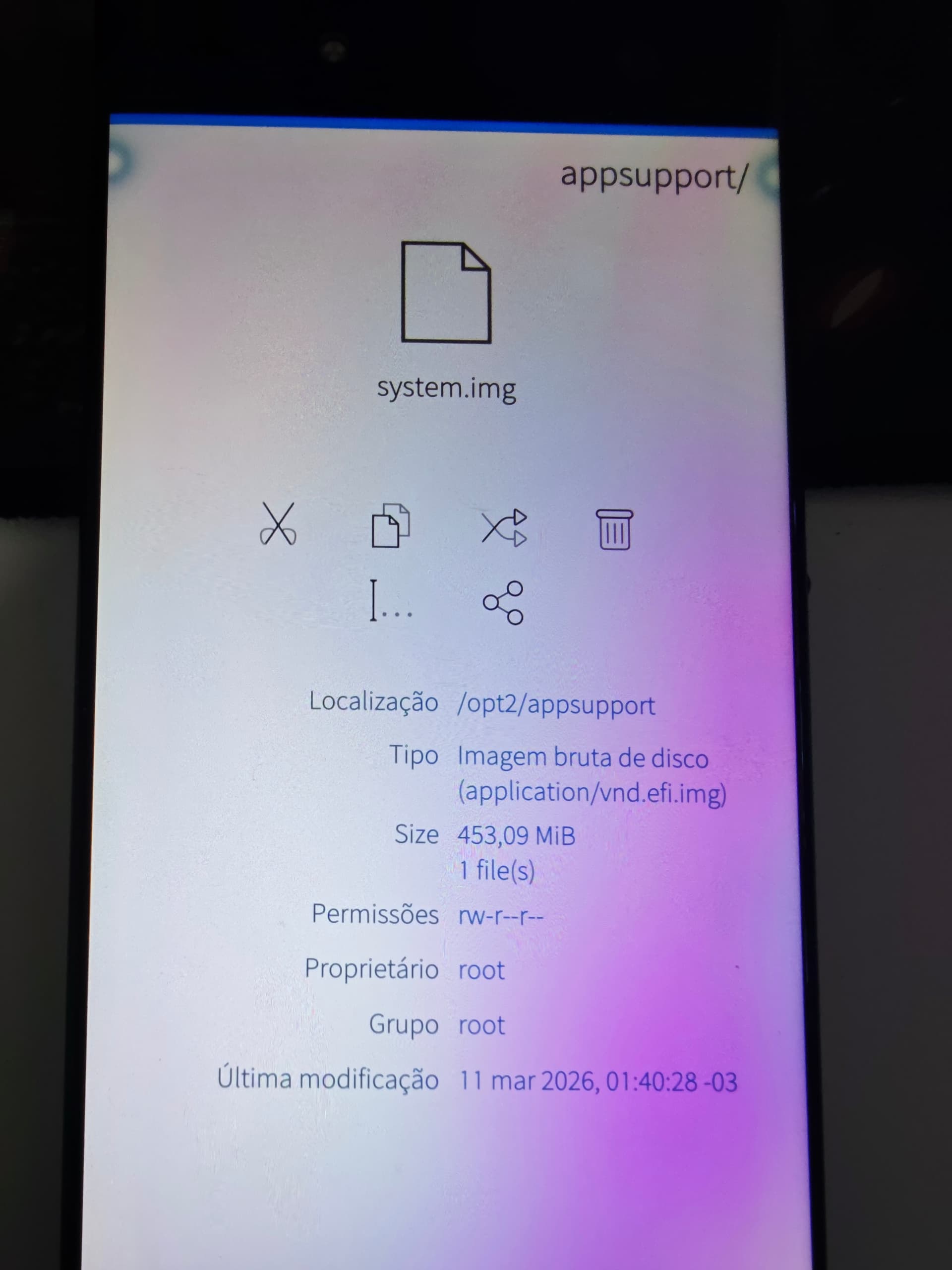
Hello. I’m using your script for SailfishX on my XA2 Ultra, but after initializing AndroidSupport, the Play Store (Phonesky) doesn’t appear as installed. Please check if your /opt/appsupport/system.img file is incorrect. The correct file is /opt2/appsupport/system.img. Even changing it had no effect. Could you help with this situation?

Are you refering to this script? there’s no /opt2 directory in it, nor is there one on any SFOS system I know of.

And have you made sure if more common Gapp-dependent apps work? A random 3rd party store does not seem suitable for testing.

Please note that on my device it’s located as /opt2/AppSupport/System.img

I managed to get it working after installing the four applications from the /Produt/Priv-App folder.

That’s a curious screenshot: opt2/ would be a very unconventional install location for any Linux system, but I don’t have SFOS on my XA2 to verify. Not inclined to patch in support for it blind.

The original /opt partitions used for the XA2 and Xperia 10 devices became too small for the newer AppSupport versions, so /opt2 was added using a bigger one. Later devices had bigger root partitions, and so didn’t need to mount extra partitions at all. IIRC this move happened in SFOS 4.6.0.

5 Likes