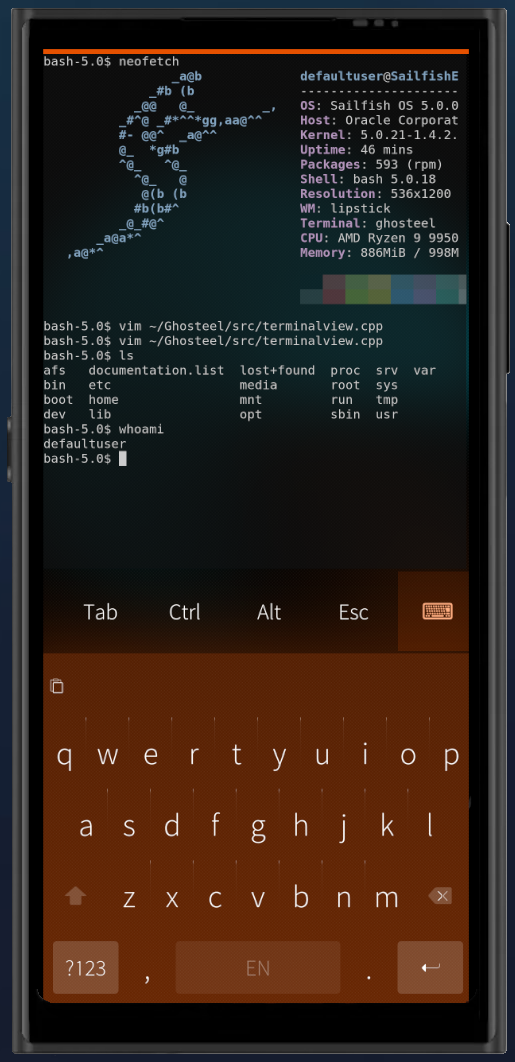
I’m a big fan of Ghostty on my desktop machines, and Ghosteel is the closest I could get to taking it with me on a phone. (To be clear: this isn’t affiliated with the Ghostty project. I built this app on top of their VT engine.)
I’ve been developing on borrowed hardware and the emulator (Jolla Phone 2026 on order, and I’m very much looking forward to it). After an initial release on OpenRepos I got great feedback from users there and was able to squash some bugs. It’s now available on Chum, which is why I’m posting here.
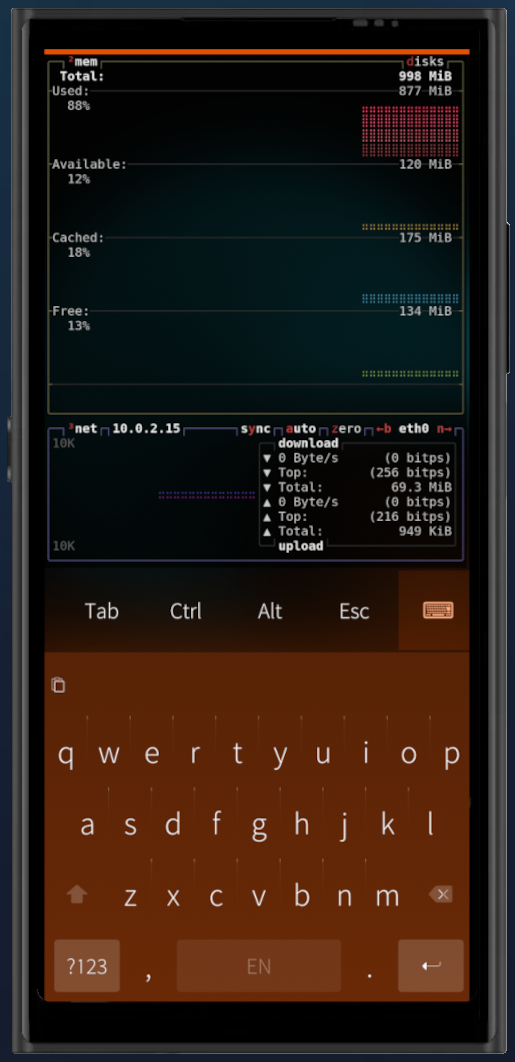
Because Ghosteel uses Ghostty’s VT engine instead of the legacy parsers, modern TUI apps (tmux, neovim, htop, btop, lazygit) render correctly, with truecolor and GPU rendering.
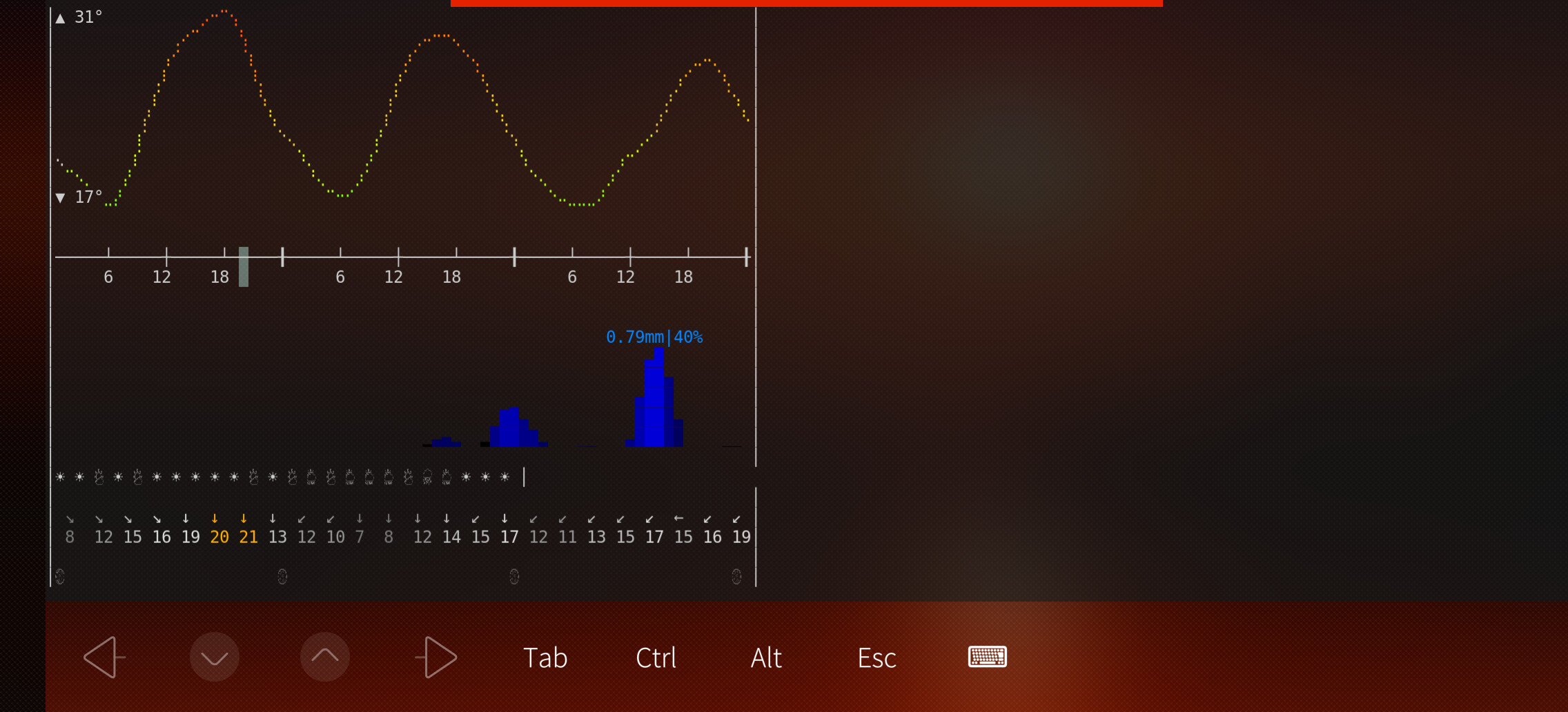
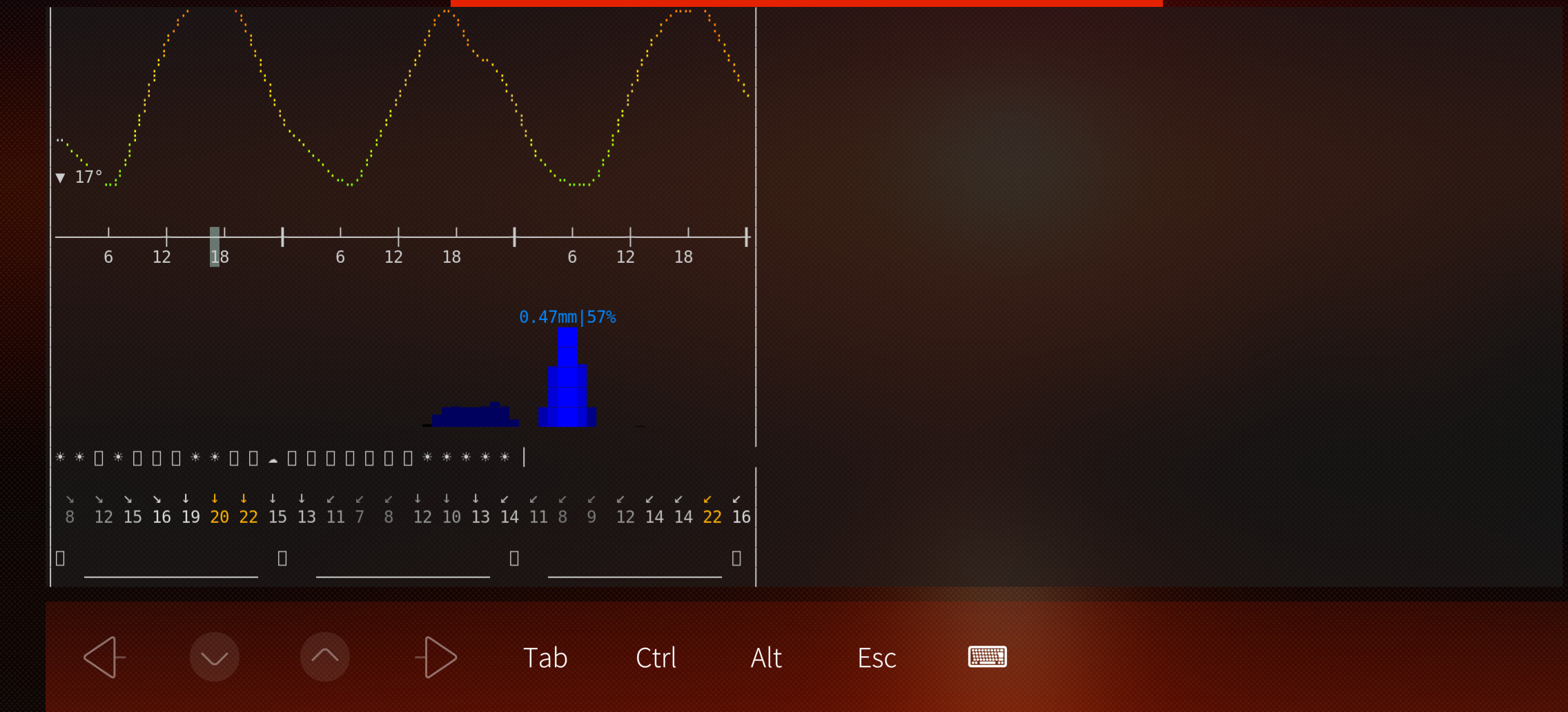
(to test ‘curl wttr.in/v2’ assuming similar weather of course ymmv)
Pretty cool app tho, hope a transparent landscape keyboard with more terminal used chars (ala fingerterm/toeterm) is in the works, current landscape usage is pretty bad
This was a known character rendering bug fixed in v0.7.0. Some Emoji (e.g. ) rendered as empty rectangles.
v0.7.1 has recently been pushed to openrepos and chum so hopefully this will solve your issue, however if that does not, pleases do let me know.
As for landscape keyboard, that’s a good point, it is currently a feature gap I would like to address in future versions. Ideally I would like to achieve this using native sailfish UI but this is something I will need to investigate. Thanks again for the useful feedback
Awesome stuff, thanks man, you’re doing god’s work (proper tty support was badly needed, hopefully you can reuse some of toeterm’s work (arrow keys and enter not triggering the kb highlight etc)), still the only sixel supporting terminal on sfos so amazing
Awesome, thanks for trying that, glad the emojis are now rendering for you in v0.7.1
The last broken char: I think I understand the cause there, that looks like a misalignment issue likely due to how emoji cell widths are being calculated (It should mirror the windline and does on my other systems). I’ve been able to replicate this on my own device thanks to your curl and so I will aim to have the misalignment addressed in the next release that should be released later this week.
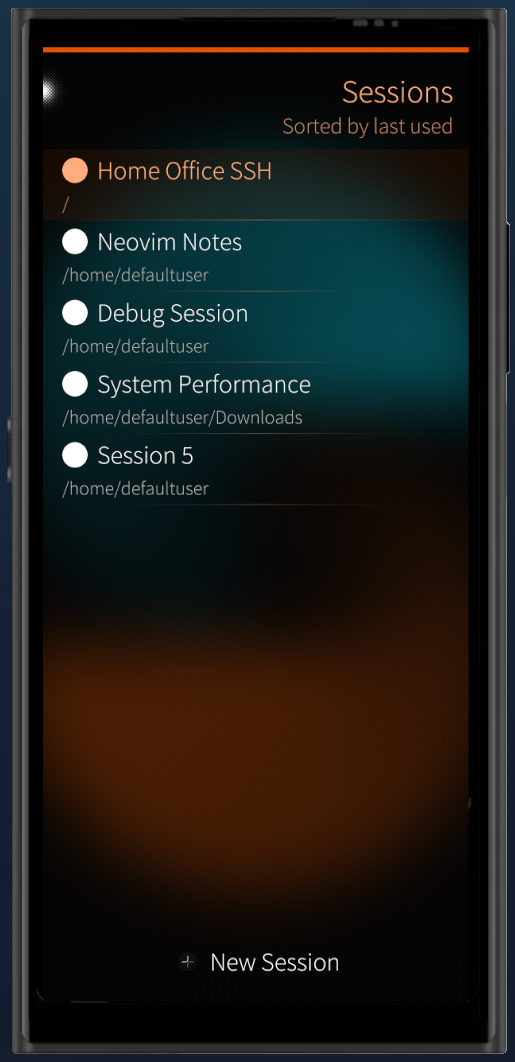
Used Ghosteel for the first time today now that my device is once again my daily driver. Must say that I’m impressed, first impressions are really good and I far prefer it to toeterm which I was using before. The interface is lovely and I appreciate that I can use my standard keyboard, run multiple sessions and copy and paste easily.
One thing though - perhaps I’m missing something obvious but how do I scroll up in the terminal output? If I run a command with lots of output and go to scroll up, all I get is the pulley menu.
Thanks for the kind words, it’s nice to hear that it’s working well for you!
For scrolling back the terminal output, use two-finger scroll on the terminal screen. single finger will (as you discovered) activate the pull-down menu.
Also, please let me know if that doesn’t work as expected for you.
Ah, I think I even read that somewhere when I first came across this project and have forgotten in the time since. Thanks for reminding me! I can confirm that works fine.
In the future it would be nice to have some sort of ‘help’ screen and/or something like an ‘overlay’ tutorial. Because gestures like ‘two-finger scroll’ on the terminal screen, it’s not immediately obvious.
SailfishOS as a whole has some similar overlays the first time you start the OS, to explain the system gestures ect, so something similar i’m sure could be introduced in Ghosteel down the line.
The emoji alignment issue reported by throwaway69 (Thank you!) has been fixed in release v0.7.2, it’s now available in openrepos and has also been submitted to chum, so the update should also be available there soon as well (pending submission acceptance).
This is by far the best terminal emulator available for SailfishOS, and one of the places it shines is the implementation of copy/paste matching the rest of the system, unlike fingerterm/toeterm/etc which I never even managed to work out how to properly copy and paste in.
My one complaint, however, is that copying over multiple lines copies the line breaks. This is warranted if the line breaks are genuine parts of the output, but not when they are just part of the text wrapping on the edge of the screen.
Is there a way to resolve this? It’s particularly painful when copying commands and they get cut off and executed halfway through when pasted again.
Additionally, I would love if the keybar could be a little more configurable - two rows on the keybar would be incredible, and save a lot of time scrolling back and forward looking for the function I need.
But as I say, as it stands this is the terminal emulator to have on SFOS. It gets a lot of use on my phone, and I’d love if the above could be implemented, but I’ll continue to use it extensively either way. Thanks for a great app!
The multi-line copying is a really good point, there are for sure a few different options to resolve that issue. I’m working towards a v1.0.0 release that also has some other bug fixes and so this is something I will look to include and have fixed in that upcoming release.
I also really like the idea of an optional second keybar row, it’s not something I’ve ever considered but now you mention it I realize I would also find that useful myself. I will investigate that as an additional feature for sure.
Thank you again for the feedback, I very much appreciate it
Thanks so much! You’re a legend! I wasn’t expecting such an overwhelmingly positive reply to my requests, let alone so quick. Looking forward to v1.0.0
I had some free time this weekend and was able to put the finishing touches on the first stable release.
and so, Ghosteel v1.0.0 is now available in OpenRepos and has been submitted to chum (pending approval, so will hopefully be available there soon)
In v1.0.0 The terminal now follows the OS ambience more naturally, the keybar gives you more control with multi-row support, and there’s a long list of performance improvements and other fixes.
Love your work! Fantastic stuff. Can confirm multiline copying and double row keybar are functioning well, and I can’t believe all the other stuff you managed to cram into that changelog. Thanks again for a great app that’s only getting better by the week.
Thanks for this great terminal emulator!! I noticed 2 things, having more than one session running, marking text is not possible on the first session in the others it is working fine. Second thing is ctrl-c does not work to cancel already tipped wrong commands in fish.
Yes, i’m on 1.3.0, phone is the JP2026. I just checked my ctrl-c issue, in bash it is working, so maybe it is fish related. I can not test this with a hardware keyboard, but via ssh it works fine.


 ) rendered as empty rectangles.