Find your JP2 in the night - Constant mode (not pattern) for the Inari Blue LEDs

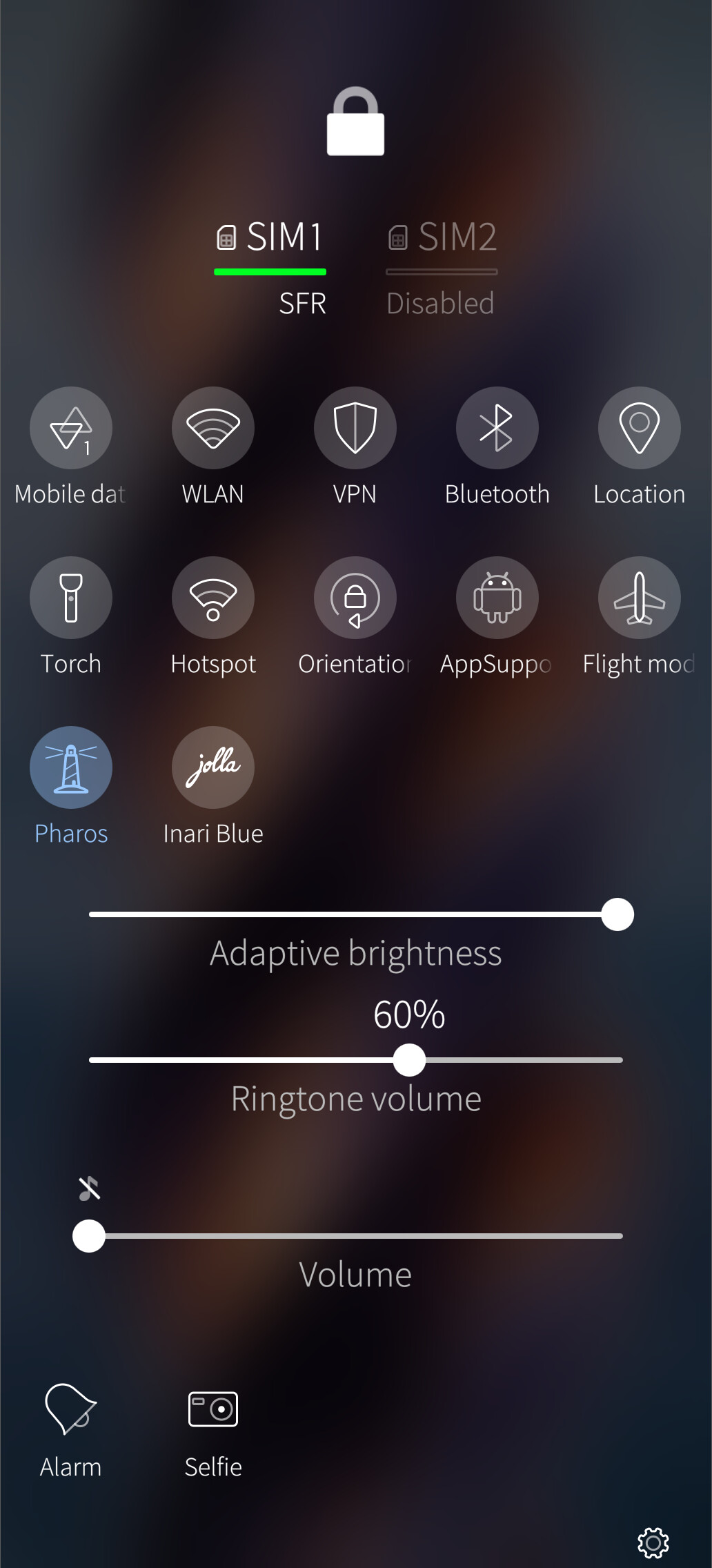
It seems that we can use the Inari Blue LEDs in a constant mode.

As I am sometimes a bit absent-minded, I always put my phone down somewhere and never remember where. In the night, I can never find it again.
So I decided to use this feature so that I could see my JP2 in the dark.

Heavy LLM use here. (and as much analog brain as possible)

Only for the JP2
Inspired from the Jolla Inari Blue top menu button.
Off: does nothing special.
On: When the screen is off: turns one of the three Inari Blue LEDs on, plus the front notifications LED, both at very low power, constant mode, no blink.

I didn’t (ask to) implement a light sensor condition, as I (not it) thought this would ruin the deep sleep and perhaps consume as much battery as the LEDs themselves. Not sure, we’ll see these next days.

The battery consumption when LEDs are ON seems to be around 1mA/h.
Measured over one night with SystemDataScope.

If you want to test it with me, you are welcome.
No warranties tho, your device may burn, all data may be lost.

Openrepos: Pharos | OpenRepos.net — Community Repository System
Source code: https://github.com/Ric9k-TMO-FSO/pharos

2 Likes

Nice Feature, really helpful!

May i ask: How do you get a separate Volume slider for Tone and ringtone? Is it another Patch?:sweat_smile:

Hi, thanks,
No, just a setting in settings :slight_smile:

2 Likes

I tested this too, quite nice. I would say that it is / can be useful.

One basic question though which is more general one.

How to uninstall if I want to?

If I long tap the rpm file, I can see delete/remove option. Does it mean to delete only the file or the whole feature? I didn’t try yet.

Hi,

Deleting the file will not uninstall it.
I didn’t plan a graphical way to uninstall it.
I just made a demand to Basil so I can publish it to Openrepos.
Then, it will be possible to uninstall it via Storeman.
So, for the time being in terminal:
Enable the developer mode as in Enabling Developer Mode | Sailfish OS Documentation,
then:

devel-su pkcon remove pharos

1 Like

You can now uninstall/install Pharos from within Storeman.

Small feedback after some days.

Thanks to SystemDaraScope, I could make some measurements with Pharos.

The font LED at almost minimum power + one of the tree Inari Bleu leds at a very low power. Both in constant mode.

The usual consumption of my JP2 at night, AAS off, plane mode, is 10-11 mA/h.
With Pharos ON, it is 12mA/h.

So, it seems to eat approx 0,02% of the total battery capacity.

Reasonable for being able to always locate the phone in the night, I guess.