Over the last few days I’ve had some very erratic battery behaviour with my C2. 5.1.0.11
Firstly, from a full charge (100%) it stays relatively stable until it hits about 60 - 40%, then it starts to drain rapidly, sometimes as quick as 1% every 20 seconds.
When I put it on charge it charges very slowly until it hits around 60%, then begins to charge quickly.
I also have a threshold of 90% set in Battery Manager.
Any idea what could be causing this?
Same here. After reaching 30% the phone is not usable anymore, as the battery draines so fast, that it will be empty in about some minutes. I highly suspect this is due a low-budget, non-quality battery. If you reached out to the support, let us know the outcome.
That’s what I fear about HW failure.
I wonder if it’s linked to the issues I’ve been having with connectivity (not switching WiFi and cellular automatically.)
I’ve got a Jolla 2 on order and hoping it will hold out until that arrives. Returning the C2 could be a problem, as I live in UK.
Same behaviour here. I submitted a bug report in April about it.
Filed three tickets to the Zendesk as I narrowed down the root cause in the weeks after that: but no response to either of them, having a two year guarantee is one thing getting the actual help seems to be another.
The C2 is unusable by now, so I acquired an Xperia 10III since I have more faith in the hardware capabilities of Sony.
I was walking home and felt the phone vibrate in my pocket, when I looked it had shut down. I remember checking the battery 10mins before setting off and it was showing 73%.
Going through the Lighthouse app after a recharge and nothing seemed to be power hungry in there.
Wowzers. Phone just died with 79% battery.
Was browsing the web via WiFi and kapput, got the low battery alarm and it shut down before I could plug in.
When I did plug the charger in the phone restarted but there were no network services apart from WiFi, no sims detected and App Support wouldn’t start at all.
Got it on a cold charge at the moment, see what happens.
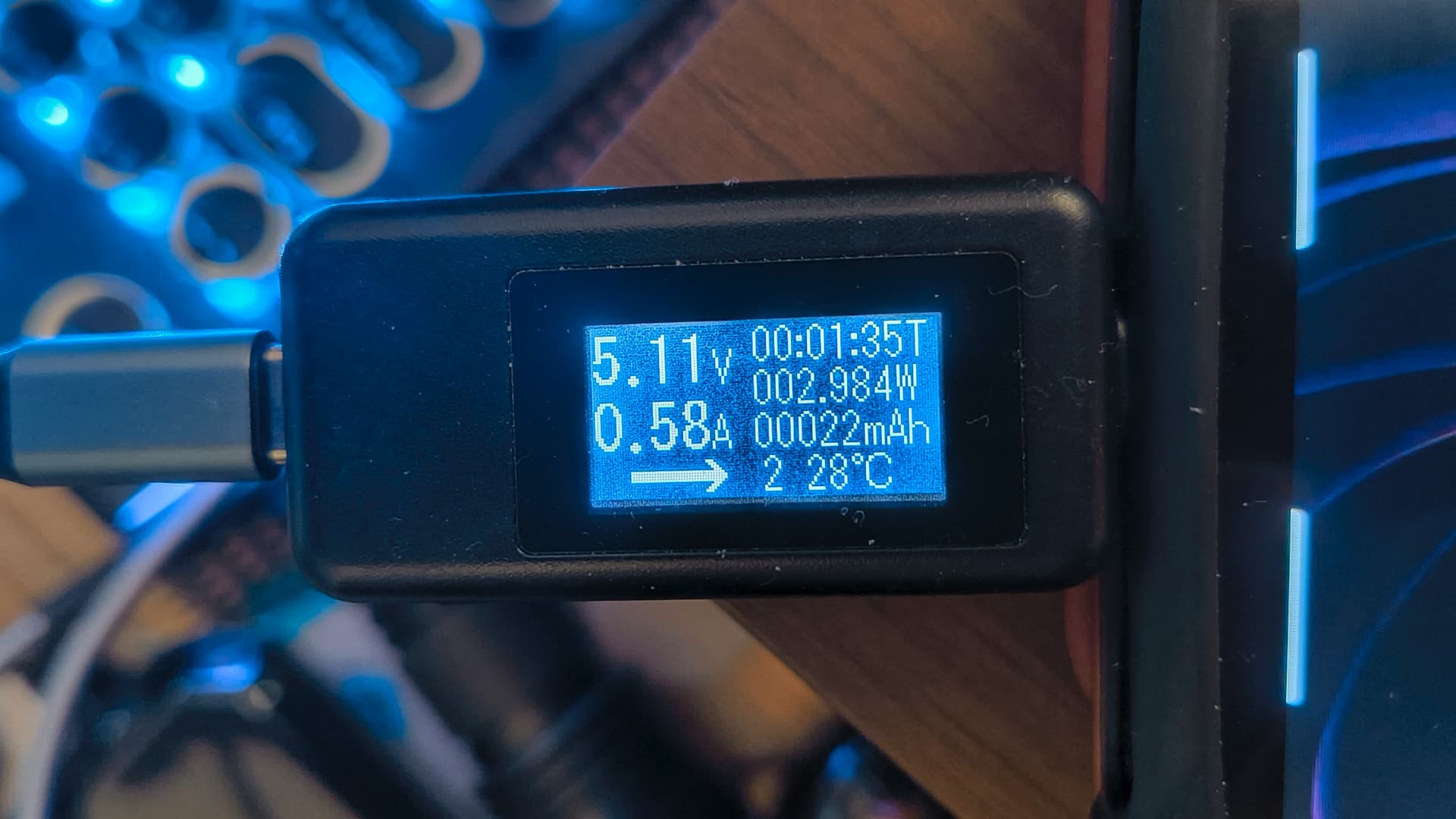
Bought this little voltmeter gadget when my FxTech 1 died.
Everything seems to be OK from what I can see. Same output from any other phone.
If anyone can gather anything from this?
UPDATE.
I’ve done a few trials over the last few days.
Apart from receiving texts and some calls from the Taxi company (They send out an automated call to let you know your taxi is waiting), I’ve not done a lot with the phone (used my Android for things like browsing, checking emails and running a few apps).
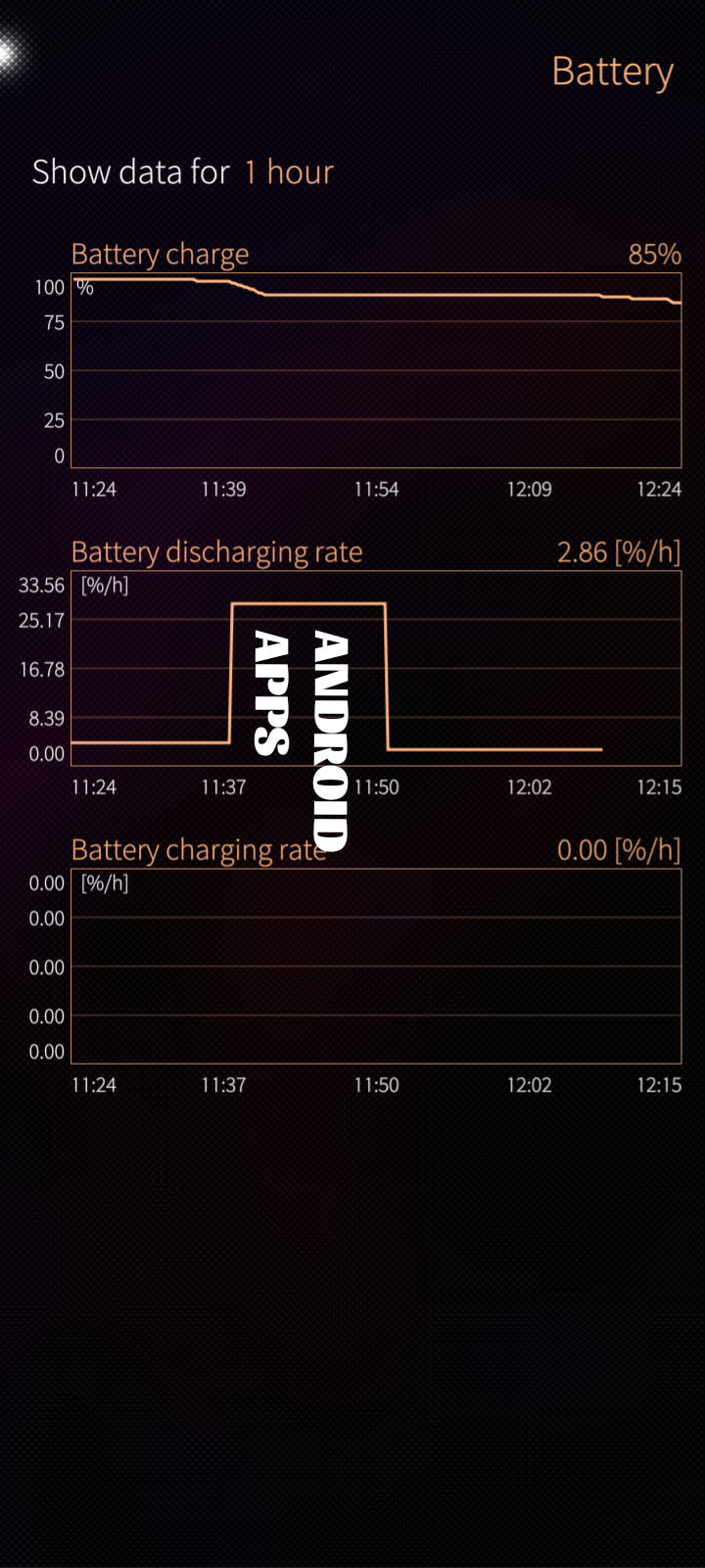
The battery was holding from 100% down to 99% overnight. This morning I ran a couple of Android apps Windy (Weather app) and an app called Plus Plus Battery Monitor, both Android apps.
The battery drain started immediately and continued after closing each app 1% drop every 30 seconds. I watched it until it got to 89% then went to Settings – > Apps and “Force Stopped” both apps and the drain stopped at 89% and has held ever since.
Screenshot from System Monitor:
Has anyone had any feedback from Jolla regarding this phenomenon?
My C2 is pretty much useless now unless it’s plugged in to the charger.
I just tried to set up a 1TB USB Sharge Disk. The Sharge was recognised in Storage, but as soon as I tried to format it to xFAT the phone shut down. Battery went from 100% to zilch in a split second.

 Wowzers. Phone just died with 79% battery.