Has anyone successfully managed to connect the Polar H10 with the Polar Flow Android app?
If so, how did you manage to do it? I saw post about someone using Kari, but the topic was closed, so I could not ask where to find it.
Has anyone successfully managed to connect the Polar H10 with the Polar Flow Android app?
If so, how did you manage to do it? I saw post about someone using Kari, but the topic was closed, so I could not ask where to find it.
Which (phone) device and sailfish version?
Sony Xperia 10 II Dual Sim and SailfishOS 5.1.0.11
I have downloaded AppSupport 0.9.4 and restarted my phone.
On my XA2+ dual sim with SFOS 5.1.0.11 i’ve successfuly connected my Polar H10 with the Polar Beat Android app.
Do you remember the steps you did to get it working?
That is how I have done it too, but the Polar Flow app responds with the error message that the PIN code was wrong, but I did not even enter a PIN code. On iOS I have not entered any PIN code to connect the H10 with the phone.
I’ve just installed Polar flow on my xperia 10III with SfOS 5.1.
If I try to connect by clicking button “Connect” in devices I indeed get an error message about wrong password or pin code.
However if I wait for the app to connect to the H10 after having moved to a training page, it connects… and disconnects 10 sec later and reconnects… unusable!
I have also the app on android and I’m sorry to say that this app is a big mess (and very intrusive by the way).
Concerning Kuri, it is available in Openrepos, so installable with Storeman. And I’ve just tried it connects to Polar H10.
So I am not alone with this problem. Good to know, then I won’t have to continue trying and investigating settings.
I totally agree, and they keep spamming me, without option to unsubscribe!
I will look there again but couldn’t find it before. But then again, Storeman seemed to have some problems with certificates.
Thanks for you response.
on a slight tangent, not about the official app, but in case you find it interesting or useful.
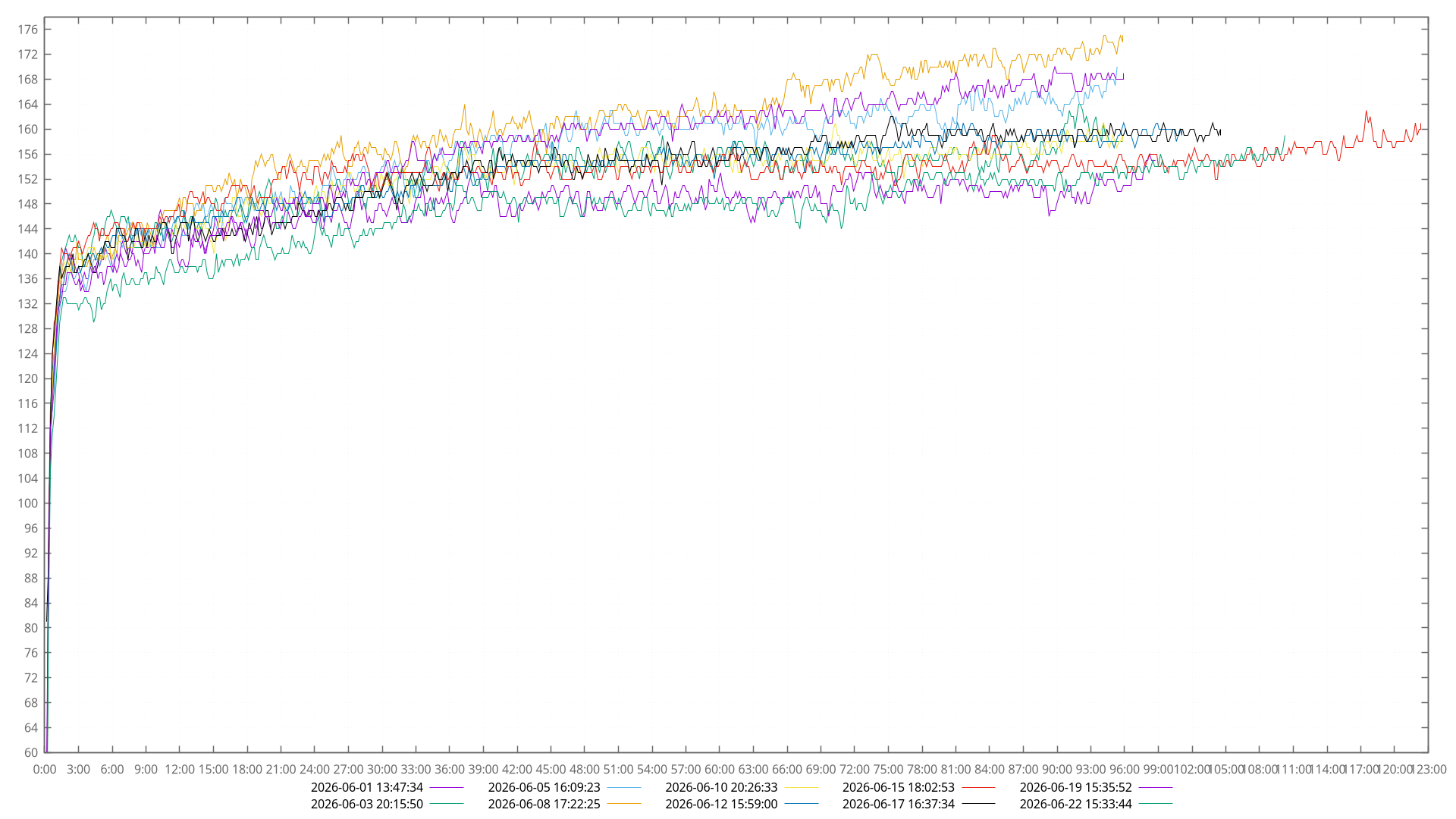
i use my Polar H10 natively with sailfish 3x a week, logging and plotting my heartrate for distance running.
it works on 10II and 10III, all versions since 4.6+, and also works with H7 and H9. it should work on any SFOS device and version that you can install hcitool and gatttool on.
this is my fork of the reverse-engineered app. adding a few tweaks:
https://github.com/teleshoes/BLEHeartRateLogger
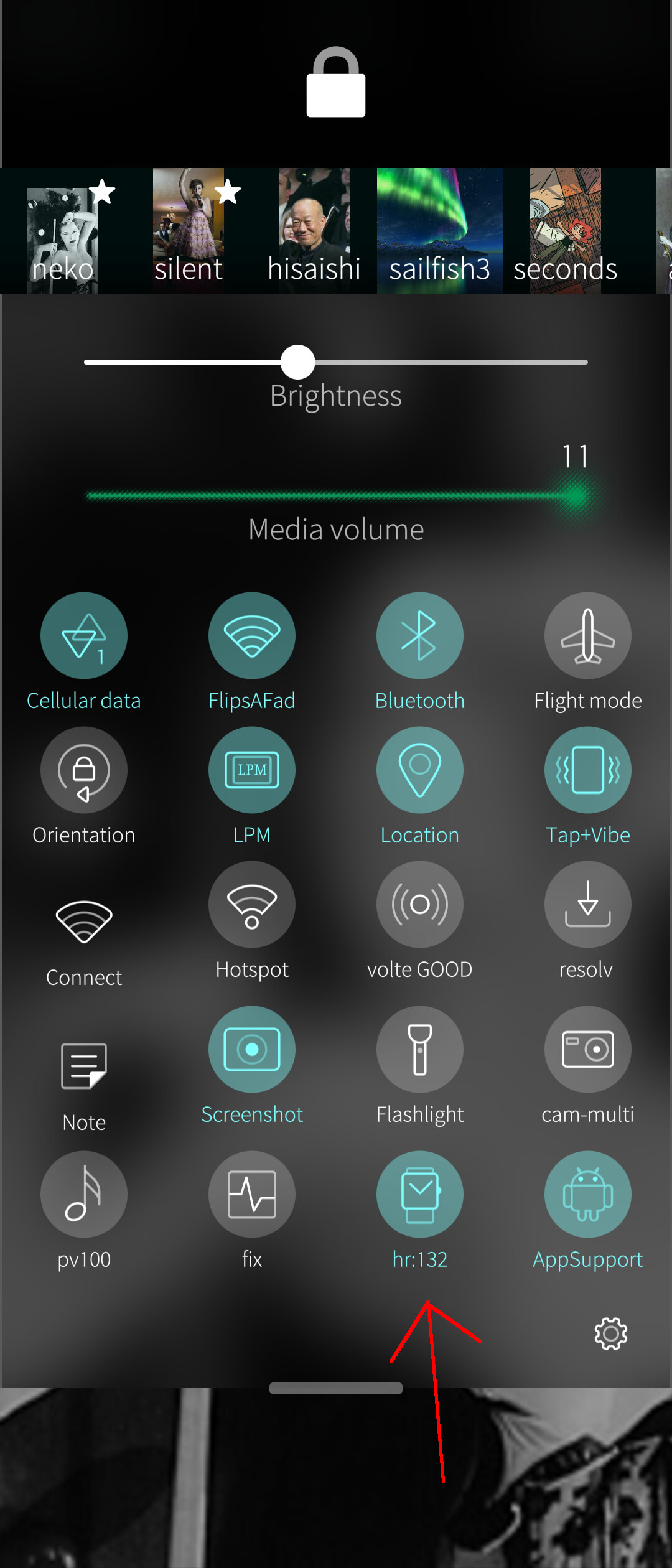
i run it as a daemon, and i display it in the top-pulldown-menu as a toggle with a display that includes the heartrate.
https://github.com/teleshoes/sx-config/blob/master/CONFIG_FILES/bin/hrmon
note that the above script requires a whole bunch of other stuff, like my screen-daemon, but you can use it as a jumping off point for what you might want to do.
i scrape the log files, incorporate them into my treadmill data and race data, and make plots with this script:
https://github.com/teleshoes/wolke-home-config/blob/master/bin/workout-viewfit
we need native sport app to Sailfish  and smartband
i mean…we already have kuri/laufhelden, and beyond that a fully offline low-level native solution for polar, no app or even internet connection needed.
you can buy an H10 off the shelf and use it to do anything you like, and there’s nothing polar can do about it going forward to force you to use their app or sign up or do anything online. i believe it works with kuri, too, if you want a gui (i personally want the raw data so i can send alerts if my heart rate is too high, and make plots afterward).
but if by ‘smartbands’ you mean a wristwatch, we also have a great fully featured app from piggz called amazfish that supports quite a few off the shelf devices. but heartrate wrist watches are nowhere near accurate enough to be useful for health monitoring or sports tracking while your heart rate is above ~130.
try counting your pulses every 30s, doubling it, and comparing it to what your watch says. i’ve done this with a bunch of devices while running on a treadmill (thinking about literally anything but running), and literally only the polar chest strap has been even close to accurate. the H10 is like 100.0000% accurate, and the watches are like 65% accurate. i tried AmazFit Bip, Bip3, and Pixel Watch (3 or 4 i dunno which). they do okay once you hit a steady heart rate, but really not okay before or after. some treadmills have a built-in monitor, though many dont let you use it while the treadmill is going, and those seem a little better than the watch.
I don’t intend to use PolarFlow, but I will be using Elite HRV, that only can access to H10 after that’s been connected once with Polar Flow. At least that is what the instructions say.
The problem with Kurt is, that it needs some other software for Bluetooth, and after that even more software to be installed by the terminal. To complicated for me on a small screen. On a Linux computer I wouldn’t mind, since there I have a big screen, mouse and keyboard.
SSH is your friend.
If you have developper mode activated you can ssh from your desktop to the phone, either by wifi or by usb:
ssh -l defaultuser ipaddress
ooh, great points!
i forget that there are some services, like dual bluetooth connections, that you need to enable with the polar flow app. i have an ancient android phone that i use for stuff like that. i assume that this is what you’ll need to get the app you want to work with it. it sounds like you have an iphone tho, so you could do it once using that.
regarding installing bluetooth utils, you can just do that over ssh.
ssh defaultuser@192.168.###.###, replacing the ###s to match what you read abovedevel-su, but like. be careful? and make backups?edit: didnt see the two posts above saying ‘use ssh’ while responding. what they said (except its ‘ssh’ and not ‘ssl’, phlkrz)
Thanks for good points. This means that I could try connecting my H10 to Elite HRV on SFOS without Polar Flow. That would be great. I will try that tomorrow.
Sounds great! I will have to try that.
So this morning I connected my Polar H10 to my Elite HRV application on SFOS. It worked fine. apart from the sensor disconnecting and reconnecting every 20 seconds or so, the measurement was stil ongoing, so usable with no fuss. But I wonder why it’s disconnecting now and then, it has never happened on my iPhone.
Update 2026-06-27
It’s impossible to use the Polar H10 with SFOS at the moment. BTLE disconnects after just a few seconds, that using the H10 is not working. I have to switch back to iPhone for this particular measurement.
Hi, I might not help with Polar Flow, but I managed to connect to Polar h10, both on native Sailfish AND Android apps. On SailFish Kuri and a command line home made python script (testing purposes). I noticed the following bug in Kuri, it can record or location or HR, not both  . On Android part, I use Pulsar app that displays current Heart Rate, and gadgetbridge that not only keeps data, but also since its last update it has few configuration options for Polar h10, like if you want to use ANT+ and BLE. With gadgetbridge app most times it asks to connect or to enable "android bluetooth”. Pulsar most times does nothing if there is no connection, or if I try to press the “connect’“ button it crashes.
Let me know if you want me to send you detailed confugiration / screenshots etc