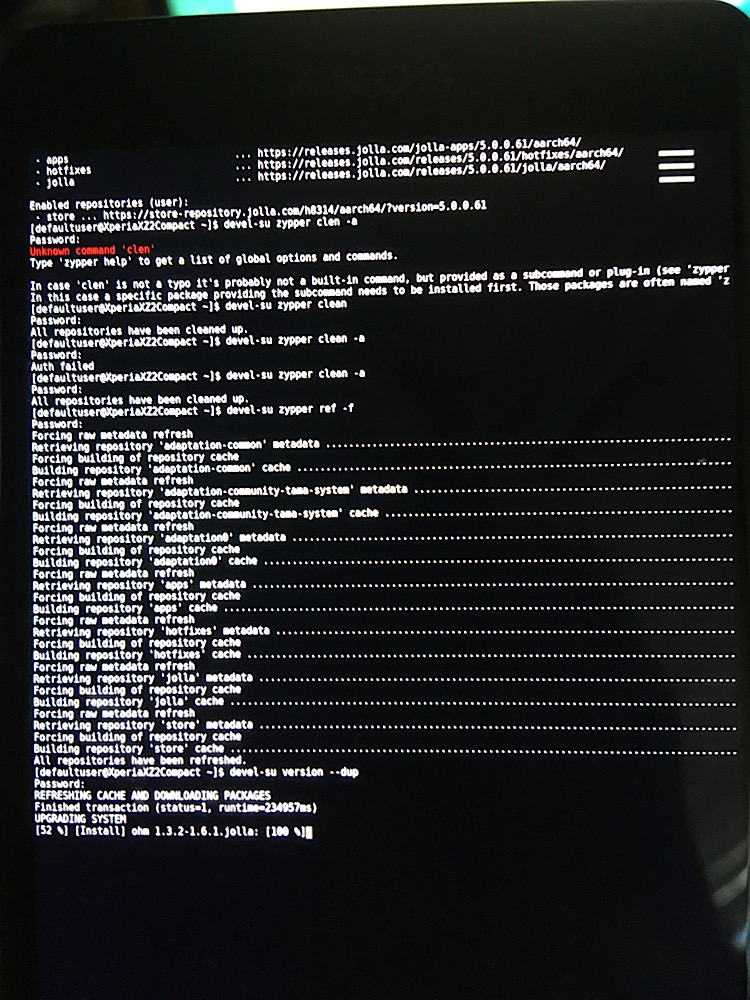
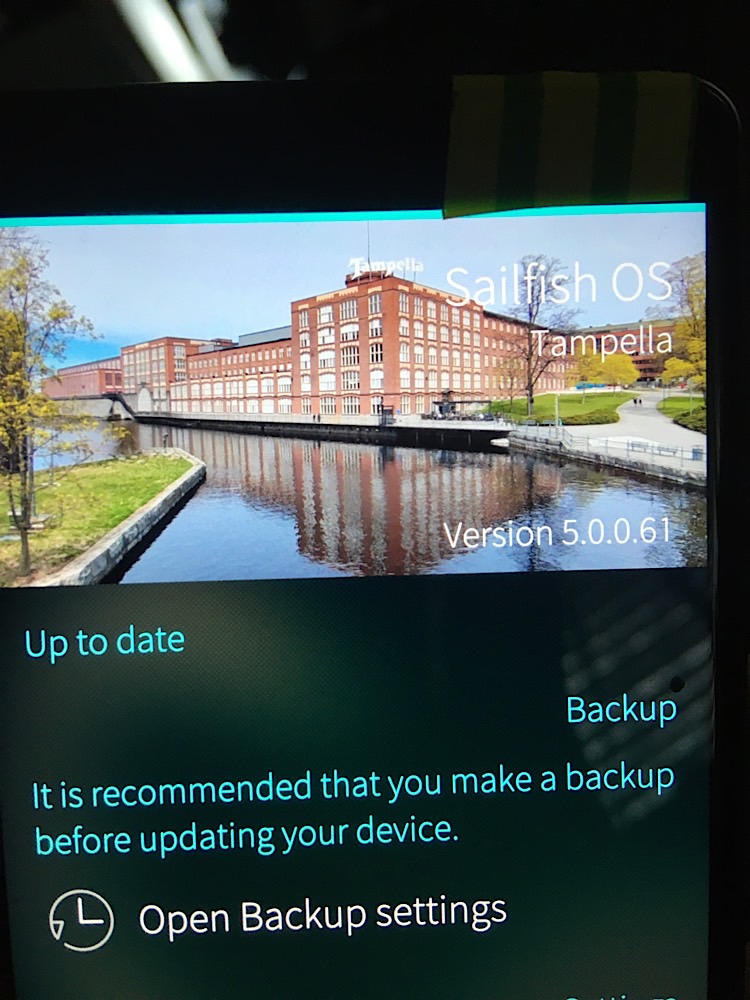
You can skip minor releases, but not stop releases. This means you can update from any 4.6.0.xx version to any 5.0.0.xx version and then later (when available) to any 5.1.0.xx version, but not directly from 4.6.0.xx to 5.1.0.xx. It is usually best practice to update to the newest minor version of the next stop release, unless otherwise recommended.
Shell is just the command line interpreter. You can either use the Terminal app or SSH to access it.
You need some kind of internet connection, doesn’t matter if it is data through the mobile connection, WLAN or USB-connection to a computer sharing it’s connection to the phone.
Use command devel-su alone at the start and drop the devel-su from the commands you copy&paste. This way you need to enter the password only once.
It suggests to install via Chum GUI repo (which I understand is a sort of unofficial software library for sailfish)
I think Chum ensures all packages installed match the CPU architecture. thats good.
OK so to install chum, the main repo page says easiest way to install is via storeman… sigh
I temporarily allow ‘untrusted software’ to install Storeman via web browser on the phone, I’m in storeman, it took me about 10minutes to work out how to actually install a repo in there. (you have to pull from the top of screen - not obvious to new users).
I pull down and tap install on the Chum repo page in storeman, storeman notifies of error in a small bar at top of screen: “Curl error 60”, SSL Certificate, problem: self signed certificate.
How can I make this work?
Seems a bit convoluted to need one repo package to install another repo package to install waydroid
Hmmm I really dont understand why those guides infer to install storeman…..
I temporarily enabled untrusted software again and just downloaded the sailfishos-chum-gui-installer-0.6.9-1.noarch.rpm file from open repos website, using web browser included in sailfish. I tapped the finished download and it installed no problem.
Why bother with storeman? I don’t get it.
Edit, chum installs waydroid but it refuses to launch. probably too new a version for XZ2c …
Inside chum GUI setting user can input the current sailfish OS version. when 5.0.0.67 is added, Chum refreshes and it seems the applications menu dwindles to exactly 0 available packages
Btw I’m finding a hard time actually navigating the various apps on the XZ2c. I just dont think the screen sensitivity and/or technology is well suited to saiilfish. The jolla store for example, I swipe right it goes left, I try to scroll up or down, it selects a tile / menu beforee it scrools. its insanely hard to use.
The keyboard is impossible. I suspect because its unofficial port, not alot of resources/manpower were allocated for this development, IMO, the navigation is highly erratic. Not sure if I could use this daily. I guess thats the sailfish honeymoon over
edit; seems the eratic behaviour is more pronounced depending on how its being held. the curved sides on xz2c is very sensitive.
A virtual scroll bar at the faR left of the screen would be greatly beneficial. I guess thats the good thing about open devices. that can probably be implimented.
I specified 5.0 n chum and the resultant Waydroid package from that fails to start also. Incidentally, this was a known issue in the early days of this port but supposedly it had been fixed.
You don’t need to specify Chum version in Chum settings - the correct one should be picked automatically.
As for waydroid, it may need some extras which have to be downloaded. However, I don’t remember the details.
Re screen sensitivity: this is a worry. I hope that its on SFOS only and you had no such problems in android. Some had issues with screens, but it could have been HW related. My older XZ2c had to have screen switched off/on during use once in a while as it is loosing touch - same in android. In theory it could be due to mismatch of blobs and underlying android - but that’s hard to diagnose.
PS: Remember, its linux phone. So, admin tasks go in a similar manner as in Linux. Enjoy ability to SSH to your device and make operations from there. Just remember that phone may enter suspend and you may have to wake it up by pressing power button.
the screen goes into a chaos mode re; sensitivity sometimes. plugging into power source fixes it . maybe this device is defective. the price seemed to good to be true, perhaps previous owner also experienced this fault and sold it
Install Storeman, the GUI for Openrepos. In there find the app you want to install, use the pull down menu to enable the creators repo (if not enabled yet) and then install the app.
i really long for a budget phone same size as xz2c with not big marketing mumbo jumbo 100megapixels nonsense for sailfish. i find modern devices too big. A stark reality: asians in general are smaller proportioned ; iv’e always found it odd there is no variety in phone size today (on the smaller end of scale) to accommodate that market. Phones must feel relatively huge when held to that demographic….
it is disingenious that early in the thread user teleshoes implies xz2 is ‘great experience’. The screen on ALL xz2 devices had a hardware fault from factory.
i wasted 10hrs+ in attempts to flash sailfish - practically rewriting the useless guide in the process, plus enquiries on forums, only to be met with unusable screen due to above fact. UNBELIEVABLE.
As of August 2026, for XZ2:
waydroid does not work
none of telegram alternatives work
the speech to text models are useless
camera flash doesnt work, incl. On other camera apps.
CRITICISMS OF SAILFISH / My Impression as New User
sailfish music app is terrible, user-made alternatives too. None offer organise / category by GENRE or YEAR? is this serious? No song info when song plays? (year length etc)?
Tracks in library not sorted in alphabetical order??? WHAT the +#/@??
the other sailfish specific feature that is absolutely shambolic; it took me about 40min to figure out how to copy a url from browser app. Its designed like an enigma to crack. Long press text? Slightly above the text? But still on the URL bar? This is NOT IN THE SAILFISH TUTORIAL and entirely not obvious to new users.
It seems that, while the version of SFos on xz2 is older by one year (v5.0 ) what little donation-ware apps that do exist (telegram clones) dont even work due to this. its not even a year old god damn! I am not apple fan but IOS is better than that! Im use IOS V16 , last update 3 years ago and THAT can run ‘new’ telegram!
not impressed. I regret to ever see this thread . Absolute Hell. Sorry.
lol, i used XZ2c as my primary driver for years and never had the ghost LCD issues others reported or any other hardware defects. however, as i said, i had to leave it when 3G got retired, and that meant that the last release i used was 4.4.0.58 in like 2022. the 10 III port came out just in time for me to switch though, and i’ve been on that for ~4 years.
i would say that your experience would be (much) better on 10III or JP2 with android appsupport instead of waydroid, and that most community apps do in fact work on 5.0, and that waydroid can probably still be made to work on XZ2c…but i also feel like sailfish just might not be for you. godspeed
btw, not one telegram client in the jolla store worked. Either icon does not appear in home (e.g. jollagram) or runs but the international phone number verify procedure doesnt work (e.g. fernschreiber). fernschreiber has email address in app,sent query weeks ago and no reply.
other apps that do not work “out the box”.
youtube downloader
app is useless , i copy yt link then open app and press paste+go! “Cannot open video. File not found. ”
Link2clip app opens and nothing else happens.
LLVs vplayer:
Endless “Loading youtube results” message appears when search youtube function used
in settings the “update youtube-dl” function just shows endless spinning circle
it can however play local mp4s, although iirc there was initial problem with Gstreamer missing codecs which oddly i cant reproduce again.
i recognise this all free donation-ware but still …