is it true that if this says “No” under bootloader unlock in the config menu then that means just what it says, NO, nobody can unlock the phone. But my question would be how can i buy a phone like this to install Sailfish when the instructions tell you how to unlock it but they know it cant be unlocked. Weird. So the new version (beta) has targeted this device as the test build but yet its bootloader cant be unlocked, even with the instructions provided. What would be the best way to get a Sony phone that has the new build with the VOLTE (is working in the usa now) but i have to find a phone to flash sailfish onto it. Not interested in C2, its too big, i already have an x23 that weighs a ton, no more big phones.
1 Like
Did you searched forum for possible answer?
From your text it’s not clear if bootloader on your phone is unlockable or it’s just locked currently.
Can you provide a screenshot or at least an exact text of what did you do and the response you got.
you must ask the seller, is this “Bootloader Unlock Allowed: Yes”.
one easy way you can tell that it is NOT unlockable is if it is ‘japanese’ or ‘docomo’, as all of those are NOT bootloader unlockable.
note that it is very difficult to try to get a seller to understand the difference between bootloader unlocked and bootloader-unlock-allowed. ask them instead, first, if the phone is japanese or docomo branded, and if they it is not, request them to do the thing (dial *#*#7378423#*#* etc) and send a screenshot. make sure they accept returns.
a couple side notes:
- ive been using T-Mobile in the USA with VoLTE on 10III for years. not all LTE bands are supported, though, so reception is hit or miss depending on where you live, but in new york, i have had a very high level of success
- no officially supported sailfish phone has any USA 5G bands at all. the upcoming JP2 should have very good coverage, per the modem specs
- note that you buying a non-unlockable phone is not sailfish or jolla’s problem, and they don’t in any way control what sony or telecoms allow
one more side note: in the past, there was a company that sold access tokens for ~$40 to crack the bootloader-unlock-allowed, and change it from no to yes. i used it on several docomo branded devices, but this does not work anymore to the best of my knowledge.
EDIT: and do NOT buy the C2 if you live in USA! it will not work at all on T-Mobile (LTE bands 2 and 4), and verizon and at&t both have a whitelist that, in my experience, prevents me from activating my sim. your one and only option is the 10III (or the 10II, with a little work).
6 Likes
OMG. This is the best reply to any post I have ever received, ever.
I think you are correct, eBay sellers have no clue and never will. I think one thing I can do is buy used or open box. Then, like you suggested, I can send them the instructions and have them send me a screen shot, that says, Unlock bootloader = “Yes”. Well, one can dream can’t I..lol
3 Likes
No. “Bootloader Unlock Allowed: Yes”
1 Like
Try to buy a Sony Xperia from Finland, afaik they are all unlockable (at least I never had this problem and I’m on my 4th Xperia now):
If you ask people will usually send it to you wherever you want. And English should be OK in most cases.
4 Likes
OK thanks guys. I will keep looking. You know what is really frustrating, i also have a Sony Xperia 10 Plus, i unlocked the bootloader, i installed fastboot, i flashed the binaries, i flashed Sailfish os, then reboot, got my license, then added Android App support, then installed F-Droid and Arura store. AND EVERYTHING WORKED. I mean everything works perfectly Android alongside linux. Only there was one small theing that my smartphone couldn’t do, yeah, it cant make any calls. it can do sms, internet searches, gps directions, everything. Just no phone calls. So i am chasing this Sailfish deram over to other model that may or may not work as well but they have the VOLTE working. So why cant i just get the updated baseband modem driver, its all they really fixed from the pervious version. Is there a way to get that version of the os and take that driver and install it on my almost working Xperia 10 Plus
I suggest a separate topic for that.
yea, like many places in the world, there is (essentially) no 2G or 3G in USA, and you must use VoLTE to do telephony.
there are exactly two phones with SailfishOS, Android AppSupport, VoLTE, and North American LTE bands, and that is the 10II and 10III.
it should be a breeze for you once you get an unlockable 10III. godspeed
I tried this out of interest and get a “call couldn’t be connected.”
X10 III on Vodafone Australia
Am I missing something?
Thanks 
It’s possible that this code might not work on Android 14 or 15, and some „secret codes” don’t work on all hardware. Have you checked other codes, e.g. here: Android Secret Codes - Phonecheck
This one has some updated codes (be aware of the cockiees/trackers) All Android Secret Codes - Tested and Working (February 2026) - TechWiser
The big difference of Xperia 10 plus vs. Xperia 10III is besides the screen the SoC 32 > 64 bit (also upgrade from 4G to 5G) with a unfortunately very different SFOS version. I have both phones and can feel you pain. The only option I see is to find an Xperia 10III which as unlockeable bootloader.
1 Like
Oh my phone is operating well, though I don’t have android installed at all.
Vanilla SFOS.
1 Like
those codes are for the android dialer program, and they therefore obviously only work on android. that code in particular is specifically only for Sony Xperia phones. it brings up the service menu, and the primary use for SFOS users is to check the bootloader unlock status, which is only usually an issue for japanese-bought phones. there might be some other ways in which this doesn’t apply to you, but i can’t think of any.
Well, I got the xperia 10 iii, and it has the bootloader unlock = yes, however nothing i am doing is getting me to unlock status, one step away from flashing. But i cant get past this error, FAILED (remote: FAILCommand not authenticated), any ideas ?
Have you unlocked the bootloader?
Sorry my bad. Here is the step i am on in the instructions.
7 Unlock the bootloader
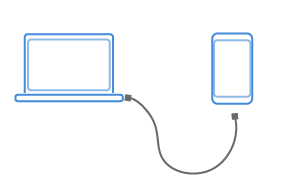
7.1 Take your computer.
7.2 You need an unlock code from the Sony web page. Please read the instructions of Sony carefully. See this web page.
7.3 Proceed to the bottom of the page where it says “Select your device”.
7.4 Select your phone, Xperia™ 10 III.
7.5 Enter the IMEI (from chapter 6.2) into the web page’s input field, acknowledge terms and click Submit.
7.6 The unlock code will appear. Write it down (copy to the paste buffer) for later use (at step 7.10).
7.7 Switch off your phone and wait until the LED is off (at the top right corner of the phone).
7.8 Press and hold the Volume up button and connect the other end of the USB cable to your phone and wait for the LED to light up blue. If it turns green then disconnect the cable and try again
7.9 Open Terminal, and use “cd” to proceed to your Sailfish OS folder – the same as in 4.2.
7.10 Enter the following command into the terminal app. When typing the command, you need to replace all characters after “0x” (zero ex) with your unlock code from step 7.6. Do not type the brackets. See step 7.11 for an example of the actual command.
sudo fastboot oem unlock 0x[insert your received unlock code here]
7.11 On the terminal, you should see the output similar to this:
sudo fastboot oem unlock0xF6147ED3A507FBAD OKAY [ 1.716s] finished. total
7.12 Disconnect the USB cable from your phone. Then, turn the phone on and let it boot up to the UI. No need to run the “Get started” phase. Just turn the phone off. This will complete the unlocking session.
sudo fastboot oem unlock 0xF6147ED3A507FBAD
joe@your_domain:~$ sudo fastboot oem unlock 0xF6147ED3A507FBAD
[sudo] password for joe:
< waiting for any device >
^C
joe@your_domain:~$ sudo fastboot oem unlock 0xF6147ED3A507FBAD
[sudo] password for joe:
< waiting for any device >
^Cjoe@your_domain:~$ sudo fastboot oem unlock 0xF6147ED3A507FBAD
[sudo] password for joe:
< waiting for any device >
^Cjoe@your_domain:~$ sudo fastboot oem unlock 0xF6147ED3A507FBAD
[sudo] password for joe:
< waiting for any device >
^C
joe@your_domain:~$ fastboot --version
fastboot version 1:8.1.0+r23-5~18.04
Installed as /usr/lib/android-sdk/platform-tools/fastboot
joe@your_domain:~$ ^C
joe@your_domain:~$ fastboot devices
joe@your_domain:~$
Let me know what else i can do or send in.
Is the USB port you are using 3.0? If you have a USB 2.0 port, try that. Also maybe try a different cable. And I’m sure it’s the case, but are you seeing a blue notification light on your device?
2 Likes
Wait for the phone to fully shut down.
Press and hold the Volume up button.
Still holding the Volume up button, plug the USB cable (already connected to the PC) into the device. Don’t do anything else, do not press the power button or any other button.
Wait until you see a blue LED, then you can release the button.
3 Likes