Hello,
I’m trying hard to get MMS to work on my C2. I’ve been even trying with my mobile carrier, but no success.
Is there some toll or procedure which I can try?
Thanks mates.
Hello,
I’m trying hard to get MMS to work on my C2. I’ve been even trying with my mobile carrier, but no success.
Is there some toll or procedure which I can try?
Thanks mates.
Which mobile carrier do you have?
Thx for the fast question. Mobitel in Slovenia.
I found this: https://www.internetsettings.org/en/slovenia/telekom-slovenije-apn-settings/
Go to Settings → Mobile network → MMS access point
You can try to go down on 2G in mobile settings to get or send your mms and afterwards go back to 4G/5G.
Thanks very much.
The mobitel technician told me:
apn internet
user mobitel
pass internet
no proxy
MMS center http://mms.telekom.si/
I have tried couple of stuff, nothing works.
Maybe I should try to log the syslog and see why there is no connection to MMS. Do you have any other idea?
Thanks mates.
Hi to fellow Slovenian.
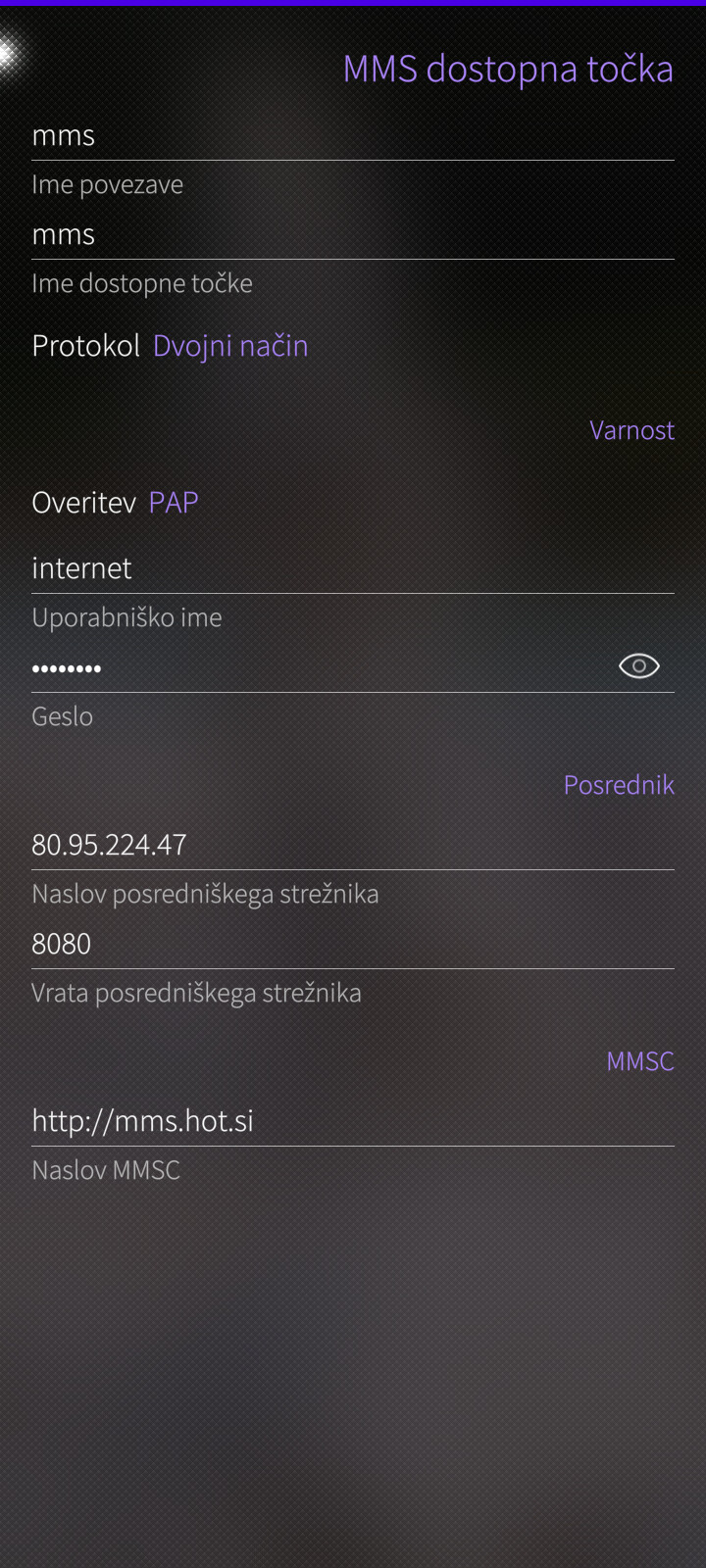
Did you try pherjung’s link? Or Mobitel itself should have some written instruction for APN to play with. I had to fix defaults for Hot.si that way too.
Čav Filip,
I have tried pherjung’s link.
I have left everything blank and tested apn mms and internet. There is no mention about center address.
Before I have been teweaking with Telekom technicians several times; no suggestion worked. Since I’m completely a Linux guy, I’d like to make C2 work for me, after a break after Jolla 1 and Intex Aquafish, using iPhone 7.
What have you tweaked in your settings to access hot.si MMS APN?
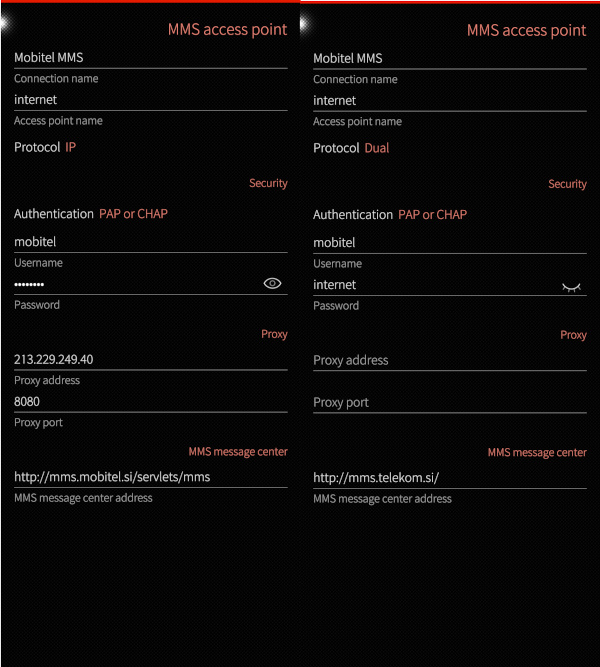
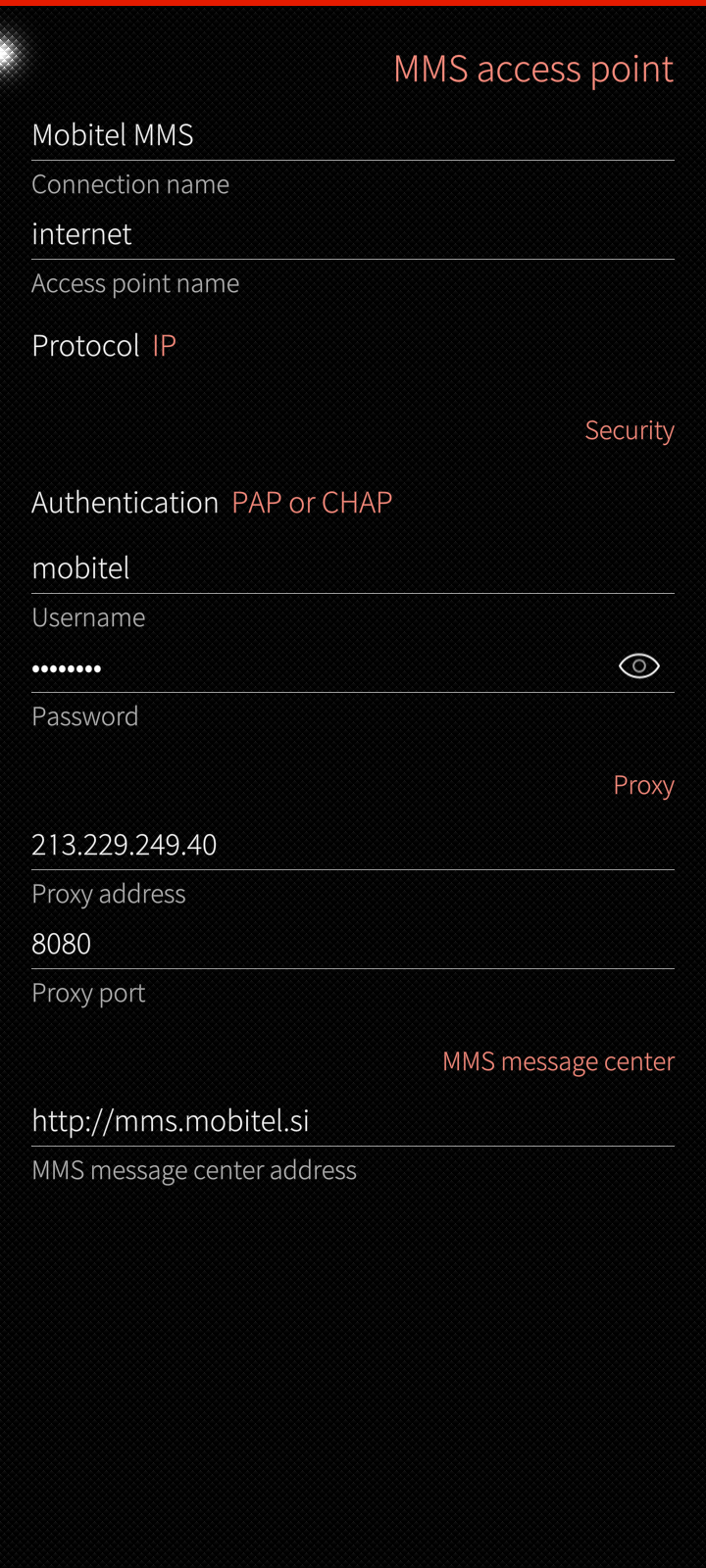
Thanks. No success. On the left are the original settings from network, on the right the settings provided by telekom.
I have tried all options. I have also tried without ./serv*, APN mms instead of internet and without proxy.
Maybe I need to go deeper… or I’ll try to ask some telekom technician again…
What have you tweaked for your settings?
you should try my post from above …
Dumb idea, but I’ll share it anyway: on various providers at various times in the US, I have had to enter the MMS message center address in numerical format to get it to work. It didn’t make any logical sense, I could ping the URL on the phone . . . Obviously the downside – even if it works – is that the address could change at any time and you wouldn’t know it until you got an error (or just didn’t get a message you expected).
THX Pingutux. I have tried but unfortunately no success.
Big Thanks to all. Heureka, now this setting seems to work and finally MMS are working.
Can be that there has been also one unfinished MMS hanging from tests before.
In my experience autoretry stops after about a minute.
Sometimes also SMS service hanged then, so I needed to reboot.
I have checked syslog and there were errors over quite some time after trying sending or receiving a MMS.