I’m looking into what iOS functionality has a replacement in SFOS. I’m currently using Shortcuts to create icons that allow me to trigger a Home Assistant automation. I can turn on the radio or open the door from my home screen this way. Is there a way to do the same in SFOS in combination with e.g. Quartermaster?
3 Likes
if you can run your triggers in terminal you could use the app qCommand to create app icons for specific terminal scripts
1 Like
A button = a launcher icon in your app drawer?
That’s called a .desktop file on Linux.
3 Likes
Good to know that I can create the familiar .desktop file in SFOS and create icons for terminal scripts.
Looks like Home Assistant allows webhooks as a trigger so I could adjust my existing automations to allow calls from SFOS.
Anyone knows if Quartermaster itself exposes automations via an API like the Home Assistant iOS app does?
2 Likes
If home assistant understands any of the supported protocols you could create a remote in Automagic:
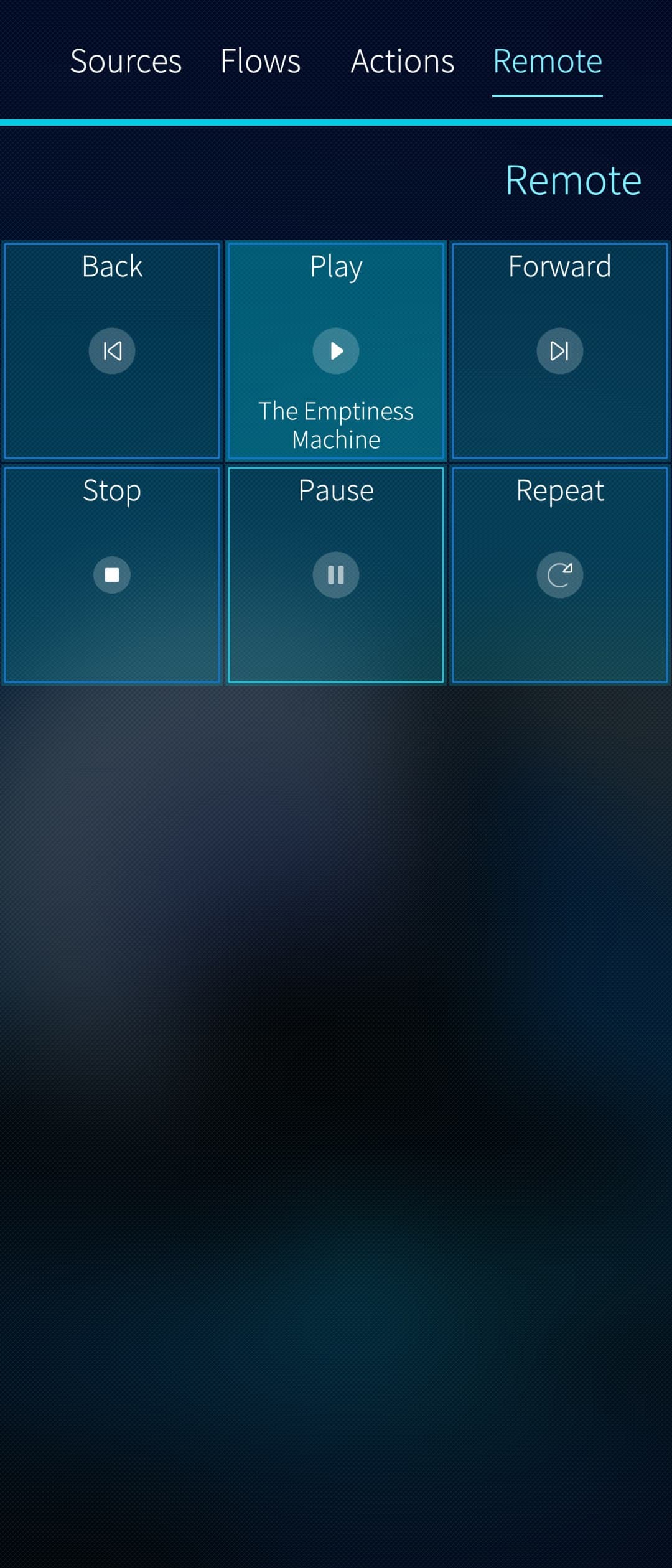
Or if you want to have dedicated icons in the app grid, you could create different .desktop files and start flows by passing parameters to the binary, e.g:
automagicd -e flow_yb39b6kqu -p ‘{“return_value”: “hello world”}’
5 Likes
That sounds like it may work directly with Automagic (without going through Quartermaster), you could create http actions, connect them to flows and invoke them either via .desktop file or define a remote with buttons.
The later would also allow showing the current status (e.g. if the door is open etc.) if HomeAssistant exposes this over http.
6 Likes