CalDAV-Calendar: How to add iCloud-Calendar successfully?

The whole afternoon I tried to add an iCloud calendar in Sailfish OS 5.1.0.11 without luck.

In my Apple account I have set an app-specific password that is necessary in order to grant access for third-party apps to use the Apple ecosystem.

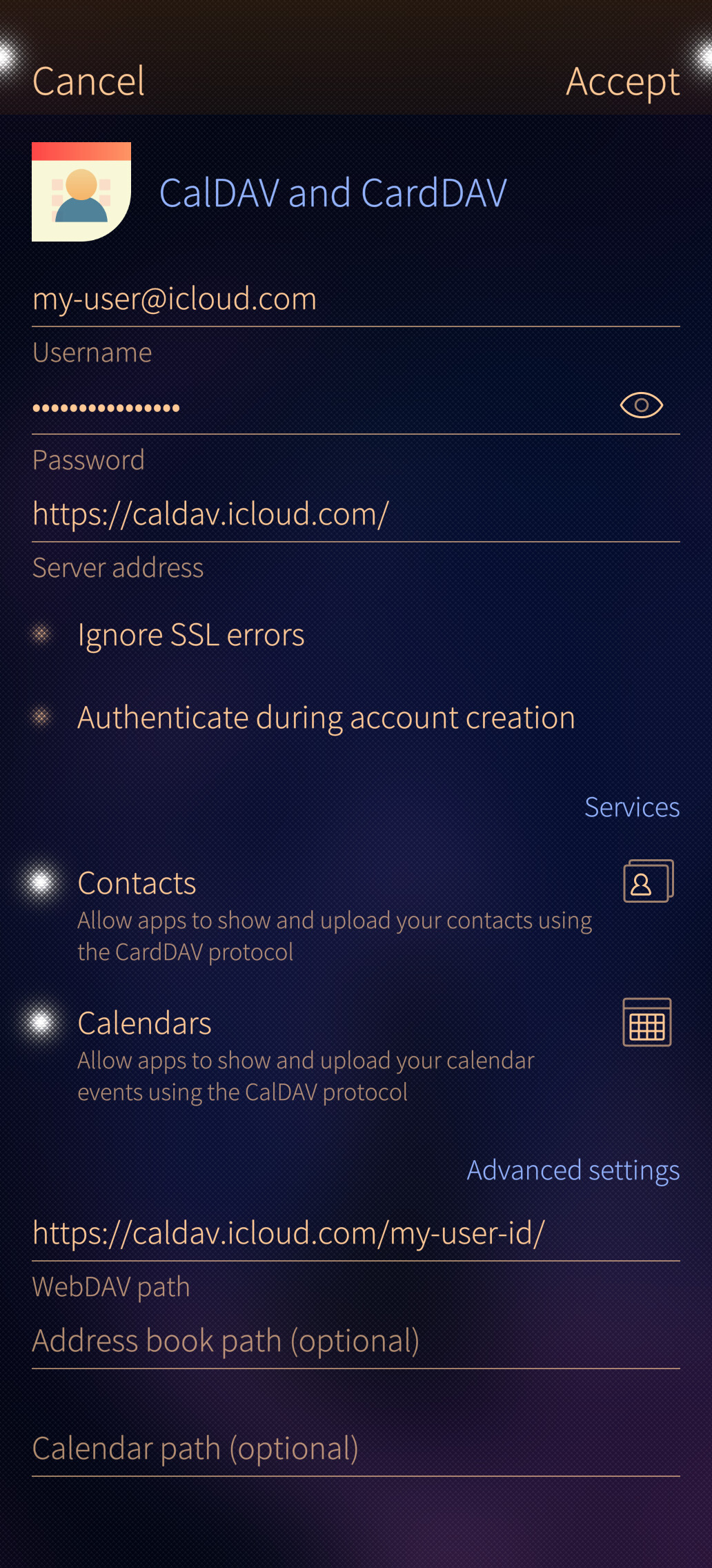
So in Thunderbird I just added this calendar as a remote network calendar with the URL https://caldav.icloud.com. Thunderbird automatically takes care of the rest and transforms this URL to https://p40-caldav.icloud.com/user-id/calendar while detecting all available calendars automatically. Each detected calendar is then added with an own URL in this logic: https://p40-caldav.icloud.com/user-id/calendar/cryptic-calendar-id and works like a charm.

However, in Sailfish OS 5.1.0.11 this does not work. I tried several different URLs, like:

None of the above URLs work properly. I always receive this error

Account error
Could not create account

Check sign-in details and try again.
Authentication failed for URL: https://p40-caldav.icloud.com/.well-known

I don’t know what else to do. Do you have any tipps how I can make this work?

Can you try this?

or this?

I also found the following which should help finding the right user id values:

Or this:

https://discussions.apple.com/thread/254109162

1 Like

Thank you very much for your help!

Unfortunately the first two screenshots didn’t help either. The WebDAV path will automatically get adjusted once tapping ā€œAcceptā€™ā€, so the whole part of the https:// segment will be missing then.

I will have a look at the GitHub link tomorrow! :grinning_face:

I’m not sure if that’s the solution? In my case, two ā€˜links’ have been generated in Thunderbird for contacts and appointments. Try setting up contacts and appointments separately.

caldav.icloud.com

contacts.icloud.com

I’ve only set up email myself at the moment. But I could test it tomorrow with the new Jolla 5.2 if needed. I hope that helps.

It would be very kind if you could test it with the new Jolla 5.2. Does this work?

Hi, sorry for the late reply.
When I first set up my iCloud account, there was an option to synchronise contacts and calendars alongside my email, but I deselected it as I don’t have any calendars or contacts on Apple or Gmail.
I then tried today to synchronise the calendar and contacts, one at a time.
carddav.icloud.com worked straight away, but caldav.icloud.com didn’t.
I then deleted the email account and created a new one; the ā€˜Calendar and Contacts’ option no longer appeared.
To rule out any interaction with the Thunderbird account, I generated a new app password in my Apple ID.
I haven’t managed to sort out the calendar yet; to verify it, I’d need to create some sample data.
That’s the current situation.