I’m trying to compile an app for chum:testing.
I have done that before, and I have a feeling something changed since then…
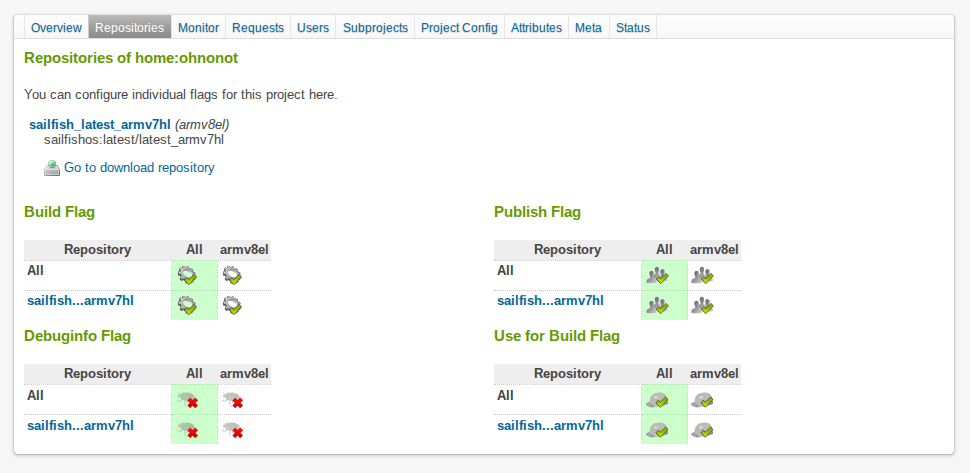
If I go to the Repositories tab on my home project => Add repositories => check “SailfishOS latest”, I get this result:
It looks wrong (for comparison, this is what it looks like on chum:testing/hosts-block).
OK, so I delete all repositories on my home project again, and do Add repositories => expert mode.
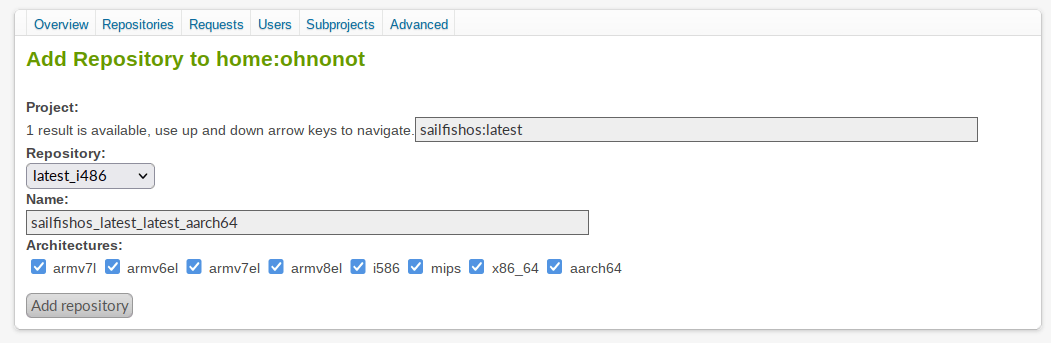
- I’m being asked to specify a project. What should I enter there? Entering my home project does not give me any repos to choose from.
- I enter
sailfishos:chum.
- The repository dropdown is now populated with basically all the choices seen in this screenshot (hosts-block). I do not remember adding those all 1 by 1. Which should I choose?
- I enter
sailfishos:latest
- The repository dropdown is now populated with three repositories.
- All the above repositories are architecture-specific by name, yet I always get an additional line of Architectures checkboxes: - what’s that all about? Leaving them all checked, the package still tries to build only for armv8el, i586, x86_64 and aarch64. I’m guessing I should only check one of those 4, leave the rest unchecked?
Lastly, what I’m doing here, is it the correct workflow to ultimately land my packages in Chum?
I.e., define repos for my home project, which are then taken up by each package I create?
Should I use sailfishos:chum or sailfishos:latest? What are the differences?
Isn’t it that you need to create a package in the home project and submit that to chum:testing and not at all a repository?
Are you suggesting I shouldn’t use the menu provided at all, and edit/create the XML file directly? Sure, I can do that (and the example snippet kinda answers one of my points).
But what project should I choose before I submit to chum testing? According to the example, it should be sailfishos:latest, not sailfishos:chum? What’s the difference?
When you crate a new package in your home project, if i remember correctly, nothing has to be changed. It builds against sailfishos:latest (which is correct) by default.
Once the package was built, you can submit it to chum:testing in the package main page. There it is once again built against sailfishos:latest (and other versions).
In the package (not Project!) you can add files. E.g. Tarballs or a service-file to tell OBS where to pull the Source from. You do not need to create a project, just build in the home project. Once you got used to OBS you still can start using projects if needed.
I have now changed the meta config xml to look like this:
<project name="home:ohnonot">
  <title/>
  <description/>
  <person userid="ohnonot" role="maintainer"/>
  <repository name="sailfishos_latest_latest_armv7hl">
    <path project="sailfishos:latest" repository="latest_armv7hl"/>
    <arch>armv7l</arch>
    <arch>armv7el</arch>
    <arch>armv8el</arch>
  </repository>
  <repository name="sailfishos_latest_latest_aarch64">
    <path project="sailfishos:latest" repository="latest_aarch64"/>
    <arch>aarch64</arch>
  </repository>
</project>
Would y’all say that’s a sane default setting for my home project?