I’m having two Bluetooth pairing issues with my new Jolla Phone (2026), running Sailfish OS 5.2.0.17.
1. Suunto Watch
The Suunto app finds my Suunto Race and I can start the pairing process. However, after a while the app reports that it cannot connect/pair with the watch. I can repeat the process, but the same thing happens every time.
2. Car
When I select “Add a new telephone” in the BMW, the Jolla Phone (2026) is listed. After selecting it, the BMW displays a pairing code which should also appear as a pop-up on the Jolla Phone to confirm pairing.
However, the pairing pop-up on the Jolla Phone appears too late. By the time it appears, the BMW has already timed out and cancelled the pairing process.
So in both cases, the devices can be discovered and the pairing process can be initiated, but the actual pairing fails.
Hi. I use the same phone since a few days. BT-pairing with my vw touran ‘2014 gives the same error. So I can’t use the VW internal bt-freespeaker. Is there a solution? I tested it with OS v. ‘16.
It was stated somewhere that enablimg the connection from the car works better, so search from car system for other Bluetooth devices. Nevertheless I sucessfully paired my new Jollla with a 2014 VW as well as with a modern VW system from last year, both connections enabled from the phone (and for the new system that’s the only way).
I’m having issues with a Nissan Leaf. I’m able to PAIR, but the phone refuses to stay connected or generally work with the car bluetooth. It stays connected for a few seconds but then stops and disconnects. Other stuff like headphones or speakers work fine so far.
We have a Mercedes CLA from 2025. I never got my Sailfish devices to connect properly. Partly the MBux Software is the culprit. Because sometimes it is somehow paired: Even though my phone says paired, it’s not recognized by our car. It shows simply no paired device. But if you make a phone call audio is routed via the Mercedes speakers. I have given up on that, even though it really bothers me.
Edit: Sorry this is with the Xperia 10iii, haven’t tried it with the JP yet
I’ve noticed the same behaviour on a 24 model EQE. Only recently (5.1 release) I re-paired it, and while there seems to be little acknowledgement that the MBUX has connected to the phone, I was able to play audio (ie music) through it by selecting one of the aux inputs where BT is an option.
As an aside, if you have an address listed on a contact, and MBUX can understand your voice to lookup their name (eg. “Hey Mercedes go to Mum’s”) it will look it up in navigation. Or it did pre-5.1, I haven’t tested it since.
I noticed tha tafter updating to 5.2.0.17 Bluetooth audio started to work on Tesla MCU2, pairing worked fine before, but the audio did not work with phone calls, so this was an improvement.
But there was new bug came up, now Tesla wont show any contatct information, it only shows the number when somebody is calling and when trying to acces contact list from the car, it displays not contacts available. This worked without any problems with older OS version.
Well, I managed to pair my JollaPhone with BMW X1, and I can also confirm that contacts are downloaded to the car and phoning works as well. Maybe it is not related, but making calls via WhatsApp or Signal doesn’t work. It seems there is no connection between these apps and the car system via JollaPhone.
I have done the following:
While BT was “On” on the JollaPhone, I disabled “Send incoming pairing request to AppSupport”. After that, I asked the car system to search for a new device, which found the JollaPhone. In this case, the pairing was successful; however, no contacts were downloaded.
Then I enabled “Send incoming pairing request to AppSupport” and rebooted the JP. After the reboot, it connected to the car system, and this time the contacts were also downloaded.
With my smartwatch (Withings) it just works when the bluetooth was turned on recently that it works correctly with the Android app. (It is not really an inconvenience for me)
For the car (2015 Skoda), pairing from car is weird: the car says Success, the phone says Error. It does not work after that. Pairing from the phone is more effective, phone connection with contacts import works, A2DP works kinda ok, it is mostly the AVRCP profile that does not work (so not really possible to skip songs, a bit frustrating).
(Also a lot of instability with Bluetooth in general, where it just turns itself off, and impossible to turn it on again without having to use the utility)
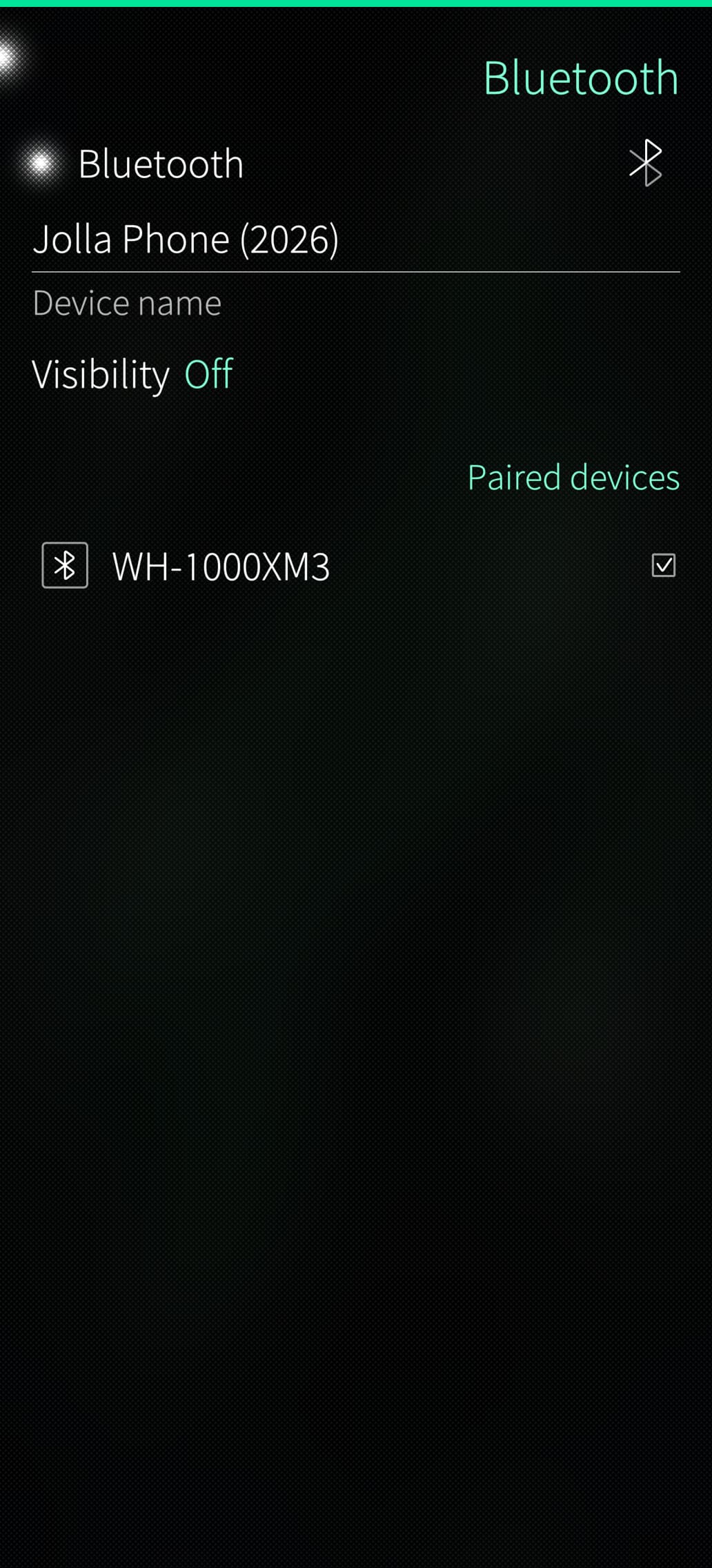
On my JP26 (5.2.0.17) I don’t seem to have the option “Send incoming pairing questions to AppSupport” under Bluetooth settings (screenshot).
I use Bluetooth only with Sailfish apps so I don’t mind, but I wonder should I still have this option visible?
When I was setting up the phone, during the wizard I chose not to install any extras, e.g. microG or Aurora Store. I did, however install them afterwards to be able to install and run TutaMail from F-droid and MyBMW from Aurora Store.
It’s supposed to be right under Visibility. Maybe there is a toggle in Android AppSupport settings you need to enable? I think you can fully allow or disallow Android bluetooth there.