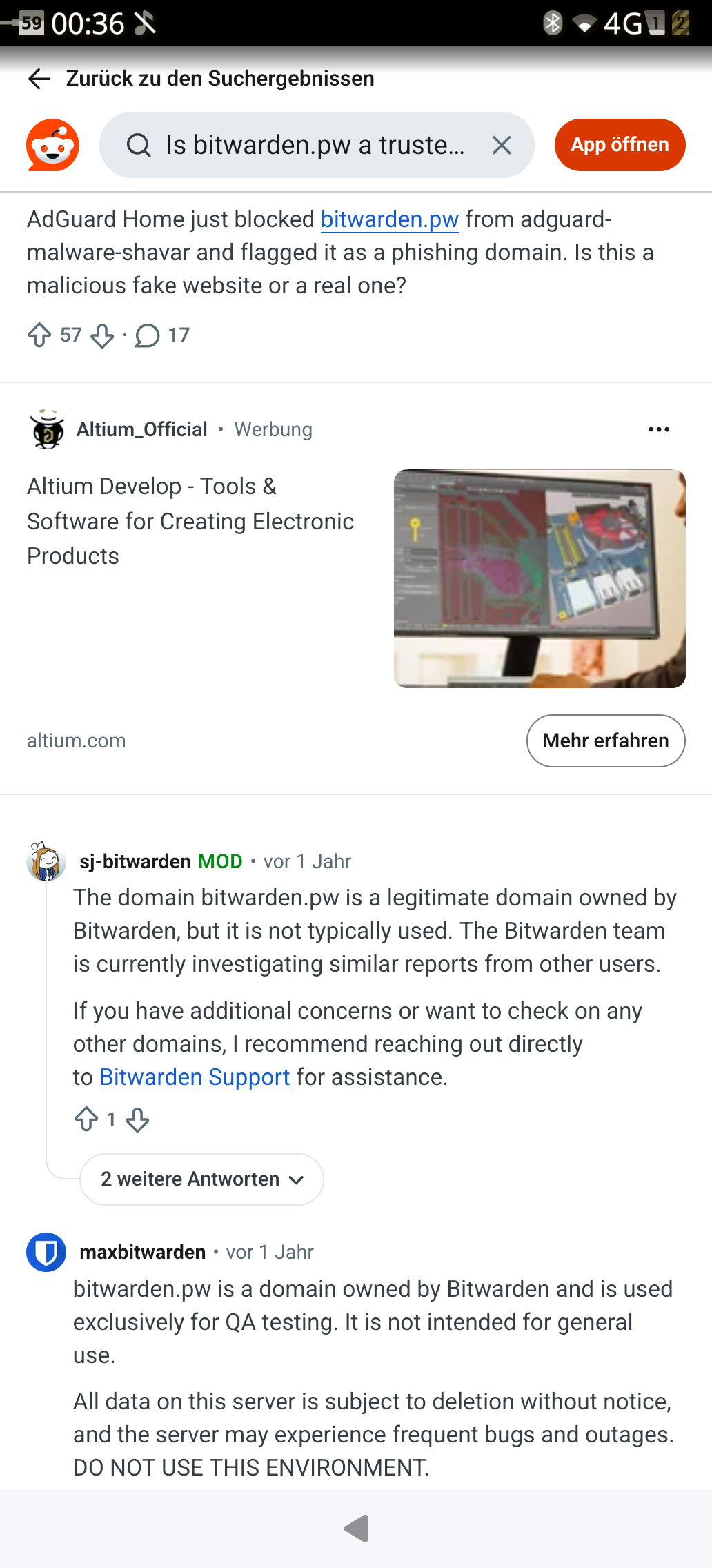
The item’s name is an uuid, which doesn’t show up in android or web ui. I’ll check every entry and see if I can find one that’s missing in BitSailor.
edit: Comparing these two, I now realize that item sorting is case-sensitive so that lowercase A comes after uppercase Z.
No idea, I don’t have any hardcoded url in there and don’t contact any endpoint except the one that’s configured. Can you share more details? Are you sure you didn’t mistype the server url?
The only other possibility I can think of is that the configured server does a redirect to that domain.
Will fix the sorting, thanks.
Ok. Will check that tomorrow again but source ip was defnitely of the phone…
Thx for the response
Thought of another possible scenario: If you have an item with bitwarden.pw as the url and you have icon fetching enabled, you could see a request to https://icons.bitwarden.net/bitwarden.pw/icon.png, though that’s not a bitwarden.pw host, so depends on what exactly was reported.
If you send me some credentials I can use for tests, I can check in a debugger where does that host appear.
Thank you. Will investigate tomorrow. At least it seems to be an official url
For what it worth, sync stopped working for me. I cant really say when as I was away for 1 month and used a previous version during that time and couldn’t access my self-hosted vaultwarden server during that period. I installed the latest version but once I came back home, as mentioned, sync was no go. Cleaning up everything did not help as I ended with the 400 error. Reinstall fixed it for me 

Something similar happened to me today. Were usin it for days with fingerprint unlock. Today I started bitsailor and got prompted with the setup screen. Seems account got lost. Since then I can login but after closin and reopen the app it starts again from the beginning with setup an account.
Also its not longer possible to setup a pin or activate unlock with fingerprint. I wonder what happened since it worked for days without any problems. I tried to uninstall, delete the config folders share and config and usin clean all function within the app. None of that fixed it.
Will check the url mentioned earlier later. First tryin to get it running again
This really sounds like some issue with the sailfish secrets system. Have you tried rebooting the phone? Does it do in any other app which uses secrets?
Reboot wont fix it. But youre right it seems to be a problem of the underlayin sailfish secrets system. Native immich client has the same symptoms. After closin and reopen have to setup account again…
You sure? Reboot might fix some kind of weird state the secrets daemon got in. Or restart he secrets daemon service.
1 Like
I wont get it…  . Thank you, its fixed… I don’t know whats wrong today then I was pretty sure (99.999999%) that I rebooted device already.
Thx a lot for the fast and helpful response
Hello everyone!
I’m having an issue with OS authorization / fingerprint unlock on the new Jolla Phone (2026), Sailfish OS 5.2.0.17 (Finlayson).
I have five fingerprints enrolled and fingerprint unlocking of the phone itself works correctly. In BitSailor, I enable Settings - Security - Use OS authorization to unlock vault. When I lock the vault and try to unlock it again, Sailfish asks for my security code rather than accepting/offering fingerprint authentication.
After entering the security code, BitSailor returns to the locked-vault screen with: “Your vault is locked and must be unlocked before continuing.” and the buttons “Try again” and “Reset OS Authorization”. Resetting OS Authorization and configuring it again produces the same result every time.
The Bitwarden account itself works normally in BitSailor when unlocked with the master password.
Is this a known compatibility issue with Sailfish OS 5.2 / Jolla Phone (2026), or is there anything else I should configure or test?
Thanks!
Sadly I don’t have my JP2026 yet (nor do I have SFOS 5.2), so can’t assist there. As soon as I get one, I’ll take a look into it.
1 Like
Same phone and OS version + freshly set finger print unlock and it worked
In that case, maybe check the logs at .local/share/harbour-bitsailor/harbour-bitsailor/warnings.log @krakarek
Thank you, guys! I’ve figured it out.
1 Like
Can you share what the issue was for others?
2 Likes
Sure! After rebooting the phone, I reset OS Authorization in BitSailor and enabled it again. When unlocking the vault, Sailfish still displays the “Confirm with security code” dialog with the numeric keypad. I initially assumed this meant fingerprint authentication wasn’t available. However, while that dialog was open, I simply touched the fingerprint sensor and it authenticated successfully and unlocked the vault.
The reboot seems to have been necessary in my case, as before rebooting I kept ending up back at the locked-vault screen with “Try again” / “Reset OS Authorization”.