That is very interesting - I did not know that. It’s hard to say what it is detecting, and I don’t know if they’ll give me the details on what they changed… but it can’t hurt to contact them and ask. Thanks for the suggestion. Yes, indeed - a minor inconvenience is not worth going back to the evil duopoly. I will keep using and supporting Sailfish 100% and hope it remains viable for many years to come. 
4 Likes
As it happens, I already have an account at another bank, and their app works perfectly on Sailfish under AppSupport. I’m so ideologically committed to SFOS that I honestly would change banks if that would fix the problem. Unfortunately, doing that is only a viable solution for paying regular bills but not for day-to-day purchases. In this country, only the biggest shops in bigger cities accept debit/credit cards. In my small town, the shops, restaurants, taxis, etc, will only accept cash or payments through this specific bank’s app. The reason is that most people in this area use that specific bank, and payments from one customer to another are instantaneous. You can make a payment from another bank, of course, but it takes from 3 hours to 3 days for the payment to arrive in the other person or business’s account. So, while using my other bank’s app would be fine to pay my electricity bill, for instance, if I need to pick up a couple of cans of paint at the hardware store, or take a taxi somewhere, or have lunch in a local restaurant, it wouldn’t be practical for the business to take my payment since neither of us could realistically wait up to 3 days for the confirmation. It also would make things awkward or inconvenient for things like sending my mechanic money to buy parts for vehicle repair or paying a contractor for some work at the house.
It’s OK, though. That cheap little Android phone with the app sits on my desk where I can power it on once or twice a month and take care of all my monthly bills, then shut it off. No big deal. When I go out, though, I have to plan ahead, but it’s not too hard. Either I take my second phone and share my mobile hotspot from my SF phone, or remember take enough cash with me for whatever I need. Worst case, I can always stop at an ATM and widthdraw some cash with my card. Obviously, this isn’t ideal. I’d rather use the app from my main SFOS phone like I did for the past 6 years, but putting up with this inconvenience is well worth it to me to remain a daily Sailfish user. For absolutely every other thing, Sailfish does a wonderful job and gives me a secure and private mobile experience and a real alternative to the Apple/Google duopoly. I feel good pushing back against big tech in this way and the slick and practical SFOS interface is honestly a real pleasure to use. And who knows, maybe I’ll figure out another solution in time. I can deal with this minor irritation for now. ¡Que viva Sailfish!
5 Likes
They might react, you never know! One thing that I now thinked about, did they start to require android 14 or newer?
I opened a ticket with support and emailed customer service, so I will find out soon. Fingers crossed and they will respond. As far as the Android version, that’s a good thought! In this case, my Android phone that I am currently using for this app is running Android 11 and working fine, so it should be OK with Android 13 AAS on Sailfish devices. It’s detecting SOMETHING security related since the update, it’s just not clear what it is from the generic security message.
3 Likes
I don’t know how, but would you get better error message, if you launch it via terminal?
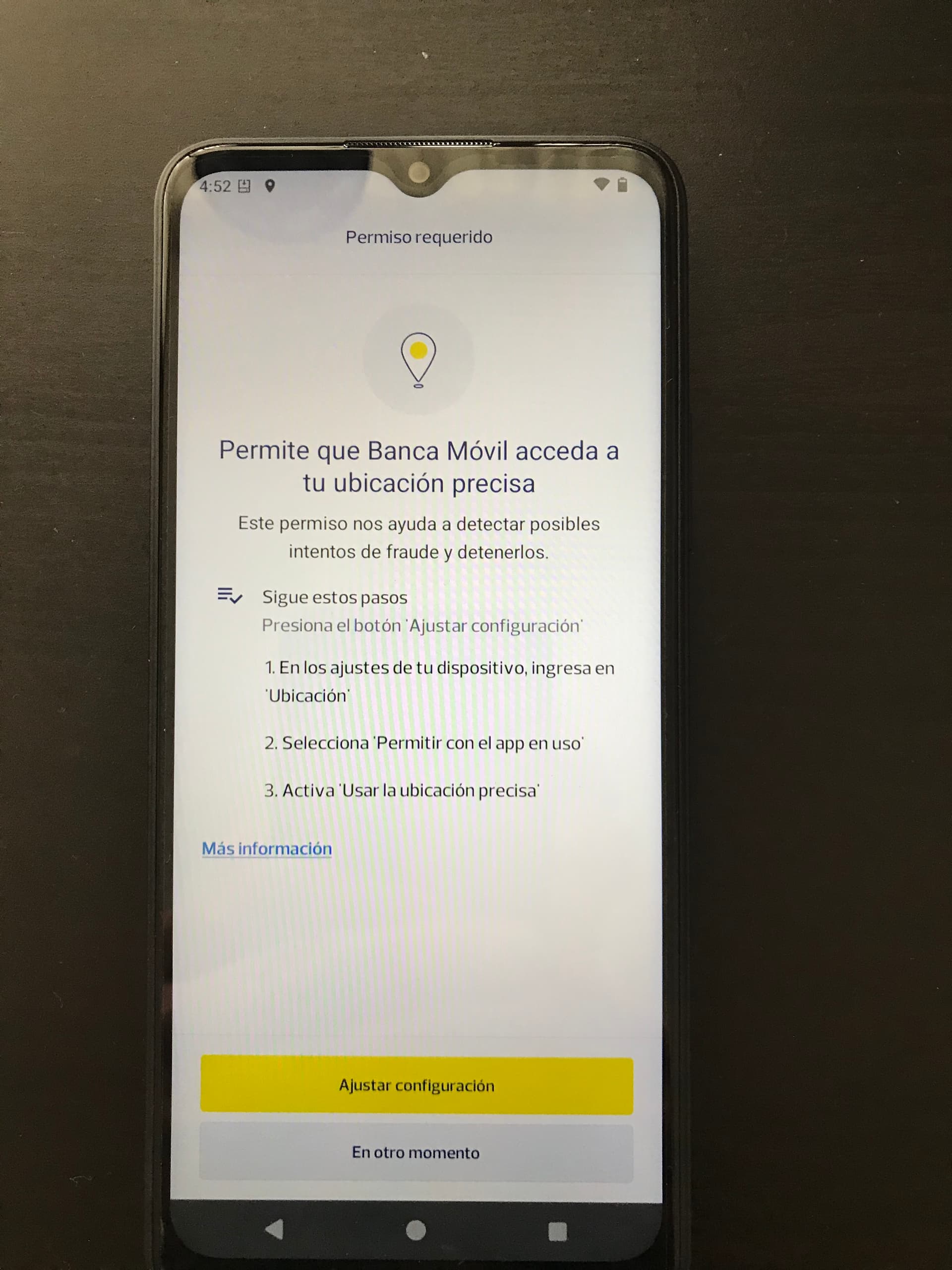
Out of curiosity, I installed the app on my Brax3 running iode OS on Android15 and it worked…
Maybe consider getting an Android flashed with iode OS so you have more privacy, no telemetry, and carry it with you all the time in case of an emergency…
3 Likes
Thanks for the suggestion. I tried several ways through the terminal, but didn’t see anything useful. As a reference the full text on the app is “Pichincha Banca Móvil: Tu dispositivo es inseguro e incumple con los requisitos de seguirdad necesarios para usar la Banca Móvil, por lo cual cerramos la app.” which translates to “Pichincha Mobile Banking: Your device is insecure and does not meet the security requirements necessary to use Mobile Banking, therefore we are closing the app.”
So far, I haven’t received a response to my inquiries from the Bank, but it might be Google SafetyNet as you suggested earlier. It’s hard to say with this stuff. The irony is my SF phone is surely more secure than my Android!
Wow that is a great idea! That screenshot clearly indicates it works as it’s the first part of the enrollment form. Using something like that would take the sting out of using a stinky Google android. I appreciate the suggestion very much.
2 Likes
This is unfortunately the irony… I don’t know any other way than demand them to drop safetynet and support other options also
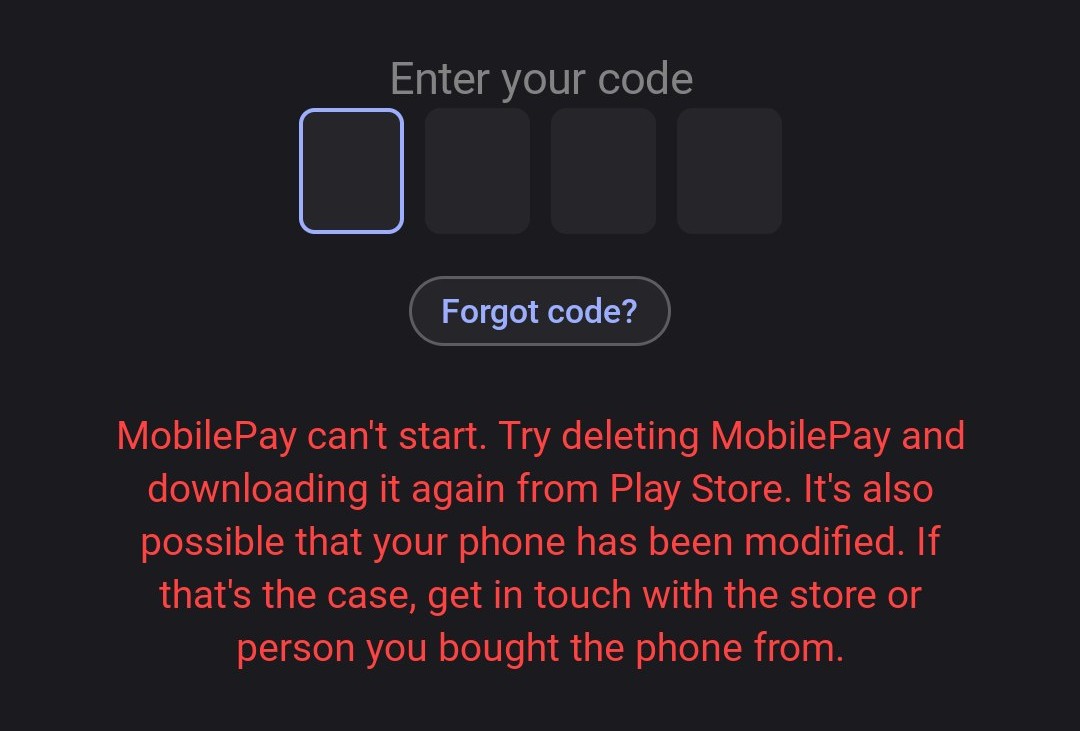
the current latest version 10.24.0 of MobilePay doesn’t seem to work, or at least login gives me this:
(this is on Xperia 10 II on 5.1ea)
edit:update still broken on v10.25.0 but it seems to work if you re-register again
How did you get the certificate in BankID? I have tried to get it working on and of for almost six months, but BankID refuses, and complains about NFC not working.
1 Like
On Xperia 10, SFOS 5.0, microG 0.3.15 and MobilePay 10.9.0 works just fine.
1 Like
I logged in using my existing bank-id app (transferring), not registering using my passport. That’s the only time it asks for NFC, right?
It could be that registering a new certificate is the only time NFC is needed, I am unsure. I have never tried transferring, since I wanted a backup in case something went wrong. Maybe transferring is what I should go for. I will look into this and make a try.
All possible persons should send feedback regarding this to Mobilepay. In current climate I can’t understand why they lock things down
2 Likes
If I’m testing apps for banks headquartered in different countries, for example Monzo (UK) and Bunq (Netherlands) but I’m a user in Ireland, should I add the entry under their respective countries, or where I’m located when testing? AFAICT it’s the same binary on the different app stores (Google says so at least) but just wanted to check what the best approach might be for the list.
You should add them under the market (country) they are intended for. You can put a comment at the end that it was tested i Ireland.
4 Likes
With bunq or Revolut it’s more complicated. Both are registered with Central Bank of Ireland as foreign banks and issue Irish IBANs, while bunq is incorporated in the Netherlands, and Revolut Bank UAB (EU-only entity) is incorporated in Lithuania
I suppose, there should be a separate category (“country”) for banks and financial institutions which are doing business across the EU, and not mainly in the state, they’re incorporated in
1 Like
In one way, yes. But on the other hand the goal of this list is to show a person the states of the apps in his market. So I think it would be better to have them sorted under all countries where they are available. There might also be some differences in the apps in different countries.
2 Likes
Just use your common sense.