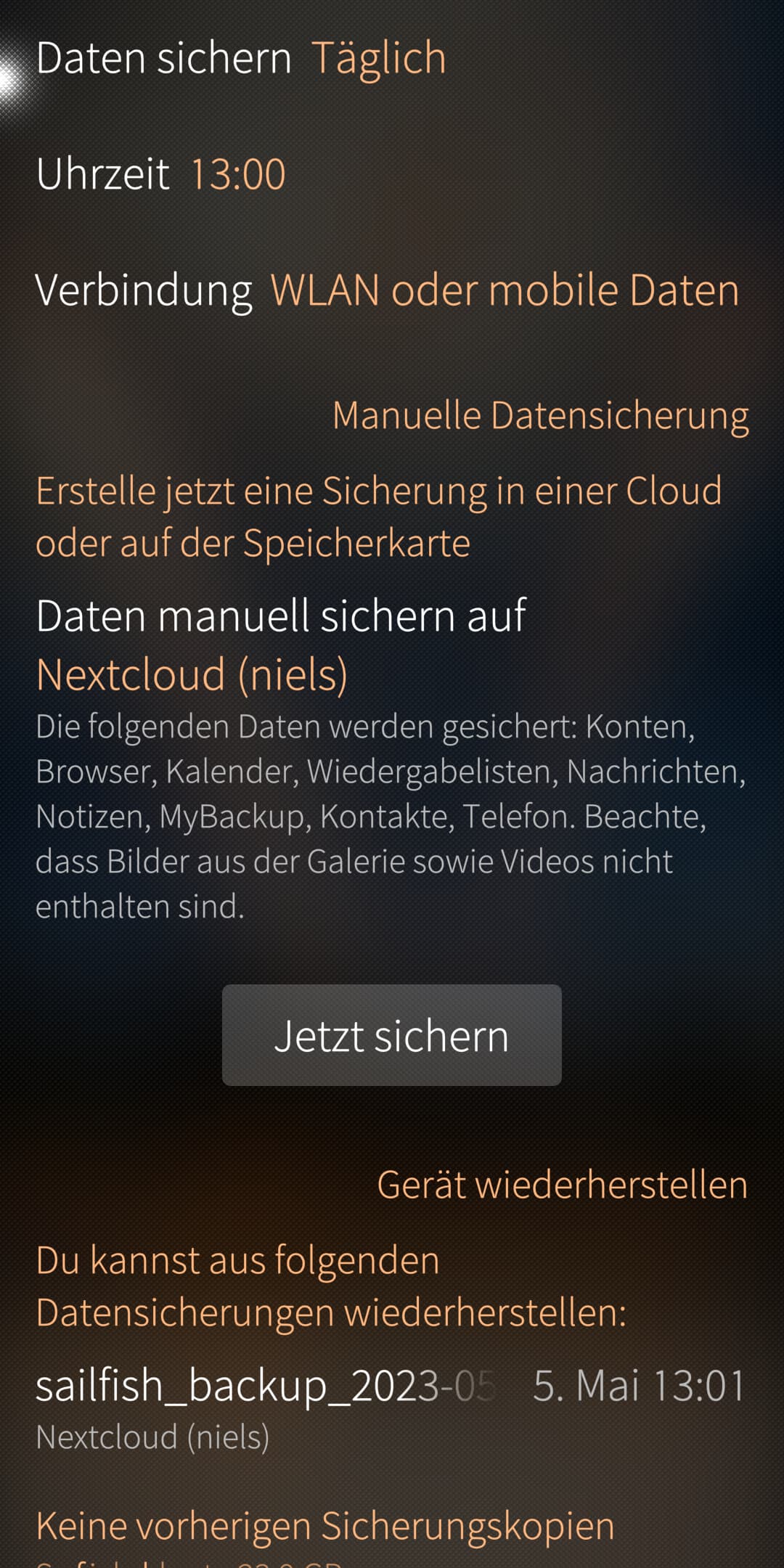
Automatic Daily Backup only works once after creation

REPRODUCIBILITY: 100% (always)
OSVERSION: 5.0.0.72
HARDWARE: Jolla C2 and Sony Xperia XZ2 Compact - h8314 - h8314 - 0.5.0.1
UI LANGUAGE: Deutsch (user: de_DE, os: de_DE.utf8)
REGRESSION: since 4.5.0.19

DESCRIPTION:

When set up daily Backup to Nextcloud-Account it only works once after setting it up.
And after reboot once.

Manual Backup works always.

PRECONDITIONS:

A cloud Backup-Resource is required

STEPS TO REPRODUCE:

  1. Go to Backup
  2. Set a daily Backup e.g. 10:00
  3. Backup did it for one time and then not again

EXPECTED RESULTS:

It does the Backup daily at that configured time

ACTUAL RESULTS:

It doesn’t repeat the backup daily

MODIFICATIONS:

  • Patchmanager: yes
  • OpenRepos: yes
  • Chum: yes
  • Other: none specified

ADDITIONAL INFORMATION:

Device Owner User: defaultuser
Home Encryption: enabled


the initial version of this bug report was created using Bugger 0.9.9+git4
3 Likes

What type of connection do you use? WLAN only or WLAN/Data? Can you give more information about your NextCloud instance? Is it a local one? Or you pay for it? Which one do you use?

Can you please update your bug report to include these informations?

Can you provide logs file stored at $HOME/.local/share/sailfish-backup/logs
You’ll find more information here.

Thanks in advance.

I allow WLAN/Data:

Here are the last two complete logs which failed after i setup the trigger time and it worked only for the first day:

Link expired

Was a solution discovered for this problem? I happen to experience the same bug with an X10iii.

Since i use my C2 as daily driver, the backup-function is working (have it once a week and repeat backup is working).

1 Like

Auto backup (daily, wifi only) has never worked normally on my previous XA2 or the current X10III.
Manually starting the backup always works.
Very rarely, and very random, it starts to backup when I get on a Wifi network after being only on mobile network.

1 Like

I change it to daily backup now and will post the results here. Maybe it depends on the device or the interval selected.

1 Like

Same here on XA2 and C2. Set to run daily at 21:00, wifi only, but it runs randomly at unxpexted time (it can be weeks between 2 runs). Manual backup works fine.

1 Like

Sheduled backup at 17:00 does work today. Looking forward to tomorrow evening.

Okay, the backup for today 17:00 failed. This means there must be an error or bug in the scheduling code for the daily repeat.

I edit my first post and added it.

Thanks for all your reports to keep this topic alive and track down the problem.

1 Like

Yesterday I switched to weekly updates for trial, scheduled Sunday 03:00.
It definitely did not happen today early morning, so it’s doesn’t look like only a daily backup issue.

Maybe a reboot is required for you or your device is in deepsleep at 03:00 missing triggering mechanism. On Jolla C2 once weekly backup always works at 17:00. In this time the Device is beeing used and WLAN or Mobile Data is on.

Did anyone know now periodic backups are scheduled exactly? Backup settings is done thru D-Bus service org.sailfishos.backup provided by the /usr/libexec/sailfish-backup binary from the jolla-vault package. Scheduling is not done by systemd timer or by the timed daemon, but when I analyzed D-Bus communication captured by dbus-monitor with LLM model, it said that backup is triggered by the msyncd process (from buteo-syncfw-qt5-msyncd package)… If it is true, we are lucky, it is open-source: GitHub - sailfishos/buteo-syncfw · GitHub .

I will try to dig deeper later.

2 Likes

I travelled for 3 weeks (no backup to my locale server). Once back home, backup started to work again for 5 or 6 days…then it stopped again.

The March 8 backup also didn’t happen, but the 6 weekly Sunday backups were successful since then. I’m setting it now back to daily backup to see what happens.
But honestly I doubt that there’s any correlation between the settings and the success or failure.