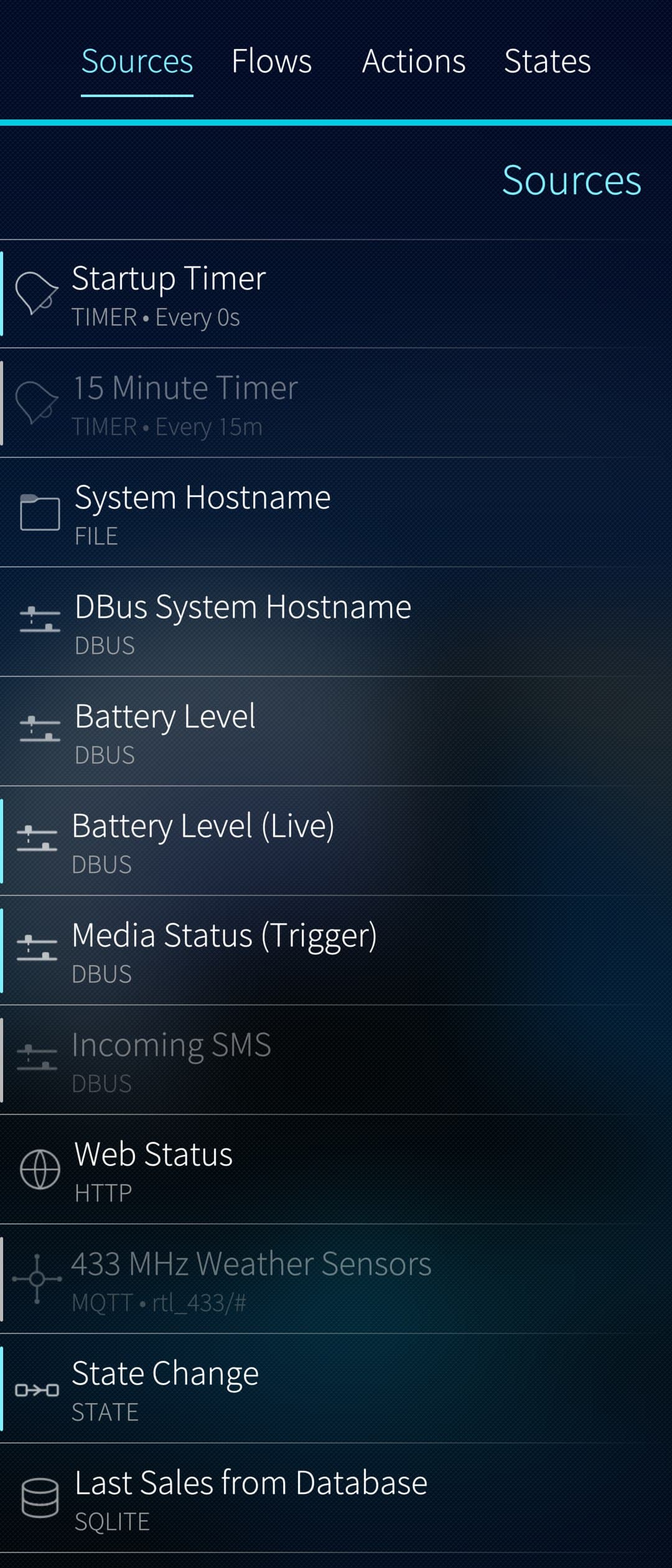
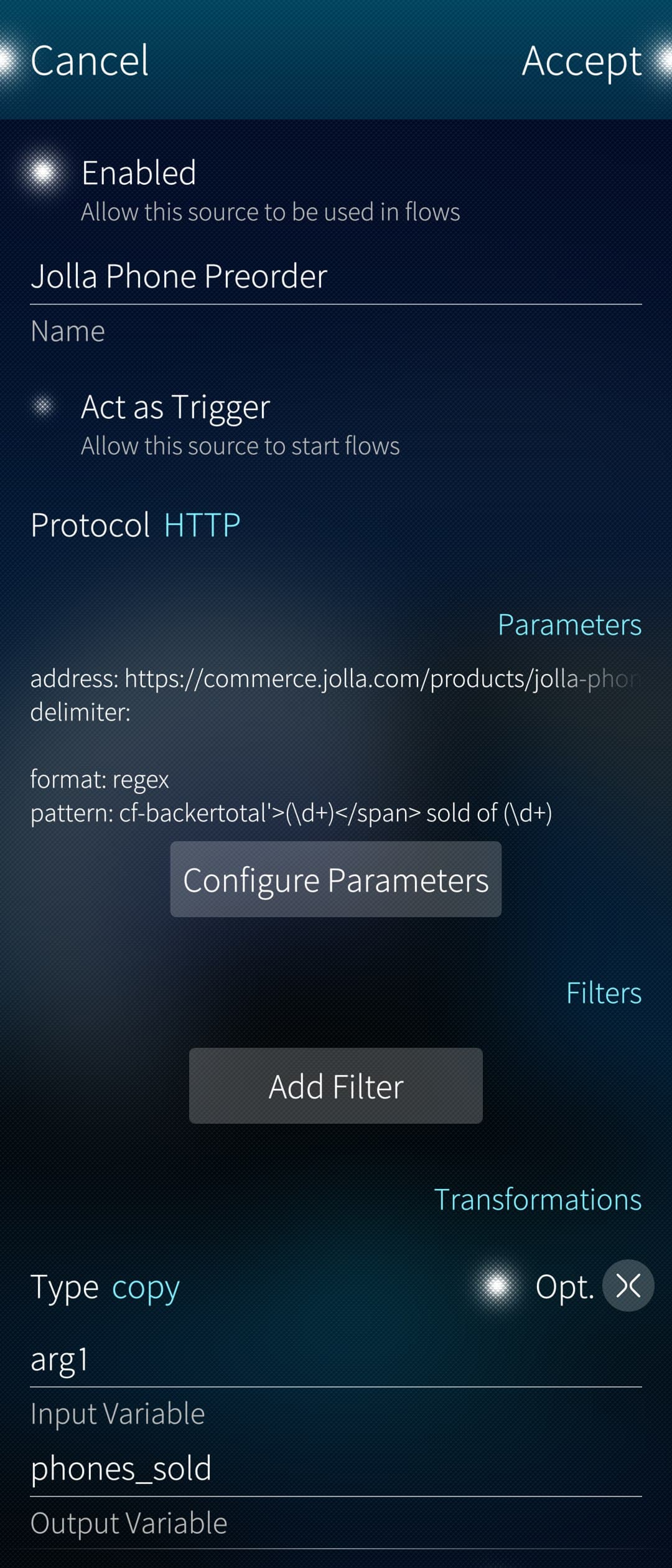
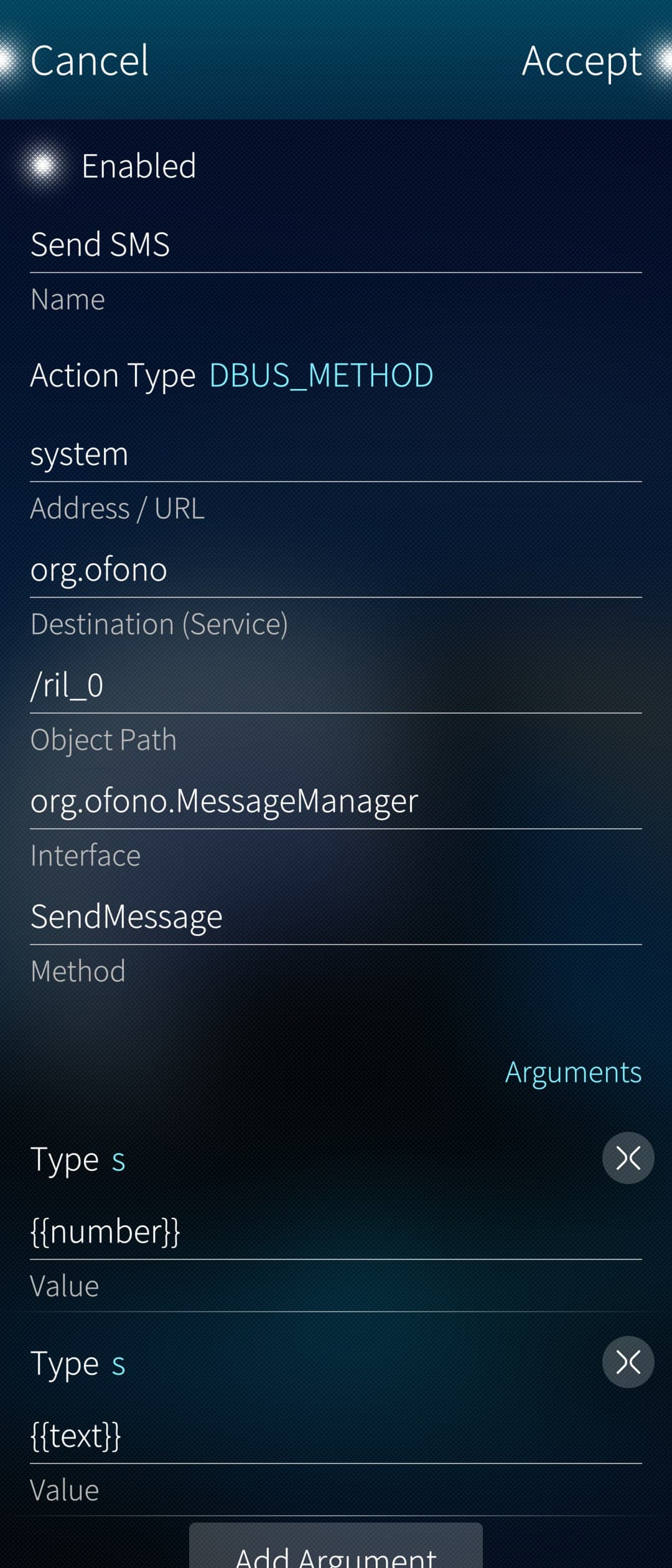
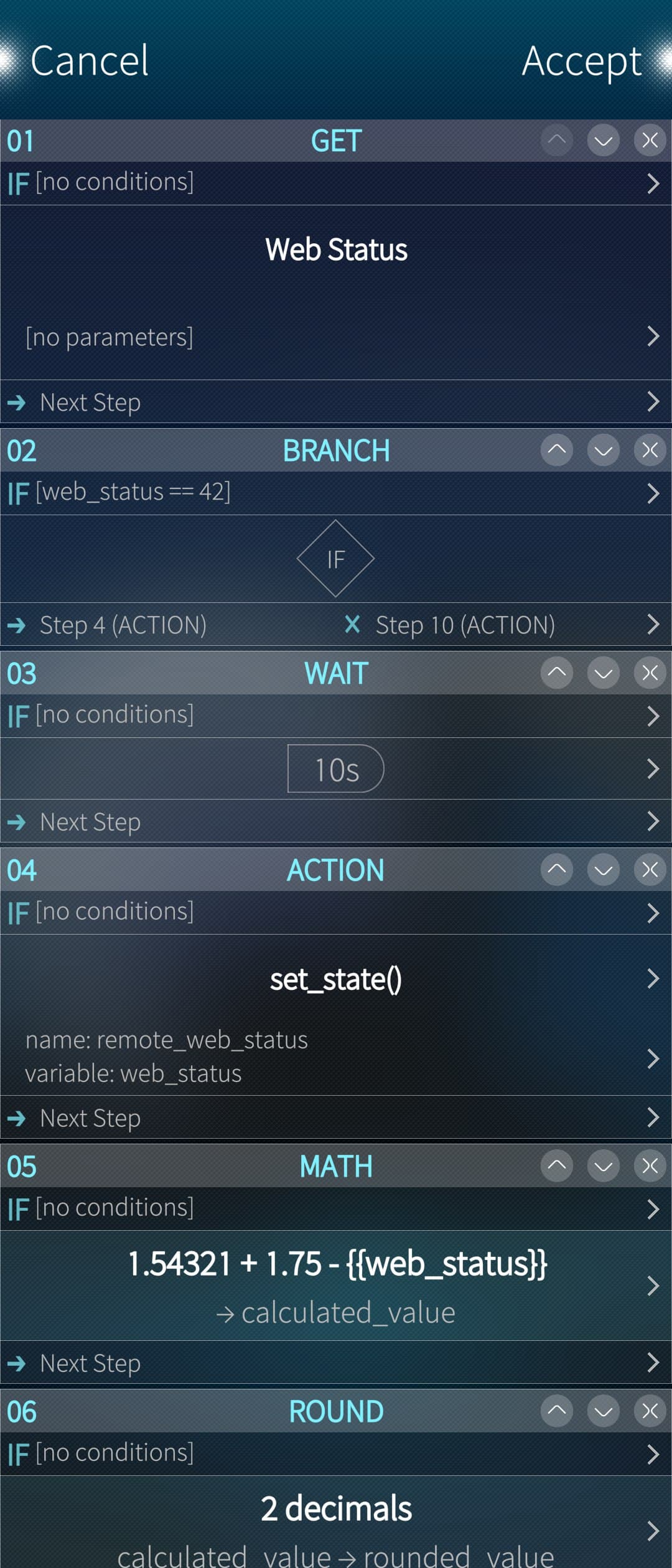
As anyone browsing OpenRepos lately might have noticed, I’ve resurrected an ancient daemon and put it to work on Sailfish.
It was mainly intended as a way for me to find a use for the various old Sailfish phones I have lying around, but on the off chance that someone else might find it useful, I started this thread.
It’s something that has developed over quite a while (the project, not the codebase, which is a 100% rewrite in a new language) and was never intended for public release, so not everything in the configuration makes complete sense.
But should someone have trouble using it or any other questions, I’m here to help.
I’m currently running it on a Raspberry Pi to store various sensor data in a MySQL database.
However, I think a phone would not be a bad choice either, as it has a built-in 5G/4G modem as a backup and a long-lasting backup battery. If only it had a proper Ethernet port rather than just Wi-Fi.
Is there maybe a USB Ethernet adapter working with SFOS that would still allow charging while plugged in?
Maybe you could add inotify. I use it on my Jolla C2 as a watchdog for photo uploads to the NAS in my shell script. It monitors the directories /Camera, /Videos, and /Screenshots, and will trigger the script loop when a file write is done in those directories. Because of its event-driven nature, it consumes nearly no system resources.
inotify is a Linux kernel subsystem created by John McCutchan, which monitors changes to the filesystem, and reports those changes to applications. It can be used to automatically update directory views, reload configuration files, log changes, backup, synchronize, and upload. The inotifywait and inotifywatch commands allow using the inotify subsystem from the command line.
I’ve implemented it, at least on the daemon level.
It might take a little longer for the UI but should come with the next release.
It sets the following variables:
“path” - to the file/directory that has been watched
“file” - to the file that has been changed
“write” - true/false if it was a write operation
“create” - true/false …
“remove” - true/false
“rename” - true/false
“chmod” - true/false
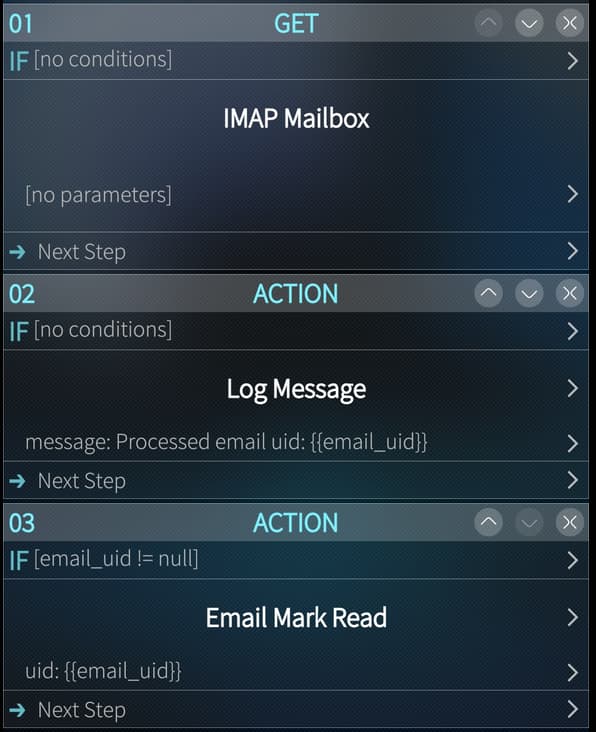
These can then be acessed in transformations and pushed into flows:
In addition to the ones mentioned above both sources and triggers of type “file” now expose the following variables:
“exists”-> true/false
“size”-> file size
“base_name”-> name of the file without path
“is_directory”-> true/false
“modify_time”-> mtime epoch
“mode”-> string representation of permissions
“permissions”-> numeric representation of permissions
These are just example files that are copied over when the app is started for the first time, except for secrets.json, which is generated automatically.
I thought they might be helpful in showcasing some of the capabilities and lowering the barrier to setting up new automations, as existing ones can be easily copied and modified.
Really great! I love being able to automate and link so many events and things.
However, I own an XA2 which is armv7. Is it planned (possible) to be available for it too?
Thanks
With a great pleasure!
Many thanks for your quick answer!
I’ll get back asap.
Edit: Yes, it seems to install well.
I just didn’t get yet how to build a chan (event->action) but am a bit in hurry.
I’ll check later how to do that and test more.
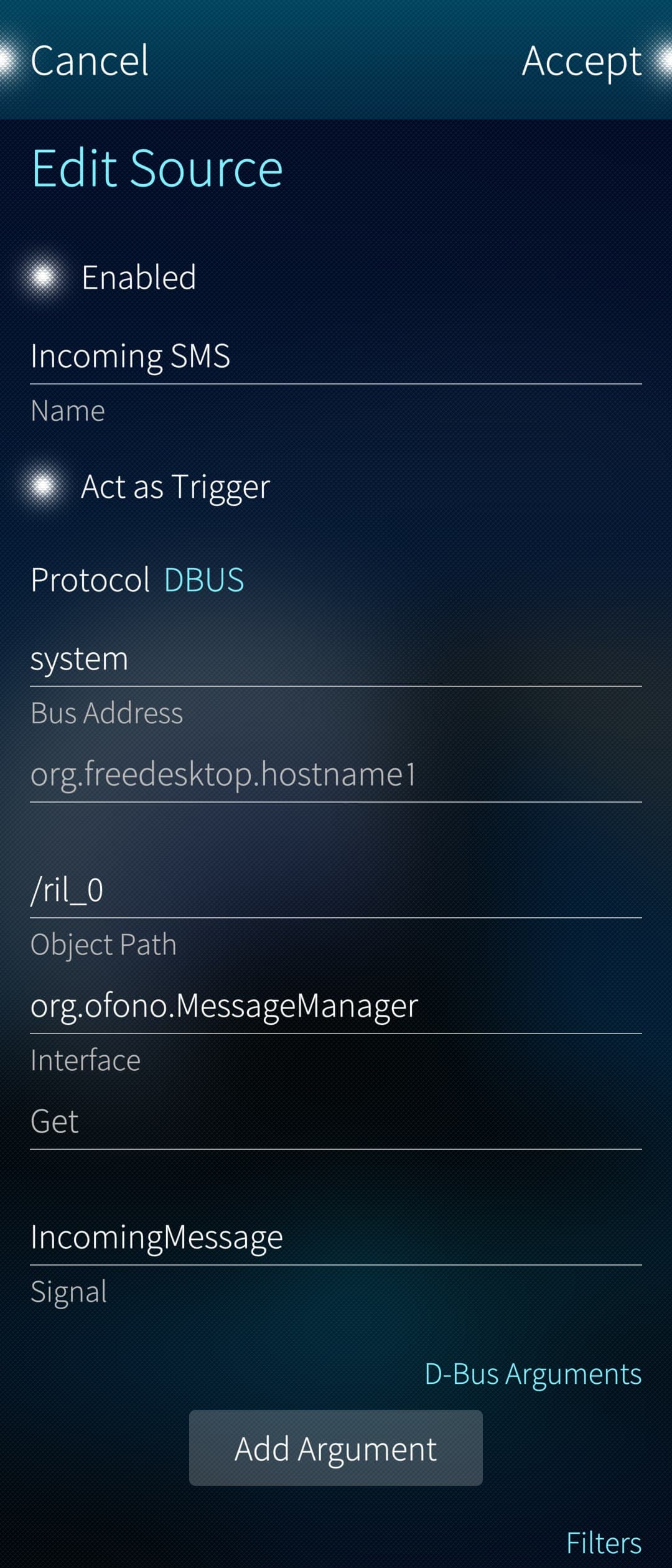
The difference between sources and triggers is that triggers can act as both, but can actually be used to start a flow. For example, a D-Bus signal can be a trigger, whereas a D-Bus method call can only be a source.
Both can pass variables to the flow, which are configured under Transformations.
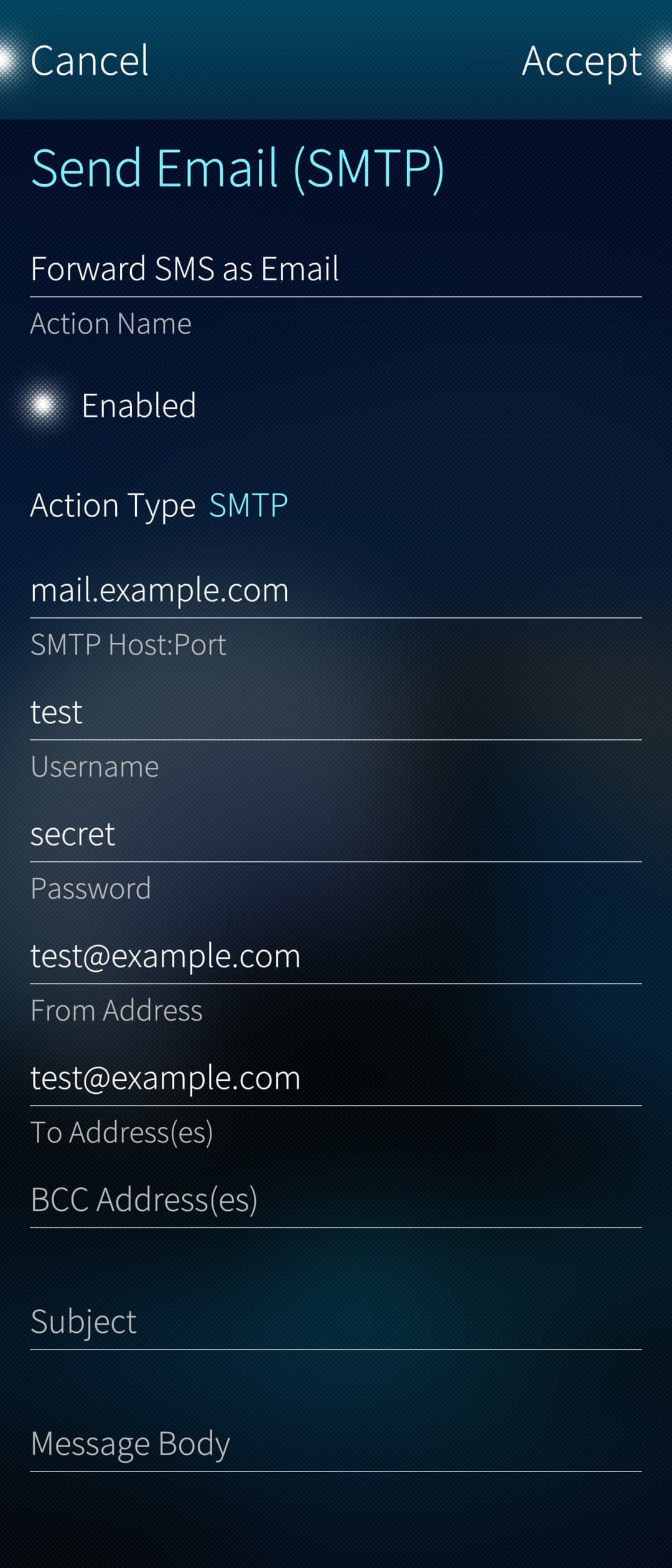
Set the parameters you want to pass to the action.
Message and body were left blank in step 2. so that they can be passed as parameters from the flow.
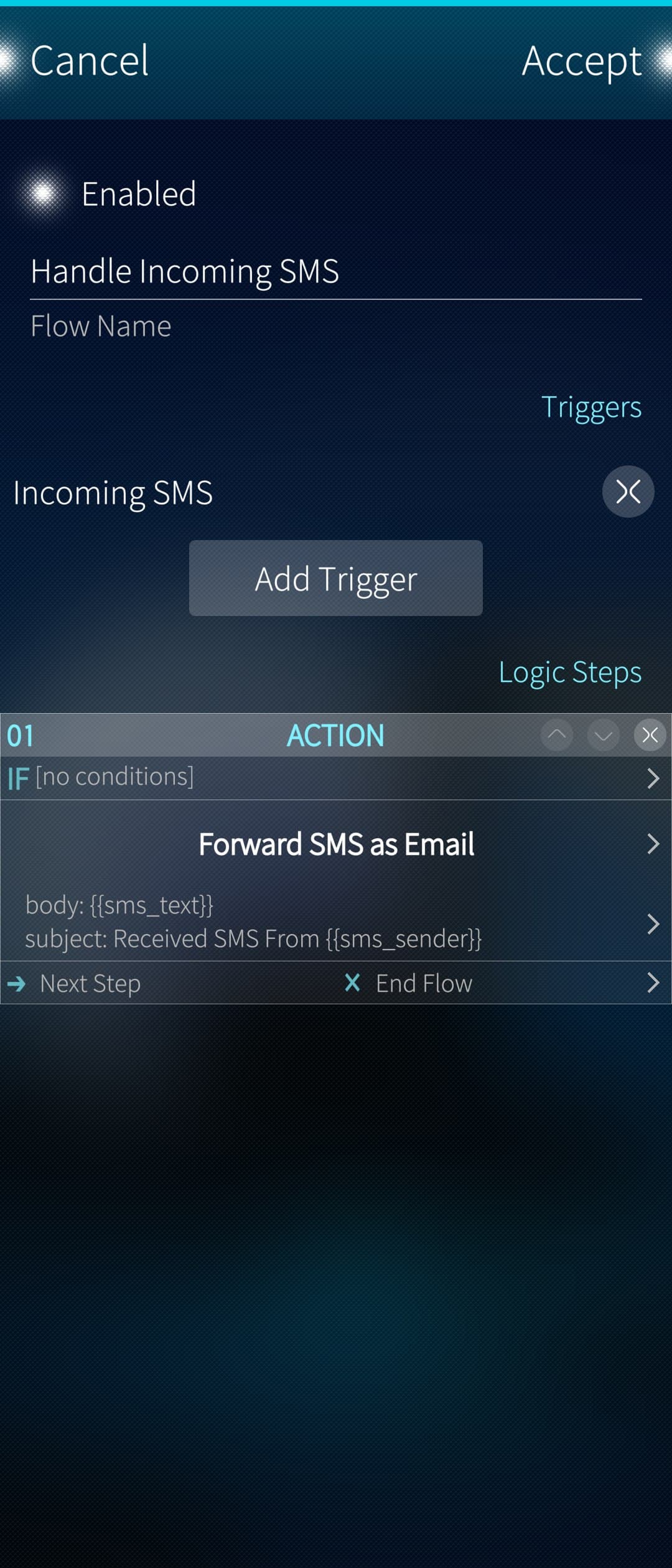
In this example the trigger receives a text message and saves the sender number and the actual text into two variables: sms_sender and sms_text.
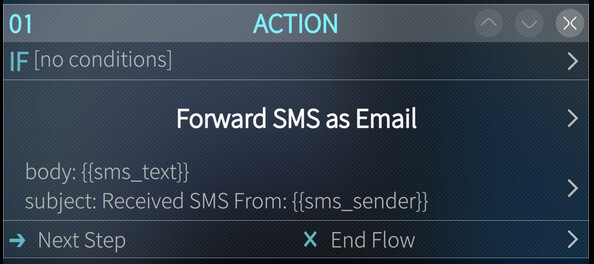
The action step in the flow then sets two parameters/variables (body and subject) using the variables from the source to construct the subject and the body of the email respectively, that are then passed to the action.
The action then sends the email using the parameters that were defined in the action plus the ones that were passed from the flow. The later having precedence over the ones defined in the action itself. (e.g. If a subject is defined in the action it would have been used if there was no subject parameter passed from the flow).