But Deadbeef does not help in this case. DI.FM is as service that requires login support.
But Deadbeef does not help in this case. DI.FM is as service that requires login support.
So just login with the SailfishOS-Webbrowser and then paste the stream-url into deadbeef.
Thanks for reaching out @carmenfdezb
I did enable the repository from Storeman a couple of days ago. But at installation I didn’t use the terminal to install, so couldn’t do further inspection.
But since you are so nice to contact me, I redid the whole process. Removed repository and added once more. And all of a sudden installation of Deadbeef Silica was installed through terminal… Strange!
And I really regret not taking the time to handle the output at my first attempts… Sorry for that!
It looks like the player has been installed now. WOW!
To reply to @fingus. It is not that easy. They have build the service well. Of course the link when playing premium content still is just http://di.fm no more no less. So your suggestion is out of scope.
As for just information, di.fm is the worlds largest streaming-radio focusing on digital genres. So it is a nice service.
2 Likes
There’s no need to explain it. I was a DI.FM fan from the very beginning, enjoying vocal trance and the great DJ DoBoy mixes. I just used the free stream with commercials; oddly, they also introduced commercials for paying pro users back then. Then they split into too many channels and did a redesign, and I lost interest in this kind of music.
I looked in source code of AudioAddictRadio and here in code is the url of stream but with some variables Blaming harbour-audioaddict/qml/pages/ChannelPage.qml at main · monofox/harbour-audioaddict · GitHub
so it should be something as: https://listen.di.fm/premium/currentkey
stream quality choises are here Blaming harbour-audioaddict/qml/pages/ChangeStreamQuality.qml at main · monofox/harbour-audioaddict · GitHub
so in the url keep premium or replace it with premium_medium or premium_high
do you know the currentKey? maybe it is somewhere in the app settings or maybe it will be in output when you open the app from terminal and play the radio.
1 Like
@fingus Sad to hear you go ! I have gotten used to the “new” di.fm
I did find some of the information you found out in the code @Kuba77
First of all I found a new way to download a favorite-channels file, see below file:
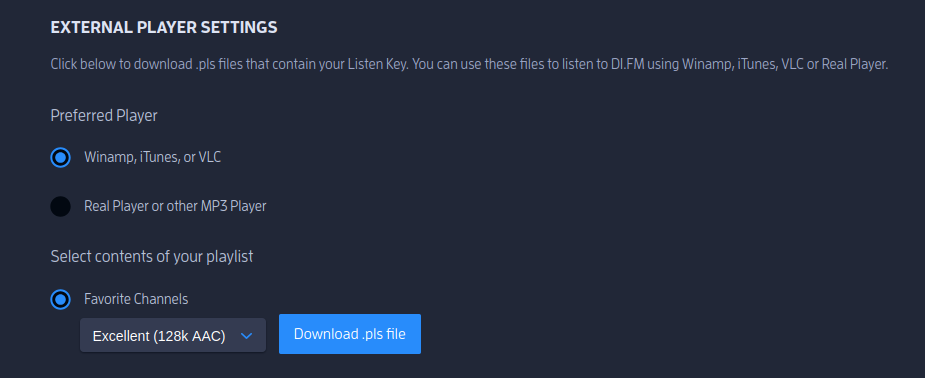
I’ll investigate what type of info comes along with a download of these files.
And the listen_key where provided in another section in the web_app, it looks like this:
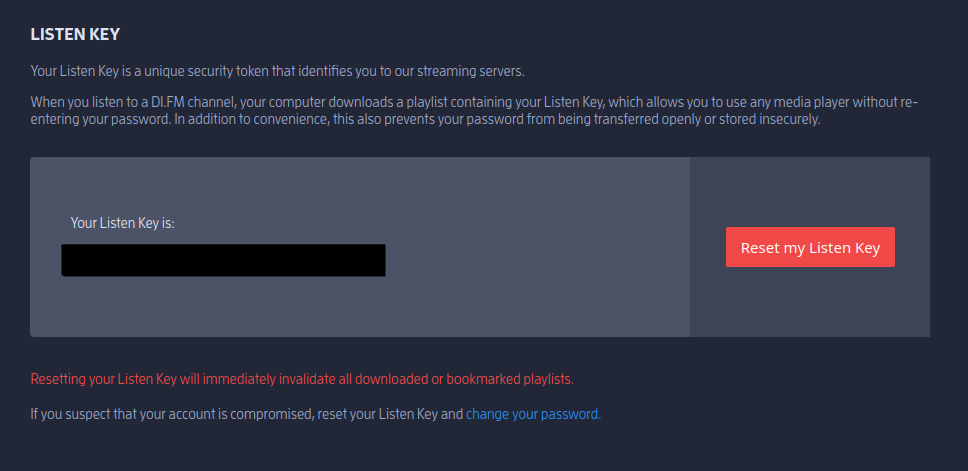
I did mask my key here of course. But it is a 18 letter string containing different chars and numbers.
Maybe this will help someone here to analyze the code further for me
You can just open the downloaded pls-file with Deadbeef Player and it should work, because the link inside the file contains your key, like your screenshots described.
If it doesn´t work, try second export-option “Realplayer or other mp3 player”
So I did export one single channel (found that option), and from that file i see below information:
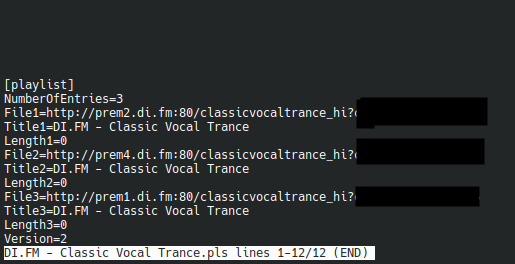
In theory that means, that this link could be imported in a player with good audio quality and it would work.
For tomorrow that will be the task to test in Deadbeef Silica.
just to keep you updated:
did fork it and updated to ambris but i get now segfaults at runtime and app crashes
reverted back to mainline (should have done that before) and the app crashes too.
(and as mentioned before: the openrepos version crashes on my c2 too)
crashes in LogginPage (actually due to the pullmenue). i assume it works only on your phone cause you do have an account setup. and a fresh install would crash it too.
ok i have created a pull request for a fixed loging page and sent you a link to a version
this version has only updated loggin, so it wont crash for new users, nothing more
1 Like
Strange that your app crashes. I did install the app one month ago from Storeman-app just plain gui. Logged in and everything went smooth until audio started.
Waiting for chemo-therapy effect to wear off so I can test downloaded urls with a clear fog-free brain
Hmm, strange. Anybody willed to do a fresh install from openrepos ?
On 5.0.72 ?
For the at the installation, I think it was 5.0.0.70 and C2-device
I did try the stream-url now.
Can confirm that the link is not working in Deadbeef Silica. Nothing happens! Imported as location.
The same import in VLC on my OpenSuse / VLC (Flatpak) works flawless
Should you have working stream-url you can check MPD. To use it as player you do need SMPC or Jupii. SMPC is easier to start with.
Well I tried 3 different players. Nothing works….
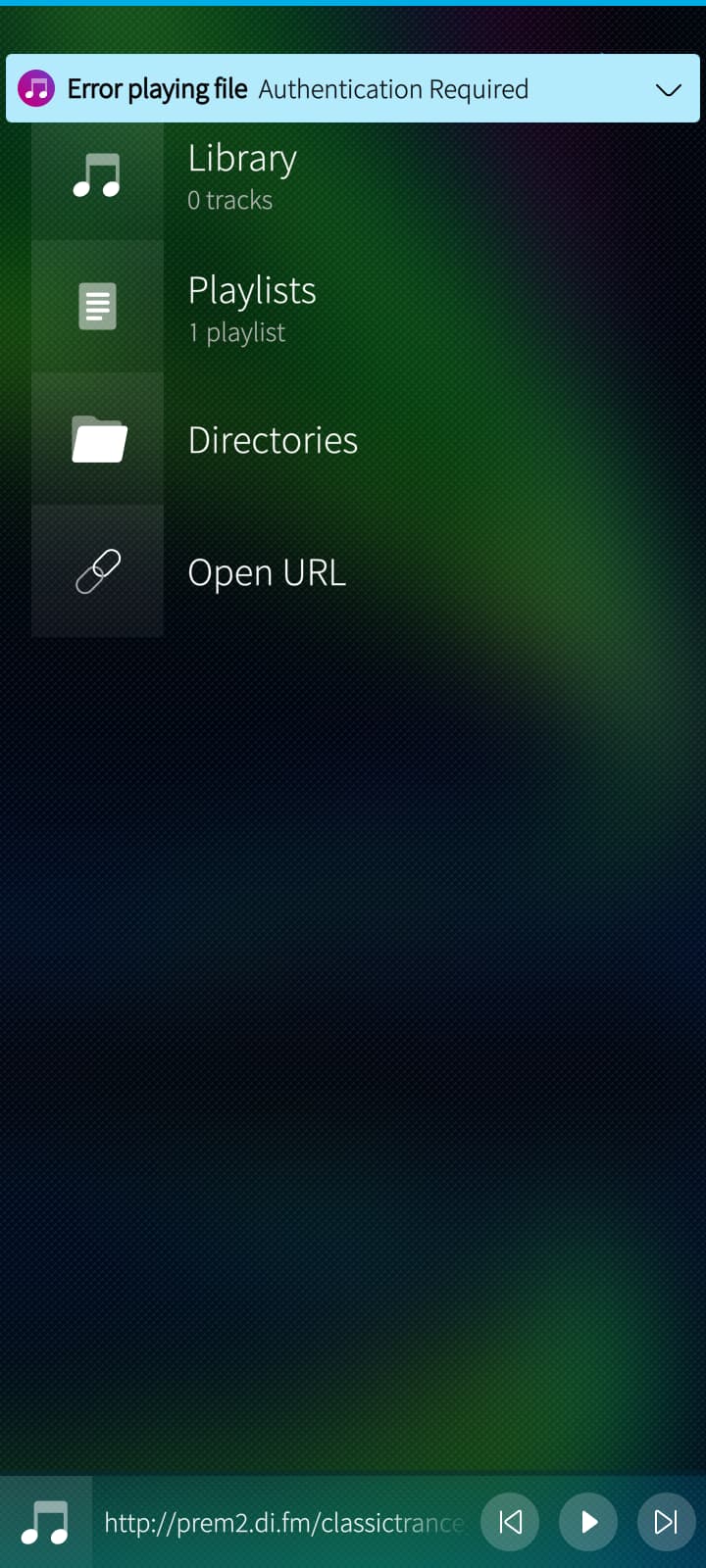
Although in Unplayer i get an error saying: “Authentication required”. The same link works on pc… Hmmm. See screenshot:
At the bottom you see the correct link
i have added a link incl. the listenKey to Deadbeef and was able to listen to it.
i might have clicked twice in the beginning but later on. just one click on the radio-stream and it plays fine.
currently have defined trance and classic trance and can switch between those and listen to them
while i was playing with audioaddict app itself, i got the same message when i have provided the link only to the player without ?listenkey at the end.
btw. the updated version plays now on my phone, but streaming stutters still, while deadbeef plays solid
http://prem2.di.fm/trance_aac results in the authentication error message
http://prem2.di.fm/trance_aac?cc1234567bbetcandmoremagic works
1 Like
I can confirm the possibility to play the stream in Deadbeef Silica app. Beautiful app, thanks @carmenfdezb for the opportunity to use it. It worked flawless for streaming during 1h car drive.
I couldn’t initially get Deadbeef or any other app play the stream after installation / tinkering. Could not figure the problem. But after a reboot of C2 device everything works!
4 Likes
Gratulations @Roggerooster and have fun with it!
So you could mark your post please as “solution”, even when AudioAddict Radio still suffers the Streaming-Issue.