im curious sorry how do you encrypt with socat?
… which as just learned is wrong, as JSON does not have a distinction between int and float.
roger  that pointed me to check
harbour-maelstrom.pro
and uncommented CONFIG += sailfishapp_qml
in the IDE i like qml live for layouting or qt linquist…so i use it if possible  (i will make localization for Maelstrom when you say that pages are final)
1 Like
Me to…  plus chars
1 Like
I’m really curious to test this exciting thingy.
Do I have a chance, with the XA2, if I download the sources and compile them on the phone?
There’s nothing to compile in the app itself, however you will have to get the python dependencies anew by running install-python-deps.sh - The XA2 is 32bit ARM, is it not?
The repo currently only has (python) binaries for 64bit.
1 Like
Muh, it seems if I JSON.stringify() in QML, call the method, and there json.loads() in Python it gets transferred correctly.
1 Like
Please check out 0.3.4.
JSON failure should be fixed, and sending and receiving seems to work better.
You still need to close the app after (most) transfers.
QR code scanning improved although not tested. (And I found out that William uses a different URL schema than the official spec, and the rust implementation sigh)
2 Likes
Well, the classic is an openssl tunnel
server:
socat OPENSSL-LISTEN:4433,reuseaddr,cert=$HOME/etc/server.pem,cafile=$HOME/etc/client.crt PIPE
client:
socat STDIO OPENSSL-CONNECT:server.domain.org:4433,cert=$HOME/etc/client.pem,cafile=$HOME/etc/server.crt
But, I mostly used socat for lan stuff. As soon as zfs on freebsd was stable, I switched to zfs send/recieve.
1 Like
Oh wow. I learned something new 
Oh, dear. I guess that makes me a pedantic old fart
1 Like
I think that makes two
1 Like
Prompted me to retry SailfishConnect, which now works for file transfer to the linux box. Hoorah. (I had been using LocalSend, but it is Android)
(It is a shame that KDEConnect doesn’t do the thing I want/expect it to: be a keyboard for the phone)
great! sending/receiving from other clients works! even noticed that between phones on same wifi was displayed ip6 address instead of relay
does not scan qr code, it focus on tap but nothing more, no reading, no error, nothing in console.
edit: sometime it looks like it reads the code because preview closes to “Tap to scan QR” but code is not filled into textfield nor error
also thinking why on receive page is “New code” button what generate some code - it has no sense in the Receive page right?
1 Like
Technically either side can generate the code, usually it’s the sender that does.
Afaik none of the other apps do so yes that could be removed to keep things simple.
This may sound trivial, in light of more important things, but I’d like to hear your opinions:
UX “Design”: I am trying to be as “sailfishy” as is feasible in regards to UX[1].
That’s the reason the first page has “Swipe Up/Down” pulleys to switch modes.
Now, on the Sending page: how would you prefer to select a file:
- Pulldown menu
- Detail Button
- PullDown menu only for sending, everything else in PushUp menu
Button would mean keep this tappable control:
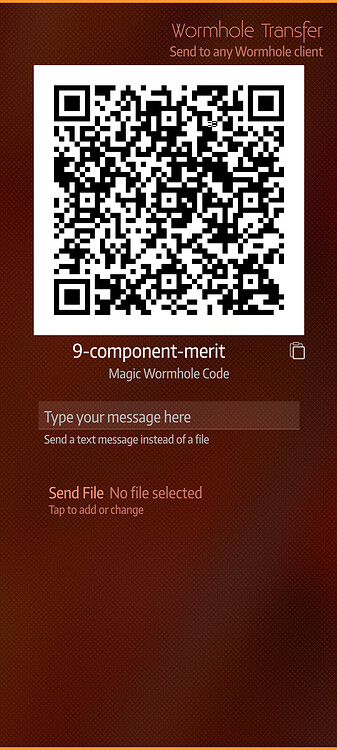
Pulley would be more sailfishy, one-handed/blind use, however when dogfooding this design I get annoyed as I always hit “Select File” when wanting to start the transfer, and the other way around.
Now I could move everything regarding page content (i.e. file selection) to the bottom pulley, but that’s not commonly used, and people may have a hard time finding it.
No buttonsess!! Nasty nasty buttonses. Wicked, tricksy, false! ↩︎
1 Like
select button will be best, after selection the top pulley glowing as it is now so it is clear that something important (start transfer) is there the rest in bottom like it is now is fine i think
2 Likes
Would a dialog page fit here? Only able to accept/send once you have selected the file.
I’d also tend to prefer a button.
OT Details
…perhaps for bad reasons. I find pulleys difficult to use, as I have to stop my move on the right moment (when the entry I want to select is highlighted).
I’m perhaps a bit pulley-menu-disabled but I find it needs too much attention and slows my action flow in comparison with a button.
If this would be a question, I’d even propose revisiting menus.
For a 3 choice pulley menu, the moves could be: 1.Down-then-left or 2.Down-then-right or 3.Down.
This would allow to make choices even with closed eyes or while watching something else.
Well, just a just-now-popping idea… sorry 
1 Like
button, me too, please.
1 Like