[5.1.0.11] up to [5.2.0.17][JP2601] can't create pop mail account manually (confirmed by two people)

REPRODUCIBILITY: 100%
OS VERSION: 5.2.0.17
HARDWARE: JP2601
UI LANGUAGE: english us
REGRESSION: high

DESCRIPTION:

Creating a pop3 mail account manually from scratch ends with an error message. It is not possible to create an account of this incomming server type. It was tested with several email addresses.

PRECONDITIONS:

A provider account with POP3 incomming mail protocol. There are many.
A connection to the internet or network of the mail provider.

STEPS TO REPRODUCE:

Start at Settings → Accounts

  1. select ‘Add account’

  2. and there ‘General email’

  3. do ‘Manual setup’

  4. and select ‘Server type’ ‘POP3’

  5. fill all fields this way:

  6. emailaddress

  7. incomming server type POP3, username, password, pop3.provider.address, secure connection SSL, port 995

  8. outgoing server type SMTP, smtp.provider.address, secure connection SSL, enable Authentification required, same username, same password

  9. disable or maybe enable (does not mater) Accept untrusted certificates

  10. press upper right ‘Accept’

EXPECTED RESULT:

A valid pop3 mail account should be created.

ACTUAL RESULT:

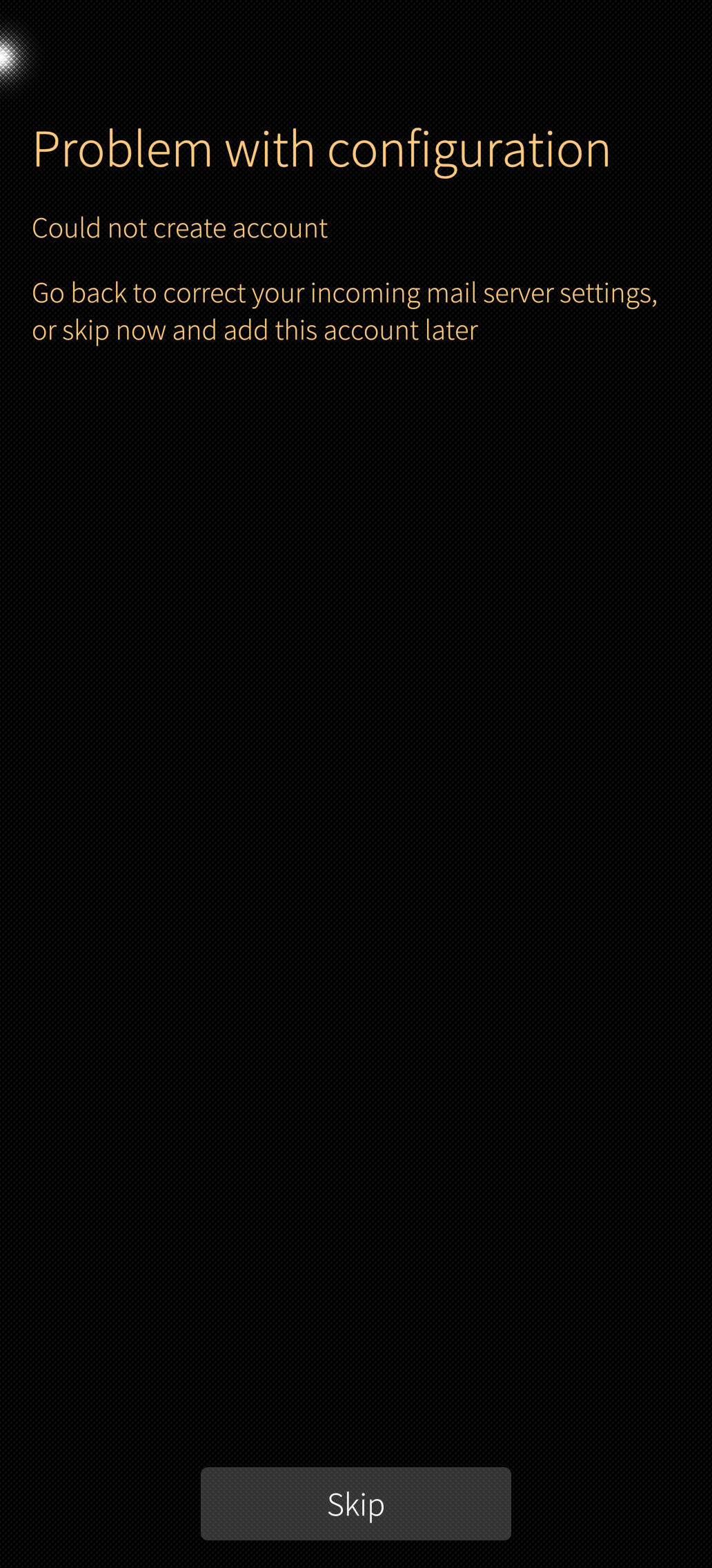
Problem with configuration
Could not create account
Go back to correct your incomming mail server settings, or skip now and add this account later.
MODIFICATIONS:

none

ADDITIONAL INFORMATION:

Manual setup works with same credentials if you select IMAP as server type and imap.provider.address.
But that was not the intention during configuration; the goal was specifically to set up a POP3 account.

Edit-1-260821: all tested accounts are working with POP3 on other maschines without problems.

Edit-2-260822: POP3 is working on sfos 4.6.0.15 with the same mail accounts. It must be a bug of sfos 5.2! Found this: Can't create (Strato) POP3-Account (SFOS 5.2.0.16) for general e-mail

Edit-3-260907: May be better, to copy the logs in here. Here are the v5.2 logs (made a .tar.gz and had to rename it to .targz for upload):
messageserver-and-journal.targz (4.0 KB)
for unpacking, rename it to messageserver-and-journal.tar.gz and have fun.

Edit-4- 260907: workaround (you loose accounts and have to recreate them or reenter pwd):
DON’T DO IT IF YOU DO NOT KNOW WHAT I AM TALKING ABOUT!
(1st option) pop3 accounts are still working on sfos5, only the account creation UI is not able to do it right. If you create them with an old SFOS (4) version, make a backup, untar the backup, tar Accounts only again and name it like the backup. Restore the modified backup and enter the passwords again. Never touch them with the settings-account creation UI again. Maybe the accounts are working for you.
(2nd option high skill level sql, very dirty) Create imap accounts on JP2. Make a sql script to update this accounts from imap to pop. After that, the accounts are not working (because they want to use an imap folder structure), do not test them. Make a backup and do the same as under (1st option).
YOU ARE LOST IF IT IS NOT WORKING FOR YOU, TIME TO FACTORY RESET AND WAIT UNTIL SOON.

1 Like

Are you saying it works with no POP3 provider ever?

Maybe you should tell us which one and how it is configured server side. Mail providers can put a lot of restrictions on who they provide their services to.

Also, did this exact same account work with POP3 on other machines or even another SfOS device?

it works with IMAP, as I wrote in the bug report. The providers have both server types.

It works on every other machine.

Is it some kind of agency/government mail server or why are you not saying which one especially?
Or did you try all mail servers with POP3 out there?

It is not a special mailserver.

And, yes I tried 5 different servers, That is why I am sure it’s due to the email setup.

You may try it with POP3 on vodafonemail, gmx, web or strato.

Or better yet, show me a mail server where you can set up a POP3 account using sfos. :wink:

In my opinion, this is a serious and confirmed error. I found another report on this.

Haven’t used POP3 in - idk, 10 years.

FWIW, gmx has always been very picky in what and who it allows access to. Maybe this also applies to other providers.
Maybe you also need to log into the web ui and specifically allow your SfOS phone access.
IDK, there’s too many moving parts and right now it’s not possible to even point to a server or client error here because you haven’t provided much info.

I think you should start with this:

No need to get defensive.
Where?

Read my BUG report, edited today.

Edit-2-260822: POP3 is working on sfos 4.6.0.15 with the same mail accounts. It must be a bug of sfos 5.2! Found this: Can't create (Strato) POP3-Account (SFOS 5.2.0.16) for general e-mail

Haven’t used IMAP in - idk, 10 years.

I did not mentioned gmx only. I testet on more mailservers and all are working with sfos 4.6 and not with 5.2.

Is there a way to create a mail account via script?

Confirming POP3 accounts not creatable on XA2 with 5.1.0.11 (tested only with GMX).

1 Like

@peterleinchen confirmed this bug since sfos 5.1

Here are the v5.2 logs (made a .tar.gz and had to rename it to .targz for upload):

messageserver-and-journal.targz (4.0 KB)

for unpacking, rename it to messageserver-and-journal.tar.gz and have fun.

they confirmed it for GMX only

edit: and the other person only talks about starto.de, but they never came back to even troubleshoot the problem.

Hopefully, the discussion will now focus on finding solutions. And it won’t just be about who said what - or didn’t say it.

I have the same problem on 5.2.0.18

1 Like

I’m sorry I didn’t see this earlier. There is a bug I’m proposing a patch upstream for this : Can't create (Strato) POP3-Account (SFOS 5.2.0.16) for general e-mail - #8 by dcaliste

1 Like

Yes, it is (hopefuly was if patches are applied in next update) a general problem in creating only this type of accounts. It is working fine after using my dirty workarounds.
Thank you very much.