REPRODUCIBILITY: 100%
OS VERSION: 5.0.0.67
HARDWARE: C2
UI LANGUAGE: English
REGRESSION: n/A
DESCRIPTION:
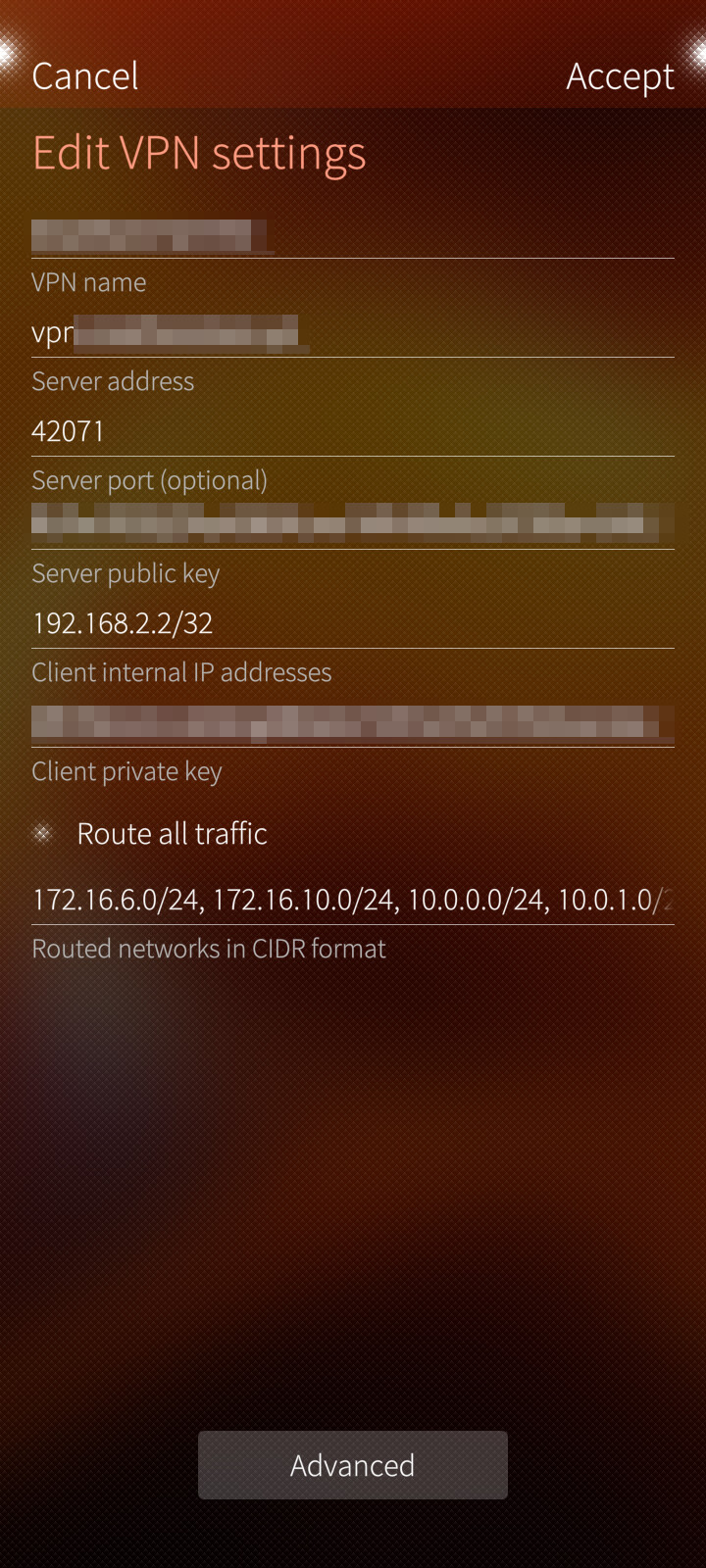
Setting up ‘Routed networks in CIDR format’ under Wireguard network setting doesn’t setup static routing to forward traffic to selected IP addresses via wireguard interface. When added manually via terminal, it works.
PRECONDITIONS:
Working Wireguard configuration (tested on a different device for example).
STEPS TO REPRODUCE:
Setup routed networks in Wireguard VPN (such as 10.0.0.0/24)
Connect to VPN
Try accessing anything on that IP address (http, ssh, whathaveyou…)
EXPECTED RESULT:
Connection to selected network should go through wg0 interface.
ACTUAL RESULT:
No networks from the configuration are added to the routing table. It can be checked via:
$ ip r
To add it manually, I type as root
# ip route add 10.0.0.0/24 dev wg0
MODIFICATIONS:
Patchmanager with no patches applied.
Chum and Storeman installed with some packages from both stores.
Android AppSupport.
ADDITIONAL INFORMATION:
Selection option Route all traffic bypasses this problem, but might not be an ideal solution for some wireguard setups.
only routes local traffic through Wireguard but the rest over the standard internet connection
doesn’t ‘only routes local traffic through Wireguard‘ – in both cases (5.0.0.72), all traffic is routed via wg0, while the expected result is opposite. While you’ve mentioned that your solution is for routing all traffic, I think it makes sense to correct the part about routing local traffic via wg0
Reproduced on X10III, SFOS 5.0.0.72 - turning the VPN on fails to add the route for the AllowedIPs.
Setup:
Endpoint: FQDN (IP resolved ok)
Client Internal IP: 192.168.27.66/32
Routed networks: 192.168.24.64/27
Expected
have a route with Dest 192.168.27.64, GW 0.0.0.0 , Mask 255.255.255.224 => wg0
Actual:
Dest 192.168.27.66, GW 192.168.27.66 Mask 255.255.255.255 => wg0
If I add 0.0.0.0/0 as “routed network” then it sets a default route though wg0 as expected.I suspect 0.0.0.0 gets a special treatment though, alike “Route all traffic“ button.