People new on the forum should use search before posting, search permissions returns the questions on that topic with the answers.
2 Likes
I understand what you are saying, and it would probably be a usable workaround.
But the fact of the matter is that there should not be a need for such a workaround if Sailfish OS would offer this basic functionality to the user in the first place.
It’s not 2013 anymore.
One whole decade has passed, and the basic features of an operating system have changed a lot in the meantime.
To be honest, I have always liked Sailfish OS for its looks, not its brains. But, at the time of its launch, its looks were just a bonus. The brains were more or less on par with the rest of the competition.
Nowadays, its looks are all that it has left, unfortunately, because the competition has gotten significantly smarter.
I am typing on a keyboard without spell check and suggestions, ffs…
And the “community” keeps saying how cameras are not necessary for phones, and how people should run terminals on their phones, and how Europe should subsidize a useless turd just because its not an American turd.
Hurr go back to Android if you think anything Android does is useful, you infidel hater durr
That is the prevailing attitude in the “community”.
Are we winning? Are we even progressing at all with this attitude?
I have only just seen this thread, excuse me please if this solution has already been covered. Look in F-droid for App manager. Complete analysis of every app installed including permissions and significantly, the easy way to delete apps that have built in anti-delete features. Permissions can also be managed in Settings > Apps > Permissions
1 Like
Please try to understand the basic concept behind Firejail and Sailjail before requesting functionality.
That is very different from the Android permission model and some concepts from there just don’t fit here.
3 Likes
Please document yourself before criticizing/insulting people and spread wrong rumors. (random app, random place).
Openrepos is well known since years from all of us. We know the maintainers, the philosophy, the purposes…
The author of the app is well known too, and is doing a great job.
Thanks
2 Likes
You wish to have an app to adjust permissions.
Perhaps could you contribute and build one, or begin something, and try to attract people to help you?
About having no idea on how people use their phones, do you know that a significant proportion of Sailfish users do those kind of work in the terminal?
Not (only) because it’s “cool”, but because the few resources are used elsewhere then in tweaking apps.
2 Likes
Why make it difficult for users ? F-droid, and Aurora are available in the Jolla store giving easy access to large numbers of useable apps. Sailfish OS does a great job of making a realistic alternative OS available to ALL users, regardless of technical skills. Some enjoy exploring and have code writing skills. There are muliple options for such devices. Others want a phone as tool suitable for every day use supported by a dedicated team with a history almost as long as the mobile phone itself. Both are catered for in Sailfish. The future of AOSP is uncertain, what are the other options ?
1 Like
@iolala cool down. You ‘re criticizing @attah but you ‘re basically doing the same thing.
Welcome to Linux! Officially having this ability in any OS is a blessing (and not by 3rd party rooting), since anyone has the freedom to attempt and solve any issue that bothers him, or personalize his phone by his liking.
Well, it depends the perspective one sees things. I, for instance, would never throw in the same “turd” bag SFOS together with Android. Completely different targets and objectives.
I also believe that if Jolla solves the “economical” issues (e.g., support by Europe), they could have much better potential to manage the company more efficiently and relieve the OS from various bugs.
Now, regarding the permissions, it is not all or nothing at all, at least for the “fresher” of the app bunch (check one system app and one app from openrepos). In the attached example, you can also see that the native Clock app does not require permissions such as contacts, location, sms, call logs, internet access, etc, that most respective Android ones do.
Moreover (correct me if I’m wrong here), in the Android app ecosystem, even if you deny access to specific information to an app, the app is not allowed to access the info directly from the system, but can retrieve this specific info by requesting it from another app (that already has specific access).
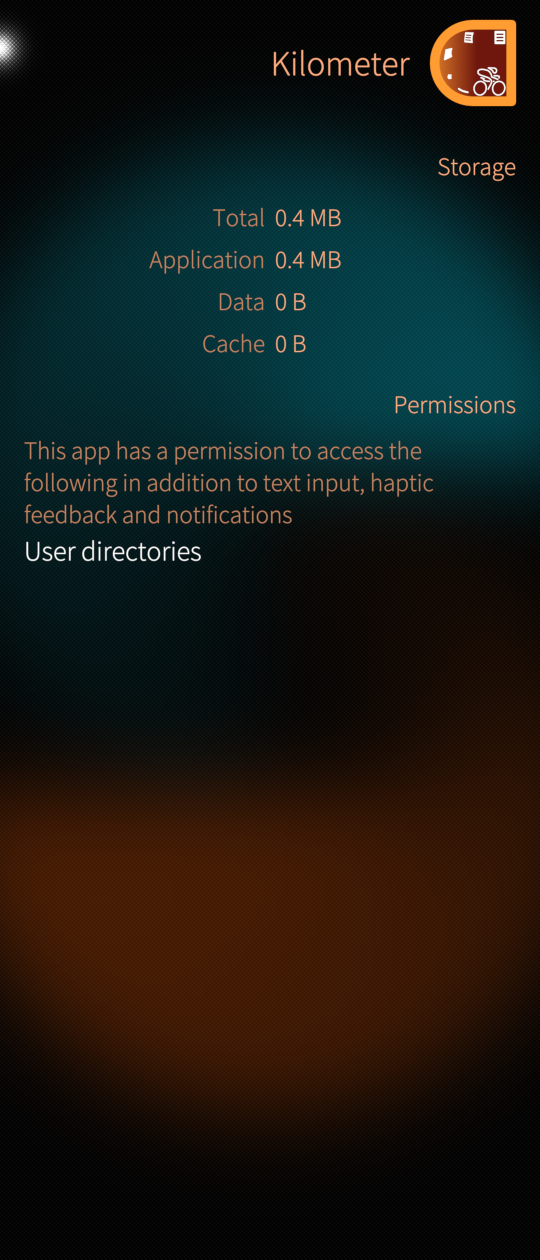
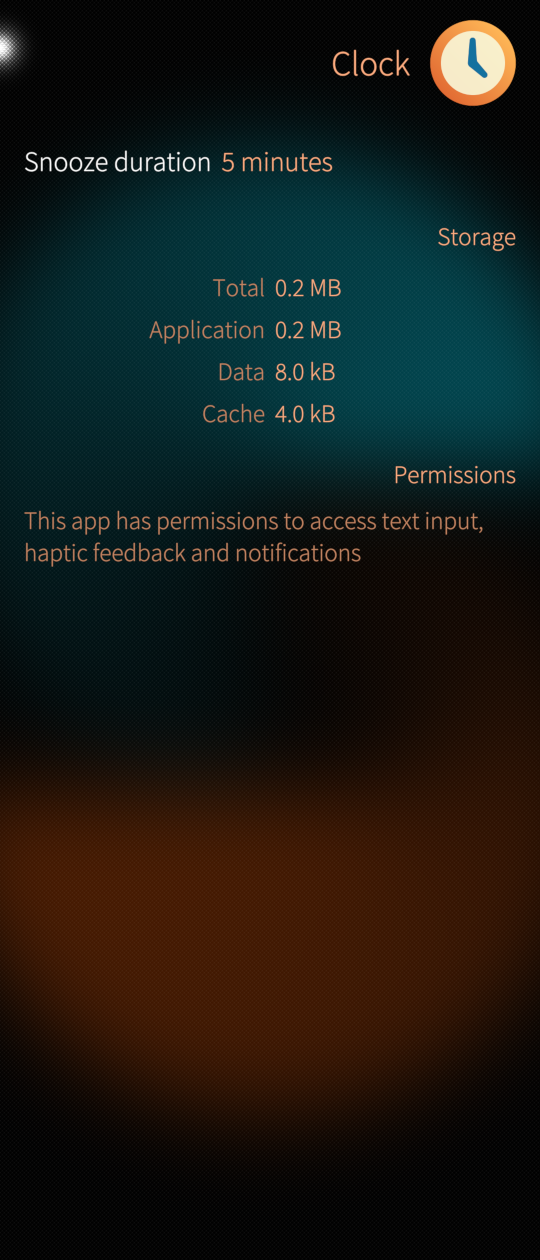
3 Likes
Once again, using AI has wasted scarce resources, such as energy, your time, my time, and everyone’s time who was reading or trying this, producing made-up bullshit that does not work.
Wrong.
Wrong.
Wrong, wrong, and wrong.
Stop trying to solve things this way, and for gods sake don’t share such generative drivel with others without verifying that is actually does what it’s supposed to do.
PS: But hey there’s at least one good thing in there:
That’s actually a valid and clever alternative to basename. Didn’t think about that one.
2 Likes
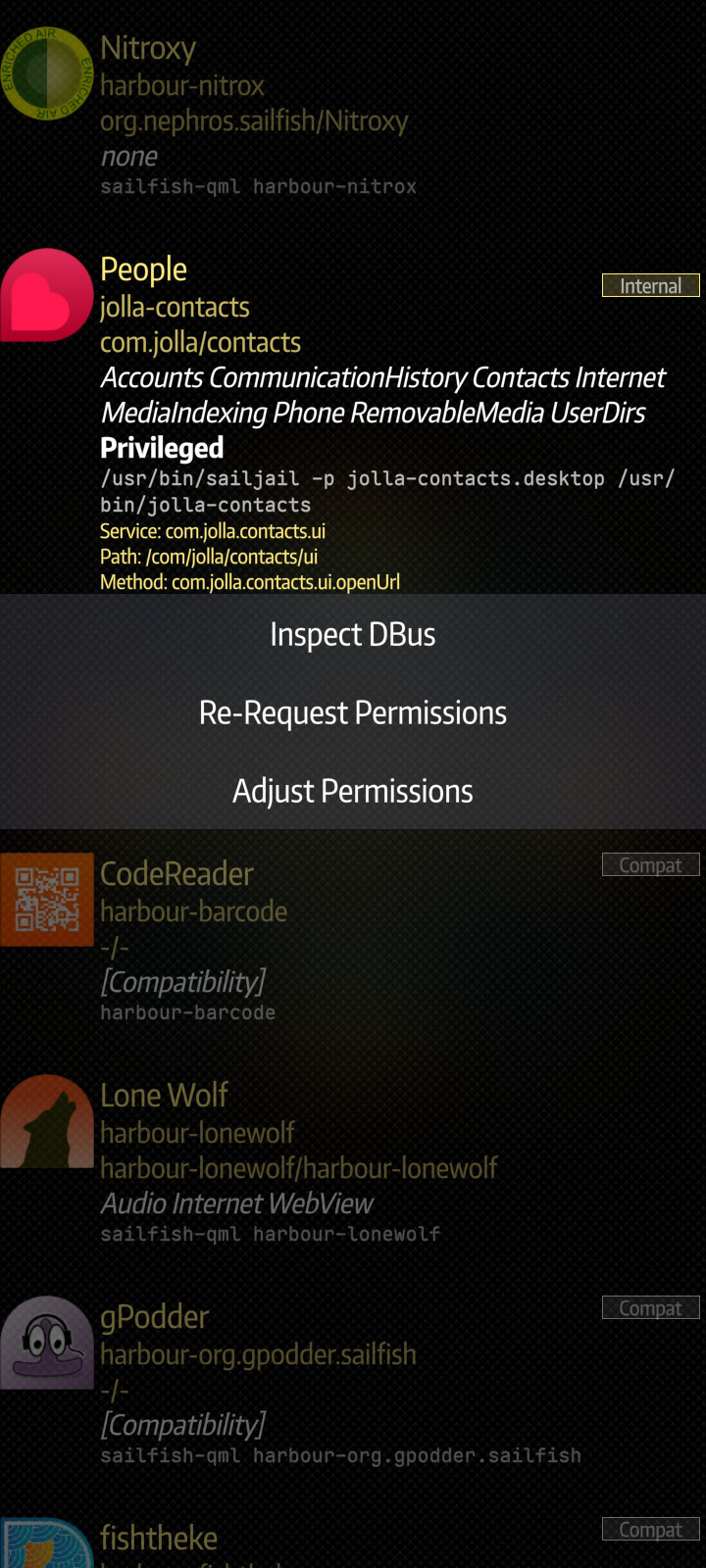
I mean instead of messing around with AI hallucinations, someone could take an afternoon and write something like:
6 Likes
No (twenty characters)
Welllll…
You are comparing an OS that has millions+++ of users to an OS that has less than a village. With those things in mind:
Android users are much more likely to come across malware, bad actors, and various security vulnerabilities. The scale of Android makes it a target by default.
The number of apps that gets added to Google Play daily is 1.406 (on average), I bet that most of these programs does not use github or have open source code…
And if they have malicious intent, they 100% do not have it on full view 
Since SFOS is much smaller “everyone knows everyone” (well emm no, but I hope you understand)
That said:
If / when Sailfish grows into millions of users, and thousands of programs are added every day, it obviously needs those things you are talking about.
what scenarios might happen, how users can allow permissions by mistake, how users might want to allow some permissions just temporarily
4 Likes
Why are you telling me about F-Droid?
I only use Sailfish apps on Sailfish OS.
I don’t understand what you are saying.
What exactly is there to understand about the fact that the user cannot revoke permissions for an app?
please iolala chill, we get your point, no need to spam posts.
best regards
3 Likes
I am a total noob to Sailfish OS (less than a week of use) and I am here because I wish to get off the teat of BigTech. I run Linux on all my other devices so I wanted to try it for my phone. I am trying my best to learn how to use Linux but I’m old and it’s a steep curve. I use my phone as a tablet, with cellular and BT off and WiFi only with a VPN. So I am highly cautious and untrusting of apps in general thanks to Android’s (and Apple’s) ecosystem of spytech and spyware. All that said, I also baulked at the permission situation on SFOS. For example, the stock browser requires location permission and I refuse to grant such a permission. What this leaves me with is running a tiny number of apps such as a browser and messaging client that I have downloaded from F-droid. With my limited expertise, I feel a bit safer running a sandboxed Android app that has no access to the OS and whose permissions I can control than I do running a native app whose permissions I cannot control. Eventually I will move to a tablet mobile device running a Linux desktop and ditch the phone entirely, but in the meantime, I wonder if my logic for using sandboxed Android apps holds up or have I undermined my privacy and security by doing so?
1 Like
checkout https://docs.sailfishos.org/Support/Help_Articles/Web_Browser/ for more control on your settings e.g. location
1 Like
Thank you very much for that link. I had not at all realised or appreciated that one could define permissions inside the app since I had not got past the first launch screen which appeared to require me to grant said permissions and therefore I had not once launched the app. You have cleared up a huge misunderstanding. Thank you again.
1 Like
Do note that there is also a documentation about permisions:
1 Like
Welcome to apps you can trust - this is the norm here. Some people (see basically the whole thread) insist that everything should work like on Android, but there are indeed better ways - apps doing what they should and only that, with the user in control.
5 Likes