Nope… HtheB is just HtheB
2 Likes
My solution is literally bringing Android Auto to Sailfish OS, which indeed means that you need to install some Google stuff on it. You can’t go around it
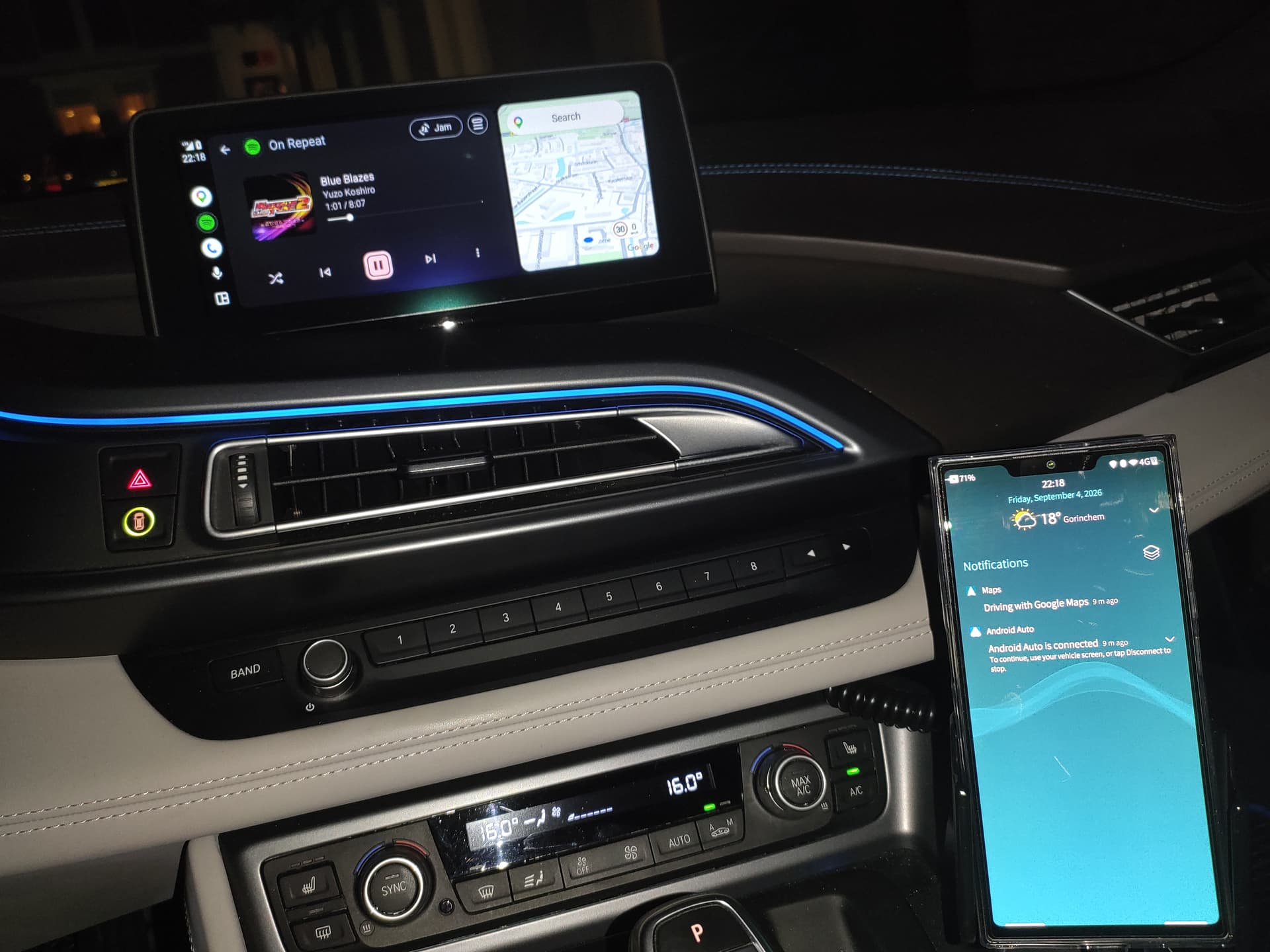
However, I did add an Audio bridge from SFOS to Android Auto, so you should be able to use your Sailfish OS music player on Android Auto
7 Likes
That means Android Auto works in AAS?
2 Likes
Yes, exactly. Just like how it works on a regular Android phone.
6 Likes
Is it just as simple as installing Android Auto via Aurora Store? Or does it involve more?
There must be more. A simple install from Aurora Store doesn’t work.
2 Likes
Cool, so there are three people working on different solutions!
I must say I am most keen for a solution that does not employ AAS, but anything is certainly better than nothing!
8 Likes
Great, is it connected via USB or wireless?
I think in his setup it worked wireless
Both are possible, either via USB or Wireless
2 Likes
Great, who can i do it on my xperia10iii
It’s only for tested on Jolla Phone 2026 mode, running on the latest fw (5.2).
So, can’t say anything for other devices.
3 Likes
Really nice.
It’s still being tested and not yet available?
1 Like
Is there a guide or any instructions you can provide on what you did to achieve this?
I will release a patch soon for this. Just tapping patch button should be enough.
JP2 only for now
6 Likes
Just thought I’d mention this here, some guy has finally got a Raspberry Pi talking to Mirrorlink, which is the original way YEARS ago I was imagining SFOS might be able to connect to a car.
Mirrorlink isn’t really a thing anymore I suppose, my car still supports it alongside Android Auto / Carplay, but more modern cars don’t, so sadly the usefulness of this achievement is limited.
Edit: I also just realised the reason why this finally made so much progress so quickly - it’s slop 
2 Likes
That’s really impressive!
Just asking summary: installing Android auto + your patch?
4 Likes
Probably tomorrow!!!
9 Likes
Which device do you use?