This is not acceptable, @HtheB you should fix this.
1 Like
@Apostle Looks fine for me
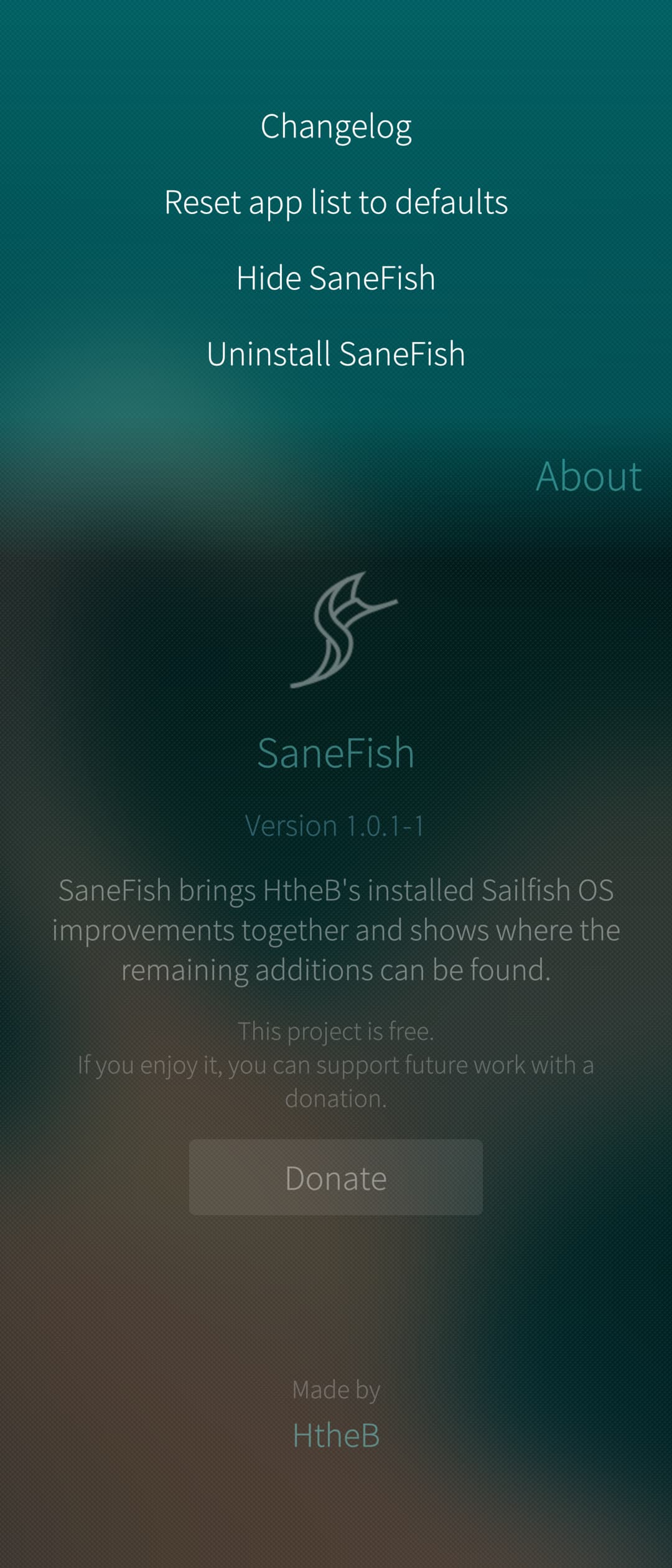
You can also remove it manually via the terminal
devel-su pkcon remove sanefish
@kan_ibal Please don’t talk before you’ve tried it yourself
Hello HtheB, how can I activate only the live background per mp4 without the other effects? With the slider strength? I choosed a video and the screen was green . Maybe an effect only on Sony Xperia 10III with 5.1. The video is complete green and sometime chrashed the phone… I had also a livebachground patch called animated Ambience and use only gif…
1 Like
@rdomschk I’ve sent you a dm with a build that supports “No Effects” and animated GIF support, can you please try it out?
Edit: Fixed in Live Wallpaper version 1.1.0-1!
And Added “No Effects” and Animated GIF support as well
1 Like
I got it now, thank you, but the option to uninstall did not appear until I had uninstalled Patchmanager for some reason. Oddly enough, Sanefish prevented Chum from uninstalling Patchmanager, so I had to uninstall it via Sanefish. But before Sanefish would allow me to uninstall Patchmanager, it prompted me to delete all my patches manually. Not just deactivate them, but delete them. After this, Sanefish was able to uninstall Patchmanager, and then the option to uninstall Sanefish finally appeared in the pulley menu.
As I had quite a few patches in Patchmanager, it was quite a hassle to download them all again. I’m just letting you know, as I assume this is not intentional?
Also, another thing. I apologise if you have already addressed this (I’ve not followed the thread very carefully), and please don’t misinterpret my question as offensive (as I have seen some heated comments), but why don’t you want to publish your patches via Patchmanager? To compare the situation with the app stores, I know many are unhappy with the fact that there are three different native app stores. To me (not a developer, so I don’t know much), it seems like Sanefish is another patch manager that basically does the same things, only with a different repository and UI?
Anyway, some of the patches were good, and I still hope you will release them to Patchmanager.
1 Like
SaneFish only checks the patches for SaneFish. As stated before:
Once this is done, you can just simply uninstall SaneFish, you do not need to remove Patchmanager itself.
Yeah, it was explained before; Basically, I like to control my stuff myself. Look for example now, OpenRepos is down, can’t even add anything there since a few days because of the PHP vulnerability.
If I want to release something, I want to have the control over it myself, not by a third party.
Patches will be available through OpenRepos eventually, but for the most part, it’s just easy to maintain from my server. It makes no difference.
Pretty much, with a much better user interface and with a lot of good patches.
Good patches are welcome to SaneFish too, once they really show it’s a good addition for Sailfish OS, (as example; Phone Enhancements, where you get a nice caller popup instead of a full window right in front of your face)
You can still use Patchmanager and hide SaneFish if you do not like to see it in the Settings, I gave people the option for that as well
1 Like
First of all, thank you for your response.
I was not able to uninstall SaneFish after removing the SaneFish patches. I went into the about section and did not find the option in the pulley menu. As Patchmanager still showed up in SaneFish as a patch (I think under “category: general”), I figured I might need to uninstall that too. Given the fact that something hindered me from uninstalling Patchmanager via Chum I assumed SaneFish was somehow involved, and this proved to be the case as the option to uninstall SaneFish appeared when I had uninstalled Patchmanager. I would say this was a bug then, but I do not know what has caused it.
1 Like
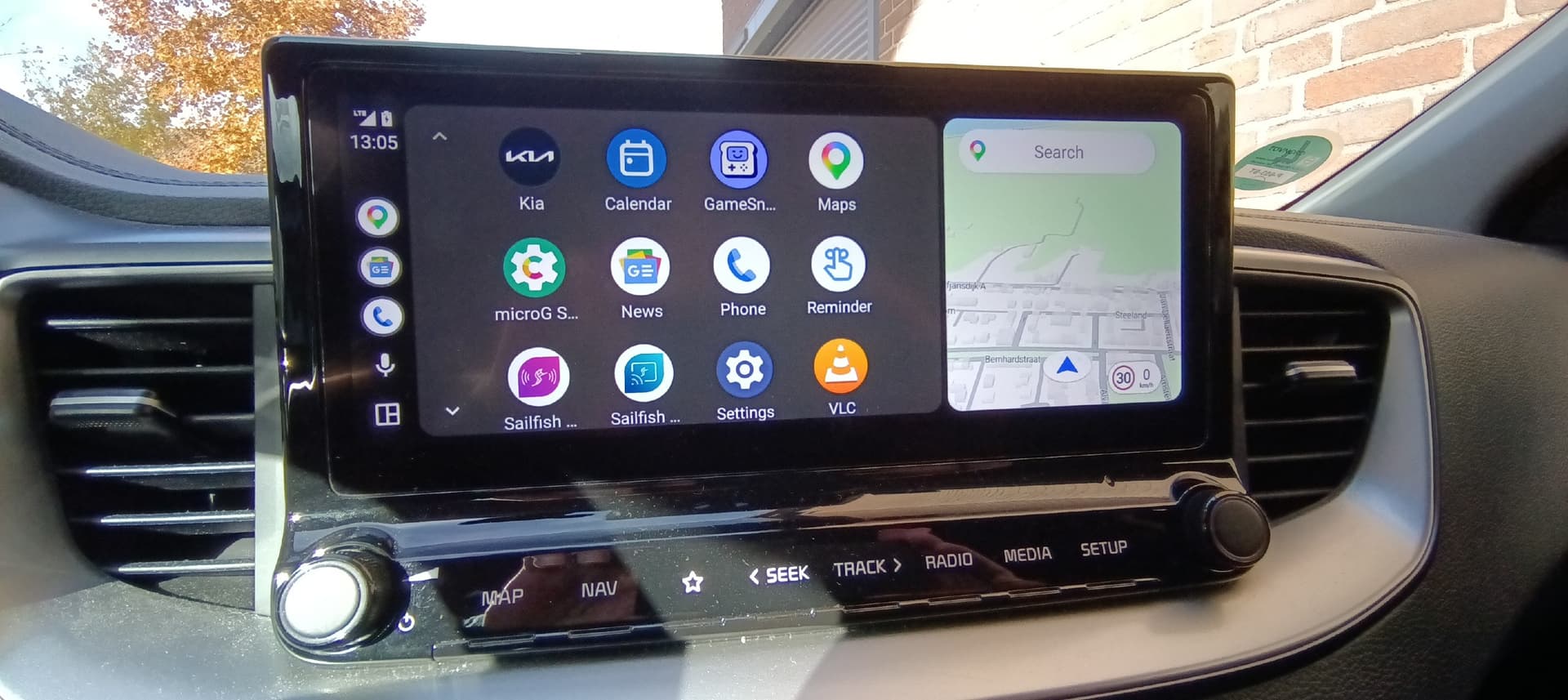
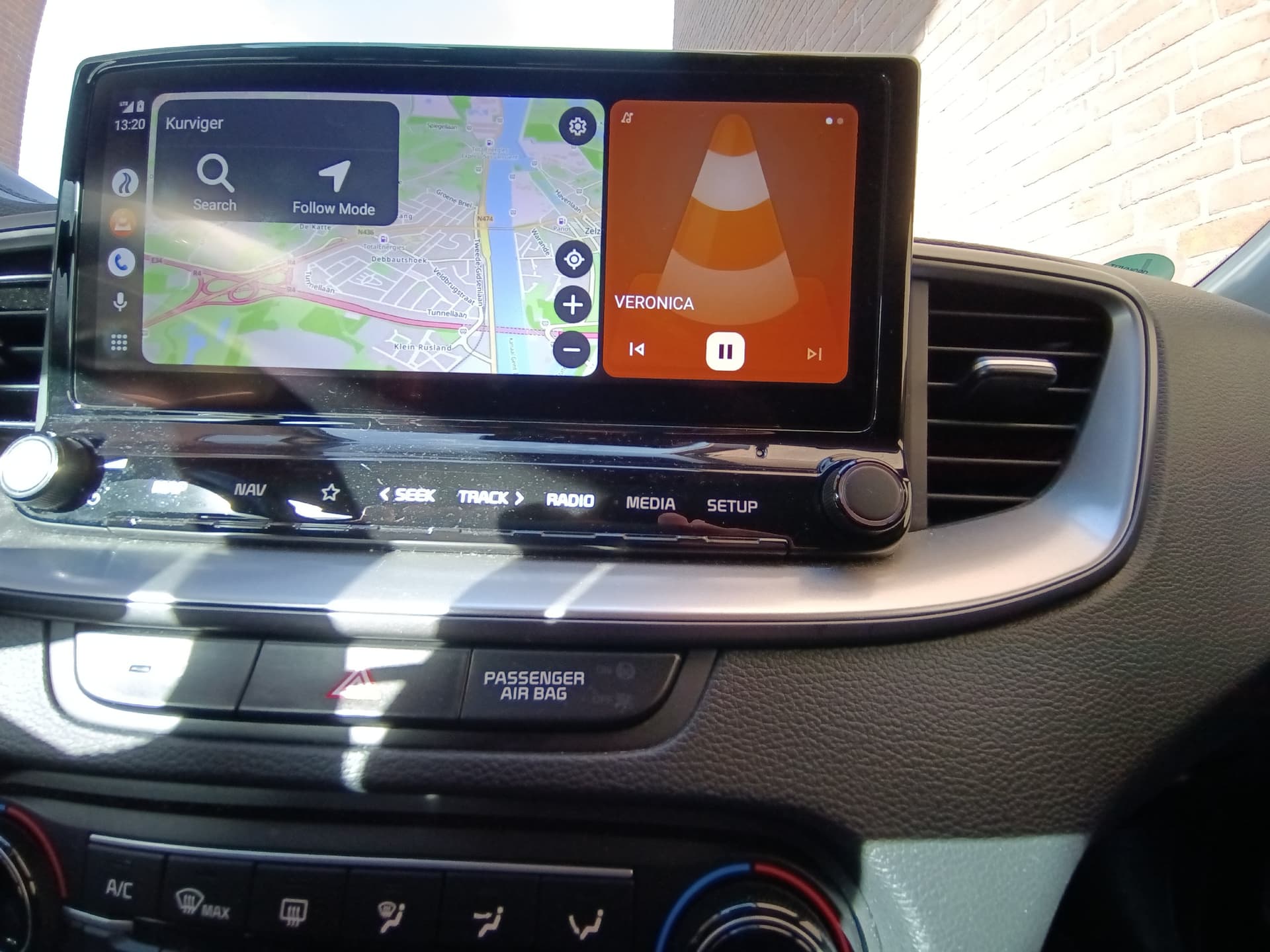
“AA” works out of the box on my Jolla C3 and my 2022 Kia Ceed 
The only issue I seem to have is that it disconnects often. I think that might be due to a faulty USB cable though. Perhaps my Jolla is more sensitive to that than my Android device.
Thanks a lot to @HtheB for the work!
*edit *
I’ll try if it’ll work on my Carpuride AA device on my motorbike later on. It uses Wifi to connect to my phone.
1 Like
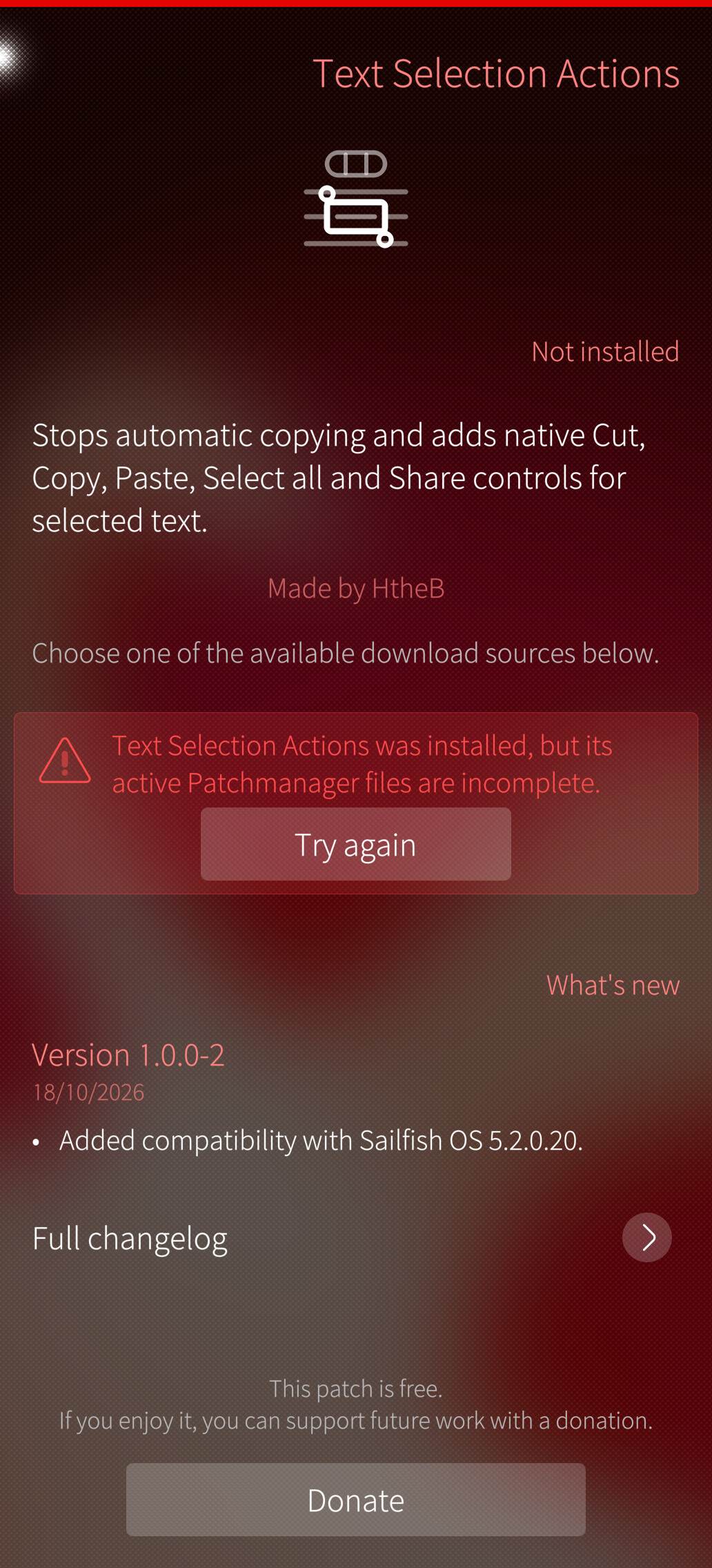
I can’t install patches in Sanefish at the moment. Jp 2026. Is this a problem because of the 5.2.0.22 update?

Same issue as this - I’ve tried a few times to get this up and running, last week i had issues where things would install but not actually do anything, gave up.
This week downloaded PM and Sanefish both fresh and now encountering this error.
No help with the problem?
@manuel.sailfish @Unhallowed
Yes, it’s known that if a new version drops, that it won’t be able to activate it before it’s flagged as “being tested/ok”.
To bypass this and to give feedback if it still works:
Go to Patchmanager > Settings > Disable strict version checking
That way, a patch can still be enabled if the firmware update did not change essential things for the patch to work.
If it works that way, please do tell me and I can update it accordingly.
Strict version control is always deactivated for me. So it’s a little bit deeper… I have now crept in the mistake that AAS has always crashed. After deleting the patches and SaneFish, this problem is no longer present. Incl. I reset the JP2026 and reset it to get rid of ballast. So I’ll just leave that one. No patches. Nothing that goes deeper. It’s going to be very round. But keep going. I watch and test with the Jolla C2
Snap, also set to no check on my side - so that isn’t the cause of this one boss 
Since the Xperia 10iii also got the newest update, I’ll try to fix all of them soon
Yeah, same problem here with the .22 update. Super stoked to try this!
I can’t find Sailfish Auto in Sanefish?
I have Sanefish v1.0.0 from the latest Storeman….
Hello, i have noticed a problem with the android edge back patch. While it’s a pretty elegant way to make the back gesture work, sadly it makes any android apps where you need to type practically unusable. I guess it starts checking for the gesture with any touch along the edges of the screen and blocks any interaction with the app so if the app has any buttons close to the edge of the screen it’s a problem and of course its a problem with a keyboard where all of the keys close to the edge like “q” or “p” or backspace are very difficult to press.
Edit: I tried fiddling with the activation area and sensitivity. I put it to 1 mm for the least interference with other UI elements. I also tried changing the sensitivity. But now the gesture doesn’t seem to work at all. I now need to begin the gesture completely outside the screen and there is a small area where the default Sailfish gesture for returning to home screen fires instead. And when i actually manage to do the back gestures it doesn’t do anything. And now the gesture even appears in some native Sailfish appd.
For this case I keep the back button closer to the top, as it also interferes with the top-down gesture. You can also configure the hotspot width to minimize that further. I keep them at 1, but maybe 2 will be better, as some apps fail to detect the gesture from time to time.
1 Like