sailfishOS 5.2
JOLLA PHONE (2026)
Librespot 0.8.0 (i compiled it following your Wiki
Thank you for your kind answer. I will check all this out 
No Problem 
Feel free to come here again, if you can’t figure it out
Added to the Wiki, thanks!
Yesterday I played around with Defender settings, browser cookies, the service-file, un- and reinstallation of Hutspot and voila, today My Stuff, Top Stuff, History, etc. are displayed correctly. No idea what caused the healing. Now it’s just a joy to use this brilliant App!! Much nicer than the overloaded original.
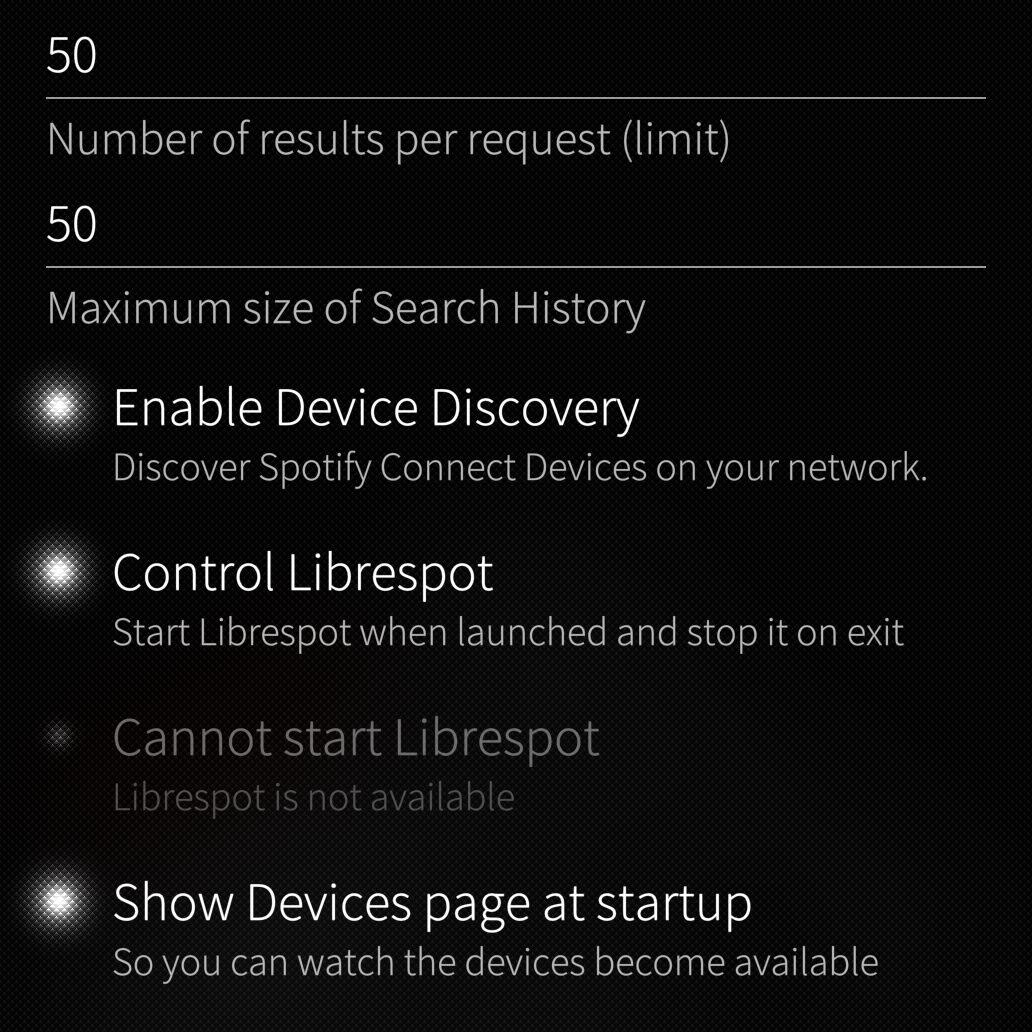
Still cannot start/stop Librespot with Hutspot but I can live with using the terminal start option for now.
Can you describe that? Because for me, I can start Librespot with Hutspot, it just takes a really long time for it to start
Sure, I’d love to. First of all, in settings Hutspot always indicates that Librespot is not available. No matter if it’s running or not
Every time I open Hutspot, it asks for my credentials and accepts them but if Librespot was not started by terminal, I can just wait forever. No device is comming up. When I choose Authorize using browser, it opens the browser where I’m logged in right away, no need to put in credentials. But in Hutspot the same, no device is comming up.
In terminal I use:
/bin/env “PULSE_PROP_media.role=x-maemo” /home/defaultuser/librespot/target/release/librespot --cache /home/defaultuser/.cache/librespot --enable-oauth -b 320 -n MyAwesomeLibrespotBuild --backend pulseaudio --device-type smartphone
Librespot appears in Hutspot immediately.
In the librespot.service file the start command is according to your Wiki:
/bin/env “PULSE_PROP_media.role=x-maemo” /home/defaultuser/librespot/target/release/librespot --name ${DEVICE_NAME} $BACKEND_ARGS --b 320 --cache $CACHE_ARGS --enable-oauth $USER_ARGS $VOLUME_ARGS $DEVICE_TYPE_ARGS
I already replaced it by the terminal command but no success.
All directories are according to your Wiki as far as I can see. There’s also a credentials.json in .cache/librespot
let me know what other info helps to identify the issue
Where have you put this file?
/etc/systemd/user
20char
Edit: wait, could be a permission thing it’s only root. let me check something out
yeah, just damn stupidity. I used the Root File Browser to create the file and did not extend the permissions. It finally works, except that Hutspot does not remember my credentials. But with the browser support it’s fine.
Thank you very much again for your help !
Could be some Cookie issue?
Maybe. I uninstalled the Defender App and reset all cookies in the browser. Afterwards I had to re-login but in Hutspot still the same. Is there another way to whitelist (or un-blacklist) cookies in Hutspot?
BTW starting Librespot through Hutspot worked only one single time and never again  …will troubleshoot again when I find time
I could only get the hutspot - librespot start/stop integration working when i disabled the sailjail for hutspot.
At the end of ‘/usr/share/applications/hutspot.desktop’ add:
[X-Sailjail]
Sandboxing=Disabled
Not an ideal solution but without it hutspot is a pain in the a** to use 
This is interesting - for me, this file doesn’t contain a [X-Sailjail] section at all. Maybe that’s why I didn’t notice this. I will add your findings to the wiki, thanks!
What version of Librespot, SailfishOS and what device did you use?
Librespot 0.8.0 with SFOS 5.2.0.18 on the Jolla Phone (2026)
Does anyone else have the problem, that librespot takes a very long time (up to two minutes) to connect?
First it tries port 4070, then 443 before eventually connecting successfully to port 80?
Just reposting here since this is actually the better thread. Bug fix release. Currently only on github since chum is not available.
Thank you, poetaster, for fixing it so quickly! I can confirm it works: tested on a Jolla Phone (2026), SFOS 5.2, Librespot 0.8.0. The phone now appears in Hutspot’s device list on its own within a few seconds, no “Reload devices” needed. (For transparency: I found the bug with the help of an AI assistant, as mentioned in the github issue.)
Until it is in Chum, the RPM can be downloaded from the GitHub release page: Release 0.5 · sailfish-spotify/hutspot · GitHub
A separate tip, not related to the fix above: if Hutspot does not start Librespot by itself although “Control Librespot” is switched on in Hutspot’s settings, check your librespot.service file:
I installed it and Hutspot still works…
I didn’t notice any difference to be honest 
I still have the issue of Librespot taking forever to connect, but once it connects it shows up in the devices list.
Ok, good to know. I need to go read the wiki again I just don’t use spotify anymore