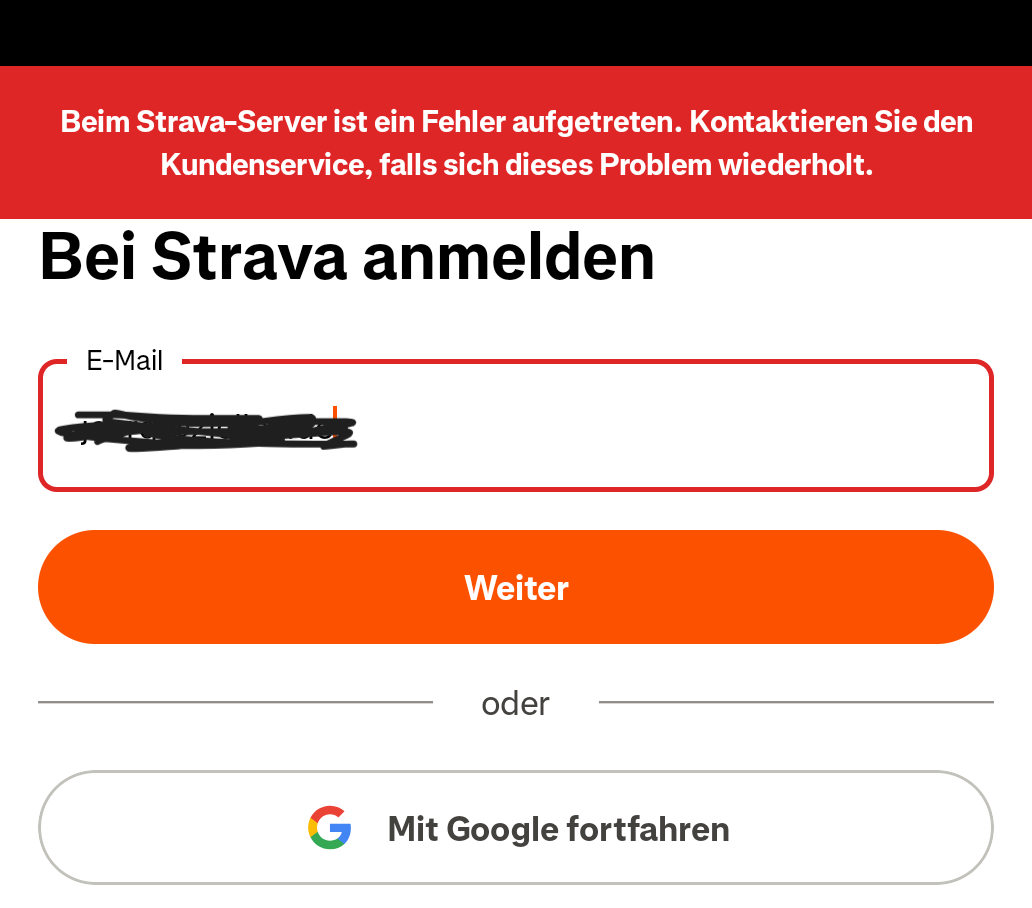
On my Jolla Phone 2026 I am not able to log into my Strava account. After typing my email address, a red banner shows something like “An error occured on Strava’s server…”. In the past, similar issues could be resolved by activating SafetyNet in MicroG settings (details).
But ths is not the case anymore. Device attestation in MicroG settings is enabled, but regardless of the settings all tests fail (SafetyNet certification, ReCAPTCHA, ReCAPTCHA Enterprise).
In the year 2026 SafetyNet is deprecated old technology. Almost everything has moved to the new Play Integrity. This has broken a lot of apps on modified Android ROMs and unofficial ports. This also includes Jolla’s AndroidAppSupport. There’s no getting around it unless you somehow manage to get a valid keybox which is out of the scope of AAS.
What you can try is to update microG manually and try to log in to Strava again, however there’s a high chance it won’t work.
Maybe someone who’s used Strava can add more details, but regarding device attestation - Google basically destroyed almost all kinds of unofficial support for it.
I would try, if not done, to enable the gatekeepr service (see the enable lock pin on AAS threads). Most of the times I thought Play Integrity was needed it was just that missing.
Revolut does need play integrity, maybe strava also, and that can be worked around (search online), but on Jolla Phone 2 it will be a pain to achieve.
Are you talking about using e.g. xposed modules or the magisk modules? I tried those (on an actual Android phone running a custom rom with a locked bootloader) and could never really get them to work.
Yeah, Play Integrity does not just check if the phone model etc match a supported device. Android phones come pre-loaded with some keys that have been explicitly trusted by Google.
Unless you can somehow get these keys, and convince Play Services that it should use those keys on a different device, Play Integrity will not be fixed.
yes, that’s the reason I said it would be a pain to achieve. It’s probably doable, we can overlay whatever we want on the aas image, we can probably hack the aas kernel also, on the other hand it would be something that jolla wouldn’t support, and it exceeds user level knowledge.
Play Integrity is like putting locks on a door, it will not stop determined individuals from getting in, but will prevent low effort attempts. Why would strava need it it’s beyond me.
99% of apps that use it don’t need it. It’s because it’s recommended to use it by Google. AKA, attempting to side-step DMA and similar regulations in the name of “security.”
I just tried installing the latest Strava app, just to see if anything changed, I can then see in microG the following for com.strava in ‘Apps using Device Attestation’: ExpressIntegrityService visited failed. API is disabled. With that in mind, i suppose the issue is still, that Strava did not update their app, to use the Play Integrity, but are still using the SafetyNet feature? Any other thoughts?
It doesn’t matter (have tried with and without), At the moment I have choosed to just turn it off, as it doesn’t make any change for app’s wethether its enabled or disabled, as there is no need for it anymore, Google deprecated SafteyNet last year, and the API has been closed/disabled by Google. The reCpacha test in microG doesn’t work either, since it can not communicate with the API.
I use Garmin Connect to register and sync all my activities to Strava, so it’s not as much about using the app to record, but the app has some functionality, which isn’t available in the web version (like the built-in messenger part) - at the moment, I just login on the webpage and live without being able to communicate directly with other users
Have you tried installing an older version of the Strava app, from before they implemented the new checks? (If you can login, then maybe you can upgrade without being logged-out.)
Yes I tried different versions. Below 466 (the official minimum version) there is just a redirect to google play to update. Versions 466 and above show some information pages, but fail to login using an email address. Playing with the device attesting settings in microG did not help.
If someone wants to test: app version 466.12 has versionCode 12398082.
I have the exact same issue, I activated SafetyNet but the issue persists. I am correct in concluding from above that Strava using MicroG will not work, and there is no solution?
 I use Garmin Connect to register and sync all my activities to Strava, so it’s not as much about using the app to record, but the app has some functionality, which isn’t available in the web version (like the built-in messenger part) - at the moment, I just login on the webpage and live without being able to communicate directly with other users